

Long Lasting Clock: Fullscreen
Schmidt Service Partner AB Utilities iPhoneiPadiPod touch
Long Lasting Clock: Fullscreen is a free Utilities app for iPhone and iPad by Schmidt Service Partner AB. Requires iOS 16.0. Updated October 22, 2026.
- Price
- Free
- on the App Store
- Size
- 5 MB
- Age 4+
- Updated
- Oct 22
- 2026 · v1.3
Screenshots


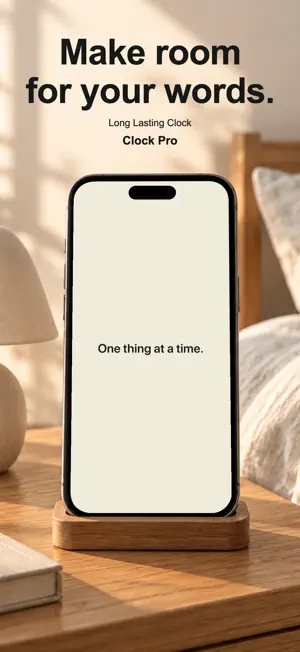

About Long Lasting Clock: Fullscreen
See the time at a glance. Turn your iPhone or iPad into a large, full-screen clock for your desk or nightstand, with no ads or account required. START FREE Use the Digital clock with the Midnight appearance. Adjust the size, show the date or seconds, and choose 12-hour or 24-hour time. MAKE IT YOURS WITH CLOCK PRO Clock Pro is an optional one-time purchase, not a subscription. Add the Flip and Focus clock styles, Paper and Night Red appearances, and your own text, background and colon colors. Choose another time zone and give its displayed location your own town and country name. Add a personal message with its own font, size and color. Save up to five color settings, five messages and five time zones to switch between. QUICK TO ADJUST Tap a quick control to select its size slider. Tap again to cycle through its choices, or touch and hold to open its menu. Lock the controls to prevent accidental changes. A short interactive guide helps you get started. AT YOUR PACE Keep the screen awake while the clock is open. Burn-In Protection gently moves the display over time; it does not guarantee against screen burn-in. Keeping the screen awake uses more battery. Your personal messages, saved places and clock preferences are stored on your device, not collected by the developer. No account, ads or tracking. GOOD TO KNOW The app must stay open to show the clock; system restrictions may apply. Locking the controls does not lock the device or prevent leaving the app. World time shows one selected time zone at a time, and a custom place name does not use your physical location. Editing current settings does not overwrite a saved preset. The clock works offline; purchases and restoration use Apple's services. There are no alarms, timers, widgets or system Lock Screen replacement.
What’s new
Version 1.3 · Updated October 22, 2026
Preview Clock Pro clock faces and colors before buying. Enjoy a clearer, easier-to-read upgrade screen, and share Long Lasting Clock from Settings.
App privacy
The developer, Schmidt Service Partner AB, reported these privacy practices to Apple.
Data Not Collected
The developer does not collect any data from this app.
Alternatives to Long Lasting Clock: Fullscreen
Looking for apps like Long Lasting Clock: Fullscreen? Here are 6 similar apps on the App Store. The highest rated is ClocksOn: Bedside Clock (5.0/5), and all 6 are free to download.
-
 Stay Clock: Flip Desk Clock
-
 Clock Stand: Desk Clock
-
 Tiqlo: Pixel Flip Clock
-
 AllyClock
-
 toki — physics clock
-
 ClocksOn: Bedside Clock
5.0
ClocksOn: Bedside Clock
5.0
| App | Rating | Price | Last updated | Compare |
|---|---|---|---|---|
| Long Lasting Clock: Fullscreen | – | Free | October 22, 2026 | |
| Stay Clock: Flip Desk Clock | – | Free | Oct 24, 2026 | Compare |
| Clock Stand: Desk Clock | – | Free | Jul 12, 2026 | Compare |
| Tiqlo: Pixel Flip Clock | – | Free | Sep 26, 2026 | Compare |
| AllyClock | – | Free | Jul 15, 2026 | Compare |
| toki — physics clock | – | Free | Sep 21, 2026 | Compare |
| ClocksOn: Bedside Clock | 5.0 / 5 (1) | Free | Oct 4, 2026 | Compare |