

Clock Stand: Desk Clock
Aleksandar Pecanov Utilities iPhoneiPadiPod touch
Clock Stand: Desk Clock is a free Utilities app for iPhone and iPad by Aleksandar Pecanov. Requires iOS 26.0. Updated July 12, 2026.
- Price
- Free
- on the App Store
- Size
- 4 MB
- Age 4+
- Updated
- Jul 12
- 2026 · v1.0.1
Screenshots
About Clock Stand: Desk Clock
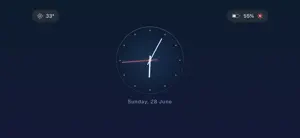
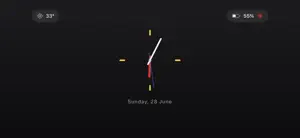
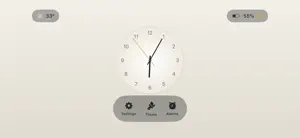
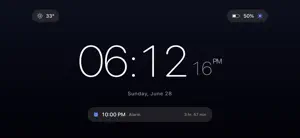
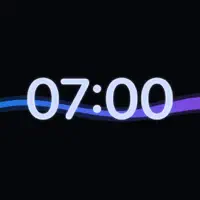
Clock Stand turns your iPhone or iPad into a beautiful, always-on clock for your desk or nightstand — and it's completely free. No ads. No in-app purchases. No account. No catch. Just a gorgeous clock. A DOZEN GORGEOUS THEMES Make it yours and match any room — switch live, day or night: • Digital faces — Midnight, Paper, Sunset, Forest, retro Nixie, soft Ambient, and a split-flap Departures board • Artistic analog faces — Bauhaus, Aurora, Eclipse, Porcelain, and Helios • Subtle gradients and lighting: refined and modern, never garish • Big, legible time in portrait or landscape WAKE TO THE WEATHER Our signature feature: don't just wake at a set time — wake to the sky. Create a custom weather alarm that goes off when the weather turns to rain, snow, fog, thunderstorms, wind and more. Pick the condition, and Clock Stand watches the sky for you. You won't find this on your stock clock. ALARMS THAT WORK • Dependable alarms that ring even when the screen sleeps • Snooze and repeat, with in-app Stop and Snooze • See your next 24 hours of alarms right on the clock • Suggest a wake-up time from your Health sleep ALWAYS-ON, YOUR WAY • Keeps the screen awake while it's on its stand • Battery-aware: let it sleep below a set level, or stay on only while charging • Brightness slider — or just swipe left/right to dim • Auto-dim when a Focus such as Sleep is active WEATHER AT A GLANCE • Current conditions and temperature from Apple Weather • Completely optional — turn it off anytime WIDGETS • Home Screen, Lock Screen, and a Control Center toggle • Themed to match your clock MADE FOR EVERYONE • iPhone and iPad, portrait or landscape • Available in 9 languages Free, forever. No ads, no in-app purchases, no sign-up — just a beautiful clock for your space. Weather data provided by Weather.
What’s new
Version 1.0.1 · Updated July 12, 2026
• Typefaces: give your clock a stylish new look — tap the new font button to cycle through a hand-picked set of beautiful fonts. • Temperature alarms: get alerted when the temperature rises above or drops below a level you set — now you know exactly when to open the windows or close the blinds. • Bug fixes and improvements.
App privacy
The developer, Aleksandar Pecanov, reported these privacy practices to Apple.
Data Not Collected
The developer does not collect any data from this app.
Alternatives to Clock Stand: Desk Clock
Looking for apps like Clock Stand: Desk Clock? Here are 6 similar apps on the App Store. The highest rated is Clock Widget Creator (5.0/5), and all 6 are free to download.
-
 Dock: StandBy Clock & Planets
-
 Clock Widget Creator
5.0
Clock Widget Creator
5.0
-
 AlwaysOn: Standby Clock
4.8
AlwaysOn: Standby Clock
4.8
-
 Big Clock – Always On Display
4.5
Big Clock – Always On Display
4.5
-
 Minimal Digital Clock: StandBy
4.3
Minimal Digital Clock: StandBy
4.3
-
 Digital Clock Widget · StandBy
4.6
Digital Clock Widget · StandBy
4.6
| App | Rating | Price | Last updated | Compare |
|---|---|---|---|---|
| Clock Stand: Desk Clock | – | Free | July 12, 2026 | |
| Dock: StandBy Clock & Planets | – | Free | Oct 8, 2026 | Compare |
| Clock Widget Creator | 5.0 / 5 (1) | Free | Jun 4, 2026 | Compare |
| AlwaysOn: Standby Clock | 4.8 / 5 (10) | Free | Oct 10, 2026 | Compare |
| Big Clock – Always On Display | 4.5 / 5 (4) | Free | Oct 5, 2026 | Compare |
| Minimal Digital Clock: StandBy | 4.3 / 5 (10) | Free | Oct 9, 2026 | Compare |
| Digital Clock Widget · StandBy | 4.6 / 5 (21) | Free | Sep 4, 2026 | Compare |