
AlwaysOn: Standby Clock
Weijin Wang Utilities iPhoneiPadiPod touch
AlwaysOn: Standby Clock is a free Utilities app for iPhone and iPad by Weijin Wang. Rated 4.7/5 from 15 ratings. Requires iOS 17.6. Updated October 21, 2026.
- Rating
- 4.7
- 15 ratings
- Price
- Free
- on the App Store
- Size
- 48 MB
- Age 4+
- Updated
- Oct 21
- 2026 · v1.17
Screenshots


About AlwaysOn: Standby Clock
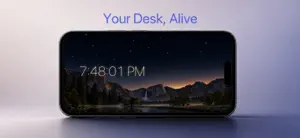
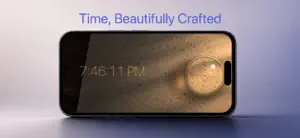
Turn your iPhone or iPad into a beautiful desk and nightstand clock. Free, with no ads and no subscriptions. AlwaysOn shows the time, your calendar, weather and more on a screen you leave docked or propped up, and now on your Home Screen and Lock Screen too. WIDGETS FOR YOUR HOME SCREEN • Time Together, Daylight, Word Clock, Card Clock, Tube Clock, Countdown, Green Room, Moon Phase and Horizon • Home Screen, Lock Screen and StandBy • Tap ▶ to watch a whole day go by in seconds CLOCKS AND BACKGROUNDS • Digital clocks in eight styles, including big iPhone-style digits • Clock backgrounds: Lens, Card (split-flap), Tube, Prism, Stone, Shadow and Green Room • Animated and still backgrounds: Earth, Horizon, Moon Phase, Catnap, Soft Flow, Tide and more • Seasonal backgrounds for holidays and festivals MADE FOR NIGHT • Darker nights with a soft amber clock • Day Mode hours, Smart Dimming and burn-in protection • A sunrise alarm that wakes you with light YOUR LAYOUT • Arrange the clock with Calendar, Up Next, Weather, World Clock, Countdown, Photos and Battery • Separate layouts for portrait and landscape, made for both iPhone and iPad PRIVATE BY DESIGN • No account, no tracking, no data collected • Available in English, Spanish and Simplified Chinese AlwaysOn turns a screen you're not using into something calm and useful.
Ratings & reviews
4.7
15 ratings
What’s new
Version 1.17 · Updated October 21, 2026
New in 1.17 • Widgets for your Home Screen and Lock Screen: Time Together, Daylight, Word Clock, Card Clock, Tube Clock, Countdown, Green Room, Moon Phase and Horizon. Most also work in StandBy. • Play a day: tap ▶ on a widget to watch the next 24 hours go by in about 25 seconds. • Countdown: days and hours to a date you pick, on paper flip cards. • Six new backgrounds: Prism, Stone, Shadow, Tube Clock, Card Clock and Green Room, a living room whose light follows the sun. Also improved: • Analog clock widgets follow the real sunrise and sunset, read the time aloud in VoiceOver, and Halo and Shadow can show seconds. • Longer battery life overnight: animated backgrounds slow down at night and use less memory. • The seconds hand on Halo and Shadow no longer freezes.
App privacy
The developer, Weijin Wang, reported these privacy practices to Apple.
Data Not Collected
The developer does not collect any data from this app.
Alternatives to AlwaysOn: Standby Clock
Looking for apps like AlwaysOn: Standby Clock? Here are 6 similar apps on the App Store. The highest rated is Dock: StandBy Clock & Planets (5.0/5), and all 6 are free to download.
-
 Minimal Digital Clock: StandBy
4.5
-
 Big Clock – Always On Display
4.7
-
 Dock: StandBy Clock & Planets
5.0
-
 NiteTime Clock
4.0
-
 Digital Clock Widget · StandBy
4.6
-
 KeepLit - Screen Always On
2.3
| App | Rating | Price | Last updated | Compare |
|---|---|---|---|---|
| AlwaysOn: Standby Clock | 4.7 / 5 (15 ratings) | Free | October 21, 2026 | |
| Minimal Digital Clock: StandBy | 4.5 / 5 (17) | Free | Oct 9, 2026 | Compare |
| Big Clock – Always On Display | 4.7 / 5 (6) | Free | Oct 22, 2026 | Compare |
| Dock: StandBy Clock & Planets | 5.0 / 5 (1) | Free | Oct 18, 2026 | Compare |
| NiteTime Clock | 4.0 / 5 (2) | Free | Jul 6, 2026 | Compare |
| Digital Clock Widget · StandBy | 4.6 / 5 (21) | Free | Sep 4, 2026 | Compare |
| KeepLit - Screen Always On | 2.3 / 5 (3) | Free | Mar 25, 2026 | Compare |