

iFillPDF
Moshe Uzan Productivity iPhoneiPadiPod touch
iFillPDF is a free Productivity app for iPhone and iPad by Moshe Uzan. Requires iOS 16.4. Updated October 4, 2026.
- Price
- Free
- on the App Store
- Size
- 69 MB
- Age 4+
- Updated
- Oct 4
- 2026 · v1.2.2
Screenshots

About iFillPDF
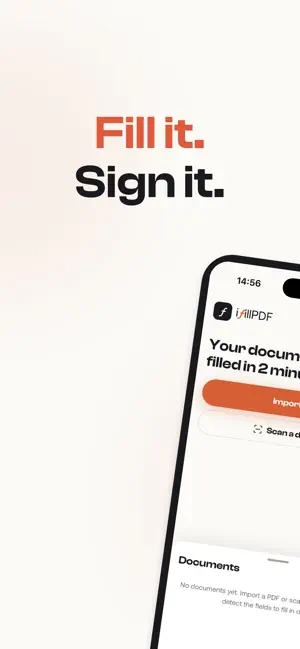
iFillPDF turns any form into a fillable document — whether it's a PDF someone emailed you or a paper sheet on your desk. SCAN PAPER LIKE A PRO Point your camera at any document. Edges are detected automatically, pages are cropped and straightened, and multi-page scans become a clean, sharp PDF. FIELDS DETECTED FOR YOU One tap finds the boxes to fill — text lines, checkboxes, signature areas. No more zooming into a flat PDF trying to type in the right place. FILL, SIGN, DONE Type your answers, check the boxes, draw your signature or initials, insert an image. Everything stays aligned exactly where it belongs on the page. SHARE A CLEAN PDF Export a crisp, print-ready PDF and share it anywhere — email, WhatsApp, cloud storage — right from the share sheet. WHY PEOPLE CHOOSE iFillPDF • Try it instantly — no account required to scan, import and fill • Automatic field detection • True multi-page scanning with automatic cropping (print-ready quality) • Signatures and initials drawn with your finger • Your edits save automatically as you type • Works with forms in any language Typical uses: administrative forms, rental applications, school paperwork, medical forms, contracts, attestations, expense sheets — anything you'd rather not print, fill by hand and re-scan. Creating a free account (email only, no password) lets you download your finished PDFs and keep your documents synced. Questions or feedback? Visit ifillpdf.com — we read everything. SUBSCRIPTION iFillPDF Pro is an auto-renewable subscription, available monthly or yearly. Payment is charged to your Apple Account at confirmation of purchase. The subscription renews automatically unless it is canceled at least 24 hours before the end of the current period. You can manage or cancel your subscription in your Apple Account settings. Terms of Use (EULA): https://www.apple.com/legal/internet-services/itunes/dev/stdeula/ Privacy Policy: https://ifillpdf.com/en/privacy
What’s new
Version 1.2.2 · Updated October 4, 2026
• Sign in once: after you create your account at export, the export resumes on its own instead of asking you to sign in again. • Your edits are kept on the device and restored if the app reloads. • Saves no longer overlap, so a quick series of edits always lands. • Tell us how the export went, right after it, if you wish.
Alternatives to iFillPDF
Looking for apps like iFillPDF? Here are 6 similar apps on the App Store. The highest rated is Sign PDF: eSign & Fill Forms (5.0/5), and all 6 are free to download.
-
 PDF Expert Lite: Scan & Edit
-
 Web Builder AI : Vibe Codes
-
 CarData24
-
 Sign PDF: eSign & Fill Forms
5.0
-
 Picture to PDF Converter +.
-
 bypassgpt undetectable ai
3.8
| App | Rating | Price | Last updated | Compare |
|---|---|---|---|---|
| iFillPDF | – | Free | October 4, 2026 | |
| PDF Expert Lite: Scan & Edit | – | Free | Aug 8, 2026 | Compare |
| Web Builder AI : Vibe Codes | – | Free | Jan 27, 2026 | Compare |
| CarData24 | – | Free | Jul 28, 2025 | Compare |
| Sign PDF: eSign & Fill Forms | 5.0 / 5 (1) | Free | Sep 28, 2026 | Compare |
| Picture to PDF Converter +. | – | Free | Sep 15, 2026 | Compare |
| bypassgpt undetectable ai | 3.8 / 5 (12) | Free | Sep 16, 2026 | Compare |
Compare iFillPDF with the top alternatives: ratings, updates, ASO score and keyword gaps →