

PDF Expert Lite: Scan & Edit
APP TEAM Productivity iPhoneiPadiPod touch
PDF Expert Lite: Scan & Edit is a free Productivity app for iPhone and iPad by APP TEAM. Requires iOS 26.0. Updated August 8, 2026.
- Price
- Free
- on the App Store
- Size
- 6 MB
- Age 12+
- Updated
- Aug 8
- 2026 · v1.1
Screenshots



About PDF Expert Lite: Scan & Edit
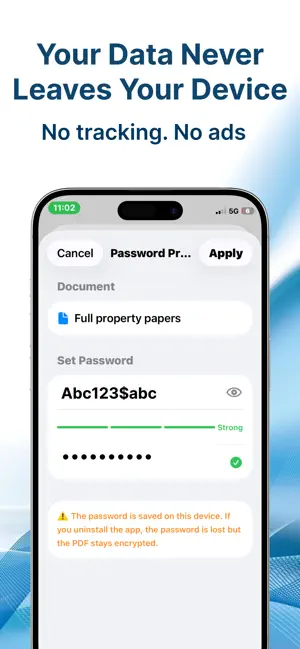
DF Expert Lite is the all-in-one PDF tool for iPhone and iPad. Scan paper documents with your camera, annotate, sign, fill forms, merge, split, compress, and protect your PDFs — all without leaving the app. FREE TO USE — 1 free action per day, no account needed. Upgrade to Pro for unlimited everything with a single one-time payment. — SCAN & DIGITISE — Turn paper documents into searchable PDFs in seconds using your camera. Auto-enhance, Black & White, Grayscale, and Color filters give every scan a clean, professional look. Reorder or delete pages before saving. — ANNOTATE — Highlight, underline, and strikethrough text. Draw freehand with the ink tool. Add text boxes, stamps (Approved, Confidential, Draft, and more), or custom stamps. Permanently redact sensitive information with the built-in redaction tool. — SIGN DOCUMENTS — Draw your signature with your finger or type it in a handwriting font. Save multiple signatures and place them on any page with a single tap. No third-party accounts or internet connection required. — FILL PDF FORMS — Tap any form field and type directly into it. Save the completed form as a new PDF ready to share or print. — MERGE & SPLIT — Combine multiple PDFs into one document in seconds. Split any PDF by page range or extract individual pages — perfect for sharing specific sections without sending the whole file. — COMPRESS PDFs — Reduce file size without losing readability. Choose from High Quality, Balanced, or Small Size to find the right balance before sending by email or uploading to cloud storage. — OCR TEXT RECOGNITION — Make scanned documents fully searchable and copy-pasteable. PDF Expert Lite reads the text on every page and embeds a searchable text layer — all on-device, no data sent anywhere. — PASSWORD PROTECTION — Lock any PDF with a password before sharing. Encrypted using standard PDF security so the file stays protected in any PDF reader. — ORGANISE YOUR LIBRARY — Create folders to keep documents organised. Sort by name, date, or file size. Rename and delete files with a long press. Full search across your entire library. — ICLOUD SYNC — Enable iCloud Drive sync to access your PDFs across all your Apple devices. Works seamlessly in the background. — APP LOCK — Protect your documents with Face ID, Touch ID, or your device passcode. Choose to lock every time you open the app or only after an idle timeout. — BUILT FOR IPHONE & IPAD — Full support for both iPhone and iPad, including Split View on iPad. Optimised for iOS 16 and later. PRO — ONE-TIME PURCHASE Upgrade to PDF Expert Lite Pro for unlimited daily actions. No subscription. No recurring charge. Pay once, use forever.
What’s new
Version 1.1 · Updated August 8, 2026
This release focuses on delivering a faster, smoother, and more reliable experience. General optimizations and bug fixes.
App privacy
The developer, APP TEAM, reported these privacy practices to Apple.
Data Not Collected
The developer does not collect any data from this app.
Alternatives to PDF Expert Lite: Scan & Edit
Looking for apps like PDF Expert Lite: Scan & Edit? Here are 6 similar apps on the App Store. The highest rated is Calendar Pro: Daily Planner (5.0/5), and all 6 are free to download.
-
 iFillPDF
-
 Routine – Daily Planner
-
 Calendar Pro: Daily Planner
5.0
-
 ReadSync - PDF Reader
-
 AI Notes & Transcript
-
 Plain AI
| App | Rating | Price | Last updated | Compare |
|---|---|---|---|---|
| PDF Expert Lite: Scan & Edit | – | Free | August 8, 2026 | |
| iFillPDF | – | Free | Oct 4, 2026 | Compare |
| Routine – Daily Planner | – | Free | Sep 5, 2026 | Compare |
| Calendar Pro: Daily Planner | 5.0 / 5 (1) | Free | Sep 17, 2026 | Compare |
| ReadSync - PDF Reader | – | Free | Oct 24, 2026 | Compare |
| AI Notes & Transcript | – | Free | Feb 26, 2025 | Compare |
| Plain AI | – | Free | Oct 16, 2025 | Compare |