

ComicJet: Comic & Manga Reader
Jungsoo Nam Book iPhoneiPadiPod touch
ComicJet: Comic & Manga Reader is a free Book app for iPhone and iPad by Jungsoo Nam. Requires iOS 16.0. Updated September 26, 2026.
- Price
- Free
- on the App Store
- Size
- 17 MB
- Age 4+
- Updated
- Sep 26
- 2026 · v1.1.5
Screenshots
About ComicJet: Comic & Manga Reader
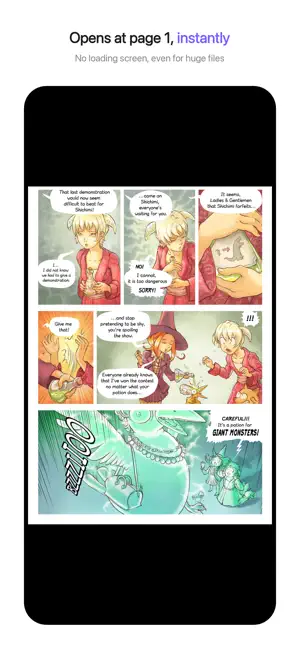
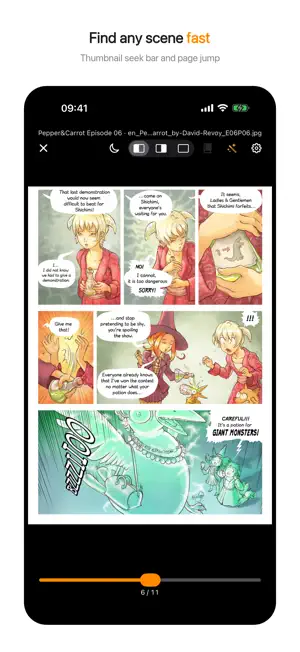
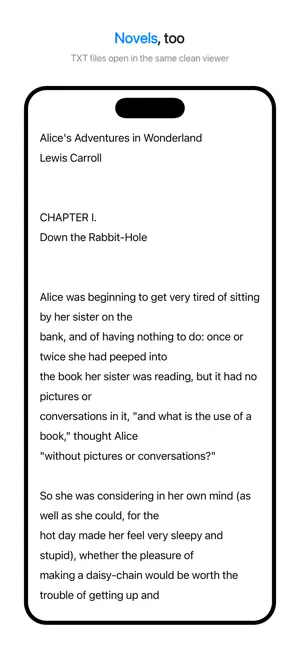
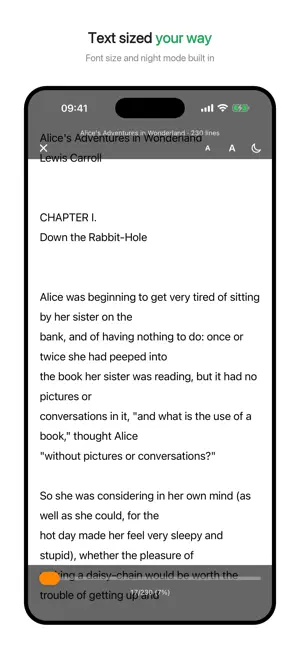
Read your comics at jet speed. ComicJet is a fast, clean reader for the comics, manga, webtoons, and scans you already own. Open CBZ, CBR, CB7, ZIP, RAR, 7Z, PDF, and TXT right on your iPhone and iPad — no account, no uploads, no waiting. Why ComicJet Opens instantly The first page shows immediately while the rest extracts in the background. Even huge files start at page 1 with no loading screen. Once opened, a book reopens instantly. All the major formats - CBZ / CBR / CB7 comic book archives - ZIP / RAR / 7Z archives full of images - PDF comics and scans - TXT text files (novels welcome, same viewer) Password files & private reading - Open password-protected ZIP / CBZ (incl. AES), RAR / CBR, and PDF - A working password is stored safely in the iOS Keychain and applied automatically next time - Optional app lock with Face ID or your device passcode A viewer built for reading - Pinch to zoom, smooth page turns - Webtoon mode — vertical strips are detected automatically and read with continuous scrolling, zoom included - Auto-split wide spread pages — left-first or right-first (for manga) - Smart split that detects the actual binding line - Two-page spread view in landscape - Auto-paging (2–10 s) and jump straight into the next book from the last page - Seek bar with thumbnail previews to find any scene fast - Remembers your last page in every book and offers to resume - Night mode for dark rooms - Automatic filename-encoding detection for Korean, Japanese, and Chinese archives (no more garbled names) A simple bookshelf - Grid or list library with cover thumbnails - Drop files into the "ComicJet" folder in the Files app and they appear automatically - Or use "Share → ComicJet" straight from the Files app - Your collection stays on your device, under your control Privacy first ComicJet only reads files stored on your device. Your comics are never uploaded anywhere and no account is needed. Analytics events never include file names, paths, accounts, or passwords. Privacy policy: https://qingdu.ai/comicjet/privacy Premium Prefer reading without ads? Remove them with a yearly subscription or a one-time lifetime purchase. Every reading feature stays free. A note ComicJet is a file viewer. It does not include or provide comic content. Please use it to read files you own or obtained legally. Questions or feature requests: [email protected] — we read everything. The comic shown in screenshots is Pepper&Carrot by David Revoy (CC-BY 4.0). Terms of Use: https://www.apple.com/legal/internet-services/itunes/dev/stdeula/
What’s new
Version 1.1.5 · Updated September 26, 2026
Fixed section titles appearing in all caps in the library’s grid view, so capitalization now matches the list view. Added more space at the top of the Premium screen for a more comfortable layout.
App privacy
The developer, Jungsoo Nam, reported these privacy practices to Apple.
Data Not Collected
The developer does not collect any data from this app.
Alternatives to ComicJet: Comic & Manga Reader
Looking for apps like ComicJet: Comic & Manga Reader? Here are 6 similar apps on the App Store.
-
 Comic Shelf - 自炊コミックリーダー
-
 PixComic - Manga Reader
-
 Versa-漫画・PDF ビューア
-
 Bookshelf - Comic eBook PDF
-
 ComiNAS - NAS Comics & Video
-
 PDFviewX - 自炊本ビューア
| App | Rating | Price | Last updated | Compare |
|---|---|---|---|---|
| ComicJet: Comic & Manga Reader | – | Free | September 26, 2026 | |
| Comic Shelf - 自炊コミックリーダー | – | Free | Sep 14, 2026 | Compare |
| PixComic - Manga Reader | – | Free | Aug 25, 2026 | Compare |
| Versa-漫画・PDF ビューア | – | Free | Sep 4, 2026 | Compare |
| Bookshelf - Comic eBook PDF | – | Free | Jul 27, 2026 | Compare |
| ComiNAS - NAS Comics & Video | – | Free | Sep 25, 2026 | Compare |
| PDFviewX - 自炊本ビューア | – | Free | Sep 5, 2026 | Compare |