

toony
jungwoo choi Book iPhoneiPadiPod touch
toony is a free Book app for iPhone and iPad by jungwoo choi. Requires iOS 18.0. Updated October 28, 2026.
- Price
- Free
- on the App Store
- Size
- 27 MB
- Age 4+
- Updated
- Oct 28
- 2026 · v26.1.1
Screenshots


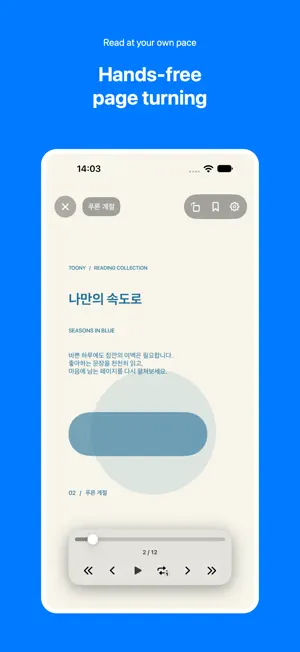

About toony
Your files. Your reading space. Meet toony. Import PDFs, ZIP archives, image folders, TXT and DOCX files from the Files app and read your way. Keep your reading together • Organize your library with folders, search and sorting • Bookmark pages to revisit • Find books and pages with notes in the Bookmarks tab Choose your reading style • Single-page, two-page and vertical scrolling modes • Left-to-right or right-to-left reading • Automatic page turning and repeat playback • Book-style page turns in two-page view for supported content Read text documents • Read body text from TXT and DOCX files • Adjust font size, line spacing and margins • Highlight selected passages and attach notes • View, edit or delete notes and return to their pages Write as you read • Annotate PDF and image pages with your finger or Apple Pencil • Adjust pen color, width and opacity, and eraser width • Add movable text boxes with font size, bold and alignment controls • Add page notes and reset annotations Supported formats • Documents: PDF, TXT, DOCX • Archives: ZIP • Images in folders and ZIP files: JPG, JPEG, PNG, HEIC, GIF, WebP, BMP and TIFF How to import Open Import → Files and choose a file or folder. Direct Google Drive and Dropbox connections are coming soon. Please note • DOCX body text is reflowed for reading. Original document formatting, images and layout are not reproduced. • Text documents support passage highlights and notes; freehand drawing is not available in the text reader. • Book-style page turns depend on supported devices and content and are unavailable for books containing GIF or WebP images. • Supports Korean, English and Japanese, following your device language. • toony reads files you provide. It does not sell books.
What’s new
Version 26.1.1 · Updated October 28, 2026
● Read your text files, too. : Open TXT and DOCX files and adjust the font size and line spacing to suit you. ● Put your thoughts on the page. : Write or add text boxes on PDFs and images as you read. ● Keep the passages that matter. : Highlight text, add notes and find them again in the Bookmarks tab. We’ve also refined the reader and fixed small bugs for a smoother reading experience.
App privacy
The developer, jungwoo choi, reported these privacy practices to Apple.
Data Linked to You
The following data, which may be collected and linked to your identity, may be used for the following purposes:
- Location: Coarse Location
- Identifiers: Device ID
- Usage Data: Product Interaction, Other Usage Data
- Diagnostics: Crash Data, Performance Data, Other Diagnostic Data
Used for: Analytics, App Functionality
Alternatives to toony
Looking for apps like toony? Here are 6 similar apps on the App Store. The highest rated is ReadMe - Novel & Comic Reader (4.6/5), and all 6 are free to download.
-
 SSUKView - Comic, eBook Reader
-
 Anyview - Comic & Book Reader
-
 Bookbreath - Calm Paper Reader
-
 Pallang - 팔랑
-
 독파-책 좋아하는 사람들의 놀이터
-
 ReadMe - Novel & Comic Reader
4.6
| App | Rating | Price | Last updated | Compare |
|---|---|---|---|---|
| toony | – | Free | October 28, 2026 | |
| SSUKView - Comic, eBook Reader | – | Free | Oct 26, 2026 | Compare |
| Anyview - Comic & Book Reader | – | Free | Oct 17, 2026 | Compare |
| Bookbreath - Calm Paper Reader | – | Free | Oct 27, 2026 | Compare |
| Pallang - 팔랑 | – | Free | Oct 22, 2026 | Compare |
| 독파-책 좋아하는 사람들의 놀이터 | – | Free | May 6, 2026 | Compare |
| ReadMe - Novel & Comic Reader | 4.6 / 5 (38) | Free | Oct 13, 2026 | Compare |
Compare toony with the top alternatives: ratings, updates, ASO score and keyword gaps →