

PageVo — Document Scanner
Maurizzio Penalba Productivity iPhoneiPadiPod touch
PageVo — Document Scanner is a free Productivity app for iPhone and iPad by Maurizzio Penalba. Requires iOS 17.0. Updated September 28, 2026.
- Price
- Free
- on the App Store
- Size
- 7 MB
- Age 4+
- Updated
- Sep 28
- 2026 · v1.0.4
Screenshots
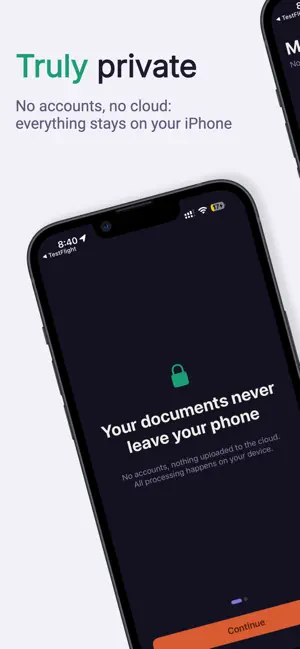
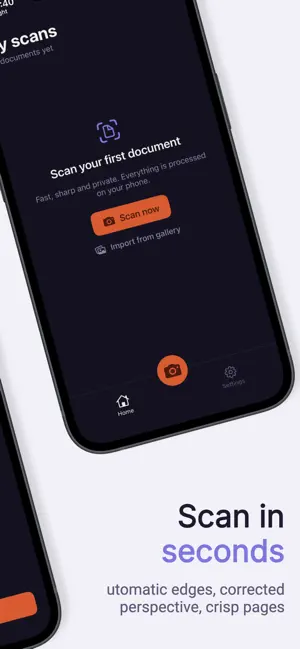


About PageVo — Document Scanner
PageVo turns your iPhone into a fast, crisp and genuinely private document scanner. No mandatory accounts and nothing uploaded to the cloud: all processing happens on your device. Scan contracts, receipts, notes or IDs in seconds. PageVo detects the edges, corrects perspective and applies the right filter so every page looks flawless. FREE, ALWAYS • Edge detection and perspective correction • Capture modes: Document, Whiteboard, Black & white and Photo • Multi-page: crop, rotate, reorder and delete pages • Export to PDF, JPG, PNG, Word, Excel and TXT • Organize into folders and search by name • Merge and extract pages, compress and password-protect • On-device OCR (text recognition) to copy or search the text PAGEVO PREMIUM • No ads • Remove shadows and clean the background • Advanced OCR: multi-language and handwriting • Sign and annotate on the document • Translate recognized text, on-device • Batch import several photos from your library into one document REAL PRIVACY Your documents — images, recognized text and file names — never leave your phone. We don't ask for an account to get started, and we never collect the content of your documents. — PageVo Premium is a one-time purchase: pay once, keep it forever. No subscriptions. Payment is charged to your Apple ID at confirmation of purchase. Terms of Use: https://pagevoapp.com/terms Privacy Policy: https://pagevoapp.com/privacy
What’s new
Version 1.0.4 · Updated September 28, 2026
Protected copy: add the purpose and the date as a watermark on your ID or any document before you send it, so the copy can't be reused for anything else. Free, and made on your iPhone. Search inside your documents: Home now finds recognized text too, not just names. Text recognition is now on by default when saving, so your PDFs are searchable from the start.
App privacy
The developer, Maurizzio Penalba, reported these privacy practices to Apple.
Data Used to Track You
The following data may be used to track you across apps and websites owned by other companies:
- Identifiers: Device ID
- Usage Data: Advertising Data
Data Not Linked to You
The following data, which may be collected but is not linked to your identity, may be used for the following purposes:
- Location: Coarse Location
- Identifiers: Device ID
- Usage Data: Product Interaction, Advertising Data
- Purchases: Purchase History
- Diagnostics: Crash Data, Performance Data
Used for: Third-Party Advertising, Analytics, App Functionality
Alternatives to PageVo — Document Scanner
Looking for apps like PageVo — Document Scanner? Here are 6 similar apps on the App Store. The highest rated is ScanMate: PDF Scanner (5.0/5), and all 6 are free to download.
-
 Pageva: Convert PDF to Word
-
 PopScan by JUNO Tokyo
-
 ScanMate: PDF Scanner
5.0
-
 InvenDo: Pantry Inventory List
5.0
-
 PhotoNote: Take Note by Camera
5.0
-
 accoca - ID & Password Manager
4.8
| App | Rating | Price | Last updated | Compare |
|---|---|---|---|---|
| PageVo — Document Scanner | – | Free | September 28, 2026 | |
| Pageva: Convert PDF to Word | – | Free | Oct 10, 2026 | Compare |
| PopScan by JUNO Tokyo | – | Free | Oct 26, 2026 | Compare |
| ScanMate: PDF Scanner | 5.0 / 5 (1) | Free | Oct 20, 2026 | Compare |
| InvenDo: Pantry Inventory List | 5.0 / 5 (8) | Free | Oct 25, 2026 | Compare |
| PhotoNote: Take Note by Camera | 5.0 / 5 (2) | Free | Oct 22, 2026 | Compare |
| accoca - ID & Password Manager | 4.8 / 5 (5) | Free | Oct 17, 2026 | Compare |