

Reczen - Live Stream Screen
宝锋 张 Photo & Video iPhoneiPadiPod touch
Reczen - Live Stream Screen is a free Photo & Video app for iPhone and iPad by 宝锋 张. Rated 3.4/5 from 8 ratings. Requires iOS 15.6. Updated August 20, 2026.
- Rating
- 3.4
- 8 ratings
- Price
- Free
- on the App Store
- Size
- 25 MB
- Age 4+
- Updated
- Aug 20
- 2026 · v1.0
Screenshots
About Reczen - Live Stream Screen
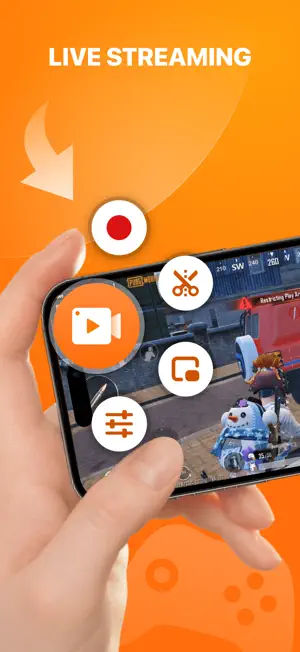
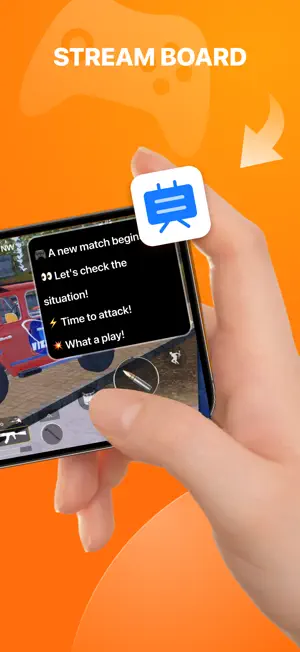
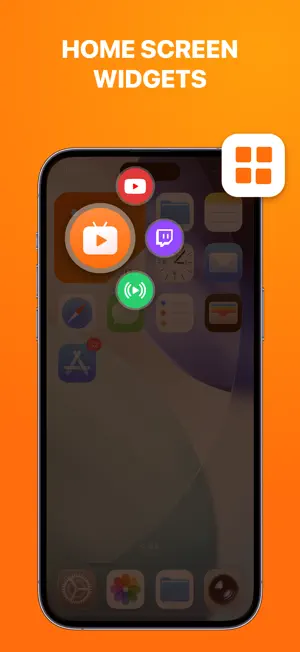
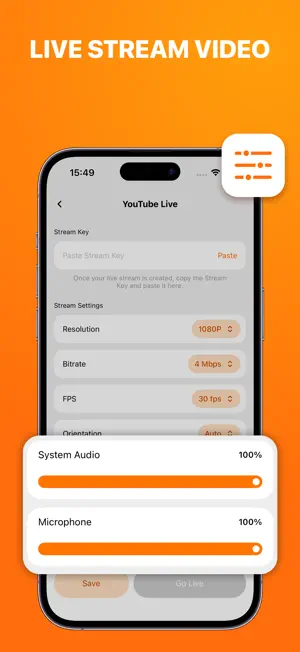
Break the boundaries and kickstart a new era of professional-grade live streaming and screen recording—all with just a single iPhone. This app innovatively integrates dual-channel independent audio track control, a Live Bulletin Board (Stream Board) and Home Screen widgets. It delivers a lightweight, stable, and low-latency system while perfectly addressing the core pain points of mobile broadcasting. Without relying on complex PC gear or capture cards, a single iOS device is all you need to unlock a professional live workflow combining HD recording, fast streaming, floating notice boards, and post-video editing. FEATURES Live Streaming - Native Major Platform Linking: Link your accounts smoothly and stream with a single tap directly to YouTube Live and Twitch. - Custom RTMP Protocol: Supports manual entries of standard RTMP server URLs and Stream Keys, offering broad compatibility with most third-party streaming platforms and private streaming servers. Dual-Channel Independent Audio Control - Break Traditional Recording Limits: Exclusively provides separate adjustment sliders for App System Audio (game sound/software audio) and Microphone Audio (live commentary). - Perfect Voice Balancing: Seamlessly lower background game volume and boost your commentary during streams. Enjoy precise, blind-operating controls and wave goodbye to the industry headache of competing audio sources. Live Bulletin Board (Stream Board) - Dynamic Floating Display: An information-docking tool tailored specifically for single-screen mobile creators. Powered by system-level Picture-in-Picture (PiP) tech, it transforms your critical notes into a sleek screen overlay. - Versatile Real-World Scenarios: Drop your fan group IDs, today's playlist, or sponsor ads onto the board to save yourself from verbal repetitions. Home Screen Widgets - One-Tap Instant Streaming: Solidify your go-to setups (e.g., YouTube + 1080p + preset audio ratio) into quick-launch templates. - Minimalist Cross-App Interaction: Skip manual setups. Simply tap the widget on your iOS home screen, and the app instantly pre-configures everything in the background and calls up the native screen-recording component for peak efficiency. Professional Screen Recording - Supports 240p, 480p, 720p, 1080p up to 2K resolution. - Toggle freely between 24, 25, 30, 50, and 60 FPS. - Customize bitrates dynamically from 2 Mbps to 12 Mbps. - Equipped with Landscape, Portrait, and Auto-adaptive modes. Video Editing - Visual Timeline Design: Drag and drop handles quickly to clip and export your live stream highlights with pinpoint accuracy. - HD Post-Voiceovers: Add high-fidelity voice commentary over your recorded video footage to elevate your post-production explainers. - FaceCam Overlay: Smoothly overlay your front-facing camera footage onto the screen recordings, perfectly capturing your real-time reactions and expressions. Who It’s For - Mobile Streamers & Gamers: Stream to YouTube & Twitch with one tap, perfectly balancing game audio and live voice commentary. - Educators & Online Teachers: Record lessons or stream live. Sync core key points in real-time using the Live Bulletin Board. - Video Content Creators: Ditch complex gear. Record your screen anytime with FaceCam overlays and HD post-voiceovers. Why Choose Us - Lightweight & Stable: Optimized for iOS with ultra-low resource usage enjoy smooth, lag-free recording even during intense gaming. - Streamlined Workflow: One-tap home screen widgets and PiP overlays let you control everything seamlessly on a single mobile screen. - Pro Grade Control: Industrial-grade video options and dual-channel audio isolate controls bring OBS-level mastery to your phone.
Ratings & reviews
3.4
8 ratings
App privacy
The developer, 宝锋 张, reported these privacy practices to Apple.
Data Used to Track You
The following data may be used to track you across apps and websites owned by other companies:
- Identifiers: Device ID
Data Not Linked to You
The following data, which may be collected but is not linked to your identity, may be used for the following purposes:
- Identifiers: Device ID
Used for: Analytics
Alternatives to Reczen - Live Stream Screen
Looking for apps like Reczen - Live Stream Screen? Here are 6 similar apps on the App Store. The highest rated is iRecordScreen: Screen Recorder (4.7/5), and all 6 are free to download.
-
 Screen Recorder - RecGen
3.8
Screen Recorder - RecGen
3.8
-
 Recven - Screen Recorder
-
 iRecordScreen: Screen Recorder
4.7
iRecordScreen: Screen Recorder
4.7
-
 Screen Recorder ‧ Video Editor
4.3
Screen Recorder ‧ Video Editor
4.3
-
 DU Recorder - Screen Recorder
4.4
DU Recorder - Screen Recorder
4.4
-
 FaceCam - Camera Recorder
3.7
FaceCam - Camera Recorder
3.7
| App | Rating | Price | Last updated | Compare |
|---|---|---|---|---|
| Reczen - Live Stream Screen | 3.4 / 5 (8 ratings) | Free | August 20, 2026 | |
| Screen Recorder - RecGen | 3.8 / 5 (17) | Free | Aug 3, 2026 | Compare |
| Recven - Screen Recorder | – | Free | Sep 24, 2026 | Compare |
| iRecordScreen: Screen Recorder | 4.7 / 5 (77) | Free | Aug 18, 2026 | Compare |
| Screen Recorder ‧ Video Editor | 4.3 / 5 (17) | Free | Sep 10, 2026 | Compare |
| DU Recorder - Screen Recorder | 4.4 / 5 (56,382) | Free | Aug 7, 2025 | Compare |
| FaceCam - Camera Recorder | 3.7 / 5 (30) | Free | May 21, 2026 | Compare |