

iRecordScreen: Screen Recorder
Beijing Zaomeng Shidai Technology Co., Ltd. Photo & Video iPhoneiPadiPod touch
iRecordScreen: Screen Recorder is a free Photo & Video app for iPhone and iPad by Beijing Zaomeng Shidai Technology Co., Ltd. Rated 4.7/5 from 77 ratings.
- Rating
- 4.7
- 77 ratings
- Price
- Free
- on the App Store
- Size
- 6 MB
- Age 4+
- Updated
- Aug 18
- 2026 · v1.4.1
Screenshots



About iRecordScreen: Screen Recorder
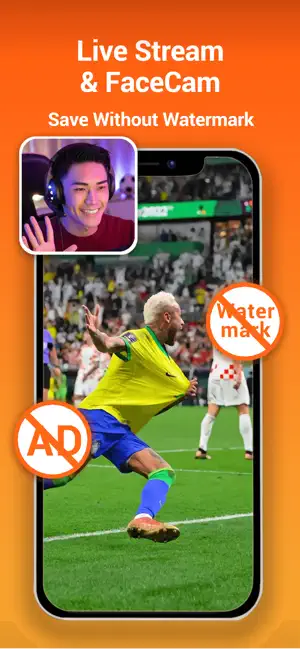
iRecordScreen is a free, simple, and powerful screen recording app for iPhone and iPad. 100% free — no watermark, no time limit, no subscription. Record your screen in ultra-HD up to 4K quality with original device resolution. iRecordScreen — screen recording made simple. HIGHLIGHTS - 100% free, no watermark, no time limit, no subscription - 4K ultra-HD recording: up to 4K resolution with high bitrate and high frame rate - FaceCam: face-in-frame recording for live streaming, tutorials, and narration - Internal audio: record device audio — game sounds, music, and calls in high fidelity - Internal + mic: record system audio and microphone simultaneously for commentary - Scheduled recording: auto-stop timer with crash-safe segment saving - Built-in audio denoising: reduce background noise for crystal-clear sound - Built-in video editor with 10+ tools - Share directly to YouTube, Instagram, TikTok, and more RECORDING SCENARIOS - Game: Capture mobile gameplay in HD, record while you play - Meeting: Record Zoom, Google Meet, Teams, and FaceTime calls - Online Class: Save lectures and online courses for later review - Live Stream: Record live streams from YouTube, Twitch, and more - Tutorial: Create how-to videos and screen walkthroughs - FaceCam Live: Show your face while streaming games or tutorials - FaceCam Narration: Face-in-frame for presentations and reviews - Video Calls: Save important video conversations FACECAM - Face-in-frame: picture-in-picture camera overlay during screen recording - Live streaming: show your face while streaming games, sharing knowledge, or selling - Narration: record tutorials, courses, and product reviews with on-camera presence - Front or rear camera support - Adjustable size and aspect ratio (circle, square, widescreen, and more) SCREEN RECORDING - System-level screen recording - 4K ultra-HD with high bitrate and frame rate - Internal audio + microphone dual recording - Scheduled auto-stop (1 - 60 min) with segment saving - Countdown timer (3s / 5s / 10s) - Custom resolution, frame rate, and bitrate - Auto-detect landscape or portrait orientation - No watermark, unlimited duration INTERNAL AUDIO & DENOISING - Internal audio: capture game sounds, music, and ringtones - Microphone: add voiceovers and commentary - Internal + mic: record both at the same time - Denoising: reduce background noise for crystal-clear sound - Mute: strip all audio from any video - Voice Change: fun voice effects — high/low pitch or custom VIDEO EDITING - Trim: Remove unwanted sections with keep or delete mode - Compress: Shrink file size while preserving quality - Merge: Combine multiple clips into one video - Split: Cut a video into two parts at any point - Speed: Slow motion 0.25x to fast forward 5x - Rotate: Rotate or flip in any direction - Reverse: Play your video backwards MANAGE & SHARE - All recordings in one organized list - Built-in player with adjustable playback speed - Rename, batch select, delete, or export - Save to Photos or share to YouTube, Instagram, TikTok, and more DESIGNED FOR EVERYONE - Clean, intuitive interface for iPhone and iPad - Dark mode support, English and Chinese Download iRecordScreen — screen recording made simple. Contact us: [email protected] Privacy Policy: https://irecordscreen.com/privacy/ Terms of Service: https://irecordscreen.com/terms/
Ratings & reviews
4.7
77 ratings
What’s new
Version 1.4.1 · Updated August 18, 2026
Version 1.4.1 - Audio Sync and Recording Controls Fixed - Improved audio-video sync for microphone recordings and recordings that mix app audio with the microphone - Improved audio continuity to reduce silent gaps - Improved FaceCam orientation in portrait, landscape, and Picture in Picture New - Added Content Clear, Balanced, and Voice Clear mix presets, plus custom app audio and microphone levels - Added microphone input selection for Automatic, iPhone Microphone, or an external device
App privacy
The developer, Beijing Zaomeng Shidai Technology Co., Ltd., reported these privacy practices to Apple.
Data Not Collected
The developer does not collect any data from this app.
Alternatives to iRecordScreen: Screen Recorder
Looking for apps like iRecordScreen: Screen Recorder? Here are 6 similar apps on the App Store. The highest rated is MixReels - AI Video Editor (5.0/5), and all 6 are free to download.
-
 HD Face Cam Screen Recorder
4.4
HD Face Cam Screen Recorder
4.4
-
 mosaic + : Blur photo & video.
3.4
mosaic + : Blur photo & video.
3.4
-
 MixReels - AI Video Editor
5.0
MixReels - AI Video Editor
5.0
-
 Facecam Screen Recorder: PIP
5.0
Facecam Screen Recorder: PIP
5.0
-
 Reel: Screen Recorder Face Cam
5.0
Reel: Screen Recorder Face Cam
5.0
-
 SnapRenew: Restore Old Photos
5.0
SnapRenew: Restore Old Photos
5.0
| App | Rating | Price | Last updated | Compare |
|---|---|---|---|---|
| iRecordScreen: Screen Recorder | 4.7 / 5 (77 ratings) | Free | August 18, 2026 | |
| HD Face Cam Screen Recorder | 4.4 / 5 (94) | Free | Oct 26, 2026 | Compare |
| mosaic + : Blur photo & video. | 3.4 / 5 (18) | Free | Aug 1, 2026 | Compare |
| MixReels - AI Video Editor | 5.0 / 5 (12) | Free | Oct 22, 2026 | Compare |
| Facecam Screen Recorder: PIP | 5.0 / 5 (1) | Free | Sep 16, 2026 | Compare |
| Reel: Screen Recorder Face Cam | 5.0 / 5 (5) | Free | Oct 19, 2026 | Compare |
| SnapRenew: Restore Old Photos | 5.0 / 5 (1) | Free | Apr 21, 2026 | Compare |