

MixReels - AI Video Editor
文海 张 Photo & Video iPhoneiPadiPod touch
MixReels - AI Video Editor is a free Photo & Video app for iPhone and iPad by 文海 张. Rated 5.0/5 from 12 ratings. Requires iOS 15.0. Updated October 22, 2026.
- Rating
- 5.0
- 12 ratings
- Price
- Free
- on the App Store
- Size
- 74 MB
- Age 4+
- Updated
- Oct 22
- 2026 · v2.6.0
Screenshots


About MixReels - AI Video Editor
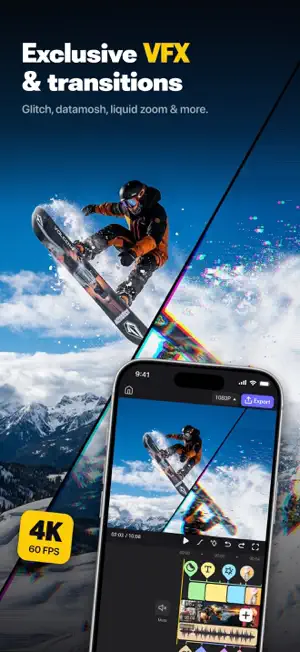
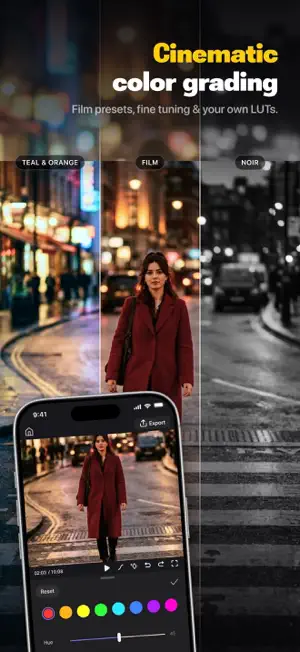
MixReels is a video editor for short, eye-catching edits: trending templates, glitch and VHS effects, green screen, keyframes and auto captions. Editing runs on your device and works offline; AI video, image and music tools upload only what they need, only when you use them. ◆ Why MixReels? Because your time is precious and your taste is professional. We removed the complexity and kept the pure visual impact. ◆ Key Features AI Creation, From Idea to Screen • AI Video: Describe a scene and turn it into a moving clip. • AI Image: Generate original visuals in one tap. • AI Music: Create an original vocal soundtrack made just for your video. • AI Soundtrack: Score your video from its footage, with music that matches its mood, pace and length. • Auto Captions: Speech to synced captions in 17 languages, or import SRT. Advanced Editing, Intuitive Control • Keyframe Animation: Precise control of position, scale, rotation, and opacity. • Smart Tracking: Stickers, text, and overlays follow your subject automatically. • Text Animation: Combine in, loop, and out effects, revealing by character or line. • Pro Compositing: Smart cutout, chroma key (green screen), masks, and blend modes. • Advanced Audio: One-tap vocal separation, beat sync, and your own imported music. AI Trends, Your Photo in Every Trend • Trending Effects: Upload a photo (some trends take several) and turn it into viral AI portraits, costume looks and short videos. • See It First: Every effect comes with a before-and-after sample, and your creations stay in My Works. • Share with Friends: Send a trend you love to friends so they can make their own version. Video Templates, One-Tap Edits • Trending Templates: A whole feed of trending edits—see the finished result before you use it. • Same Look in Seconds: Swap in your clips and the cuts, transitions, effects, and captions land on beat automatically. Exclusive Effects & Silky Transitions • Glitch Art: Datamosh, RGB Split, Pixel Stretch and other hardcore looks. • Camera-Move Transitions: One-tap Liquid Distortion and Zoom Blur for beat-synced edits. • Retro Texture: VHS tape, 8mm film grain, and neon glow. Cinematic Color & Licensed Audio • Master Filters: Film-grade presets, fine tuning, and your own LUTs (.cube). • Worry-Free Use: Licensed music and cinematic SFX you can publish anywhere. Hardcore Engine & Privacy • Real-Time Rendering: Multi-layer 4K effects stay smooth in preview. • Local Editing: All editing runs on your device and works offline. AI features upload only what they need, only when you use them. 4K 60FPS Ultra HD Export • Ultimate Quality: Full 4K 60fps output, optimized to stay sharp after posting. • Flexible Export: Save as video or animated GIF, sized for every platform. ◆ Download MixReels now—leave mediocrity behind and define the trend with VFX. ◆ Official website: www.mixreels.com 【MixReels Auto-Renewable Subscription Statement】 • Payment will be charged to your iTunes account at confirmation of purchase. The subscription automatically renews unless auto-renew is turned off at least 24 hours before the end of the current period. Your account will be charged for renewal within the last 24 hours of the current period, and the renewal cost will be identified. • To cancel the subscription, open iPhone "Settings" -> "Apple ID" -> "Subscriptions" -> "MixReels" -> Cancel Subscription. • Terms of Use: https://www.mixreels.com/terms • Privacy Policy: https://www.mixreels.com/privacy • Credits Rules: https://www.mixreels.com/credits
Ratings & reviews
5.0
12 ratings
What’s new
Version 2.6.0 · Updated October 22, 2026
◇ Optimized for iPhone Duo: edit comfortably on both the inner and outer screens. ◇ New AI Soundtrack: create music from your footage that matches its mood, pace and length. ◇ AI Trends now support multiple photos, and you can share your favorite trends with friends. ◇ Smoother experience, better performance.
App privacy
The developer, 文海 张, reported these privacy practices to Apple.
Data Not Linked to You
The following data, which may be collected but is not linked to your identity, may be used for the following purposes:
- Usage Data: Product Interaction
- Diagnostics: Crash Data, Performance Data
- Contact Info: Email Address
Used for: Analytics, App Functionality
Alternatives to MixReels - AI Video Editor
Looking for apps like MixReels - AI Video Editor? Here are 6 similar apps on the App Store. The highest rated is SubStamp –Transcribe&Translate (5.0/5), and all 6 are free to download.
-
 EditorPro: AI Video Editor
4.0
EditorPro: AI Video Editor
4.0
-
 SubStamp –Transcribe&Translate
5.0
SubStamp –Transcribe&Translate
5.0
-
 Video Volume Booster
4.3
Video Volume Booster
4.3
-
 Pro Media MP4 to MP3 Converter
4.4
Pro Media MP4 to MP3 Converter
4.4
-
 Old Photo Restore - ObjectsAI
4.2
Old Photo Restore - ObjectsAI
4.2
-
 Radiant Landscape Camera
5.0
Radiant Landscape Camera
5.0
| App | Rating | Price | Last updated | Compare |
|---|---|---|---|---|
| MixReels - AI Video Editor | 5.0 / 5 (12 ratings) | Free | October 22, 2026 | |
| EditorPro: AI Video Editor | 4.0 / 5 (9) | Free | Sep 28, 2026 | Compare |
| SubStamp –Transcribe&Translate | 5.0 / 5 (2) | Free | Sep 28, 2026 | Compare |
| Video Volume Booster | 4.3 / 5 (27) | Free | Jul 12, 2026 | Compare |
| Pro Media MP4 to MP3 Converter | 4.4 / 5 (13) | Free | Oct 22, 2026 | Compare |
| Old Photo Restore - ObjectsAI | 4.2 / 5 (18) | Free | Oct 22, 2026 | Compare |
| Radiant Landscape Camera | 5.0 / 5 (2) | Free | Aug 21, 2026 | Compare |