

Redactly: Redact PDF
Jhomar Maravillas Productivity iPhoneiPadiPod touch
Redactly: Redact PDF is a free Productivity app for iPhone and iPad by Jhomar Maravillas. Requires iOS 16.0. Updated October 17, 2026.
- Price
- Free
- on the App Store
- Size
- 1 MB
- Age 4+
- Updated
- Oct 17
- 2026 · v1.0.9
Screenshots


About Redactly: Redact PDF
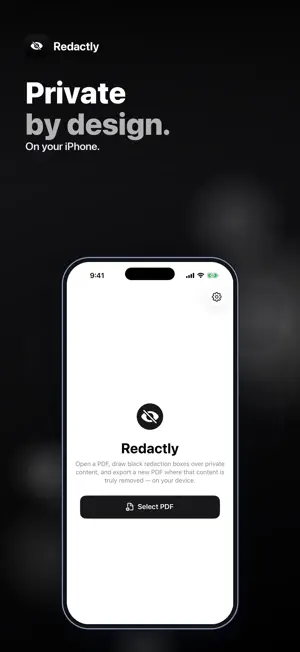
Need to black out an account number, address or signature in a PDF before you share it? Redactly lets you draw redaction boxes and exports a new PDF where that content is actually removed — not just covered up. Open a PDF, drag to draw black boxes over anything private, page by page, and tap Apply Redaction. Then share the redacted copy or save it to Files. • TRUE REMOVAL — every page with a redaction box is flattened into an image with solid black over your boxes, so the hidden text can't be selected, copied, searched or uncovered by deleting a shape. • DRAW WITH A FINGER — drag to draw a box over text, numbers, photos or signatures; touch and hold a box to remove it, or clear a whole page and start again. • ALL YOUR PAGES — move between pages with the page strip and redact as many pages as you need, up to 300 pages per PDF. • OTHER PAGES STAY SHARP — pages without boxes are copied as they are, so their text stays crisp and selectable, and their links and bookmarks are kept. • NO HIDDEN LEFTOVERS — comments and form annotations are not copied back onto redacted pages — a redacted page carries only what you see on it. • SHARE OR SAVE — send the redacted PDF by Mail or Messages, or save it to Files. Your original file isn't changed. Honest scope: you choose what to redact — Redactly doesn't search for or detect sensitive text automatically, so check every page. Redacted pages become images, so their remaining text is no longer selectable. Password-protected PDFs need to be unlocked first. Everything happens on your iPhone. Your documents are not uploaded and no account is needed. Redacting and previewing are free: check every redacted page before you pay. A one-time $4.99 purchase unlocks saving and sharing the redacted PDF. No subscription, no ads. Questions: [email protected]
What’s new
Version 1.0.9 · Updated October 17, 2026
Fixed: boxes you draw now stay on the page. On some devices a box disappeared as soon as you lifted your finger, so nothing could be redacted. A quick swipe along a line of text now also makes a box that covers the whole line.
App privacy
The developer, Jhomar Maravillas, reported these privacy practices to Apple.
Data Not Collected
The developer does not collect any data from this app.
Alternatives to Redactly: Redact PDF
Looking for apps like Redactly: Redact PDF? Here are 6 similar apps on the App Store. The highest rated is Resecta: Redact PDFs (5.0/5), and 5 of the 6 are free to download.
-
 Resecta: Redact PDFs
5.0
-
 PDF Offline Studio
-
 PrivyMask: Redact PDF & Photo
-
 MegaMessenger
5.0
-
 Veil: Redact & Hide Info
-
 Redacted: Blur PDF & Photo
5.0
| App | Rating | Price | Last updated | Compare |
|---|---|---|---|---|
| Redactly: Redact PDF | – | Free | October 17, 2026 | |
| Resecta: Redact PDFs | 5.0 / 5 (2) | Free | Oct 5, 2026 | Compare |
| PDF Offline Studio | – | Free | Sep 28, 2026 | Compare |
| PrivyMask: Redact PDF & Photo | – | Free | Sep 14, 2026 | Compare |
| MegaMessenger | 5.0 / 5 (1) | 2.99 USD | Oct 1, 2026 | Compare |
| Veil: Redact & Hide Info | – | Free | Oct 6, 2026 | Compare |
| Redacted: Blur PDF & Photo | 5.0 / 5 (1) | Free | Sep 29, 2026 | Compare |