

EpzyDrop - File Transfer
Astrivix (Pvt) Ltd Utilities iPhoneiPadiPod touch
EpzyDrop - File Transfer is a free Utilities app for iPhone and iPad by Astrivix (Pvt) Ltd. Requires iOS 16.4. Updated July 13, 2026.
- Price
- Free
- on the App Store
- Size
- 35 MB
- Age 4+
- Updated
- Jul 13
- 2026 · v1.0
Screenshots

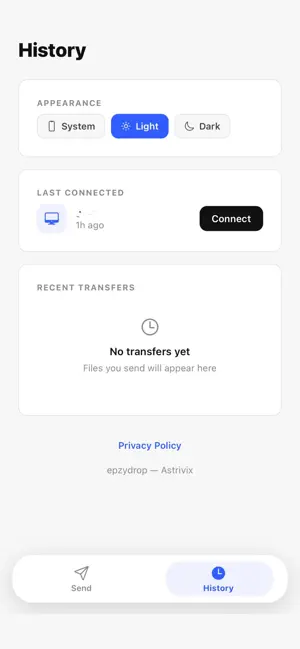
About EpzyDrop - File Transfer
Send files from your phone to your computer in seconds, over your own Wi-Fi network. No cloud upload, no cables, no account required. EpzyDrop connects your iPhone directly to your computer as long as both are on the same Wi-Fi network. Open the app, scan the code shown on your computer (or type in the address), pick a file, and send it. That's the whole process. WHY EPZYDROP - Direct, not cloud-routed. Your file travels straight from your phone to your computer over the local network. It never passes through an external server. - No account needed. Nothing to sign up for, nothing to log into. - Works with any file type: photos, videos, PDFs, documents, and more. - Fast. Transfer speed is limited only by your Wi-Fi, not by an upload or download cap. - Simple by design. One screen, one action. Pick a file, send it, done. HOW IT WORKS 1. Install the free EpzyDrop companion app on your computer and open it. It shows a connection code and address. 2. Open EpzyDrop on your iPhone and scan that code, or type the address manually. 3. Choose a file from your phone. 4. Tap Send and watch the progress in real time. 5. Your file appears instantly on your computer, ready to open. FEATURES - QR code connection, no typing required for most transfers - Manual address entry as a backup option - Real-time upload progress with percentage and file size - Instant confirmation when a transfer completes - Works fully offline, no internet connection required, only a shared Wi-Fi network - Clean interface with no ads interrupting your transfer WHO IT'S FOR Anyone who's tired of emailing themselves a photo, hunting for a cable, or waiting on a cloud upload just to get one file from their phone to their computer. Students moving assignments, professionals sending documents to a work laptop, or anyone who just took a photo they want on their desktop right now. PRIVACY BY DESIGN Because EpzyDrop transfers files directly between your own devices on your own network, your files are never stored on, or passed through, any external server. What you send stays between your phone and your computer. REQUIREMENTS - Your iPhone and computer must be connected to the same Wi-Fi network - The free EpzyDrop desktop companion app must be installed and running on your computer Download EpzyDrop and send your first file in under a minute.
App privacy
The developer, Astrivix (Pvt) Ltd, reported these privacy practices to Apple.
Data Not Collected
The developer does not collect any data from this app.
Alternatives to EpzyDrop - File Transfer
Looking for apps like EpzyDrop - File Transfer? Here are 6 similar apps on the App Store. The highest rated is Fixed: Repair Diagnosis (5.0/5), and all 6 are free to download.
-
 CrossTransfer - File Transfer
-
 ShareSwift: Fast File Transfer
-
 FaxKlick
-
 Fixed: Repair Diagnosis
5.0
-
 SubEnvoy - AI Subtitle Editor
-
 Simple Photo Transfer Wireless
| App | Rating | Price | Last updated | Compare |
|---|---|---|---|---|
| EpzyDrop - File Transfer | – | Free | July 13, 2026 | |
| CrossTransfer - File Transfer | – | Free | Oct 7, 2026 | Compare |
| ShareSwift: Fast File Transfer | – | Free | Feb 3, 2026 | Compare |
| FaxKlick | – | Free | May 6, 2026 | Compare |
| Fixed: Repair Diagnosis | 5.0 / 5 (9) | Free | Jun 20, 2026 | Compare |
| SubEnvoy - AI Subtitle Editor | – | Free | Oct 17, 2026 | Compare |
| Simple Photo Transfer Wireless | – | Free | Jul 13, 2026 | Compare |