

Family Safe - Parental Control
Murat Kuslu Lifestyle iPhoneiPadiPod touch
Family Safe - Parental Control is a free Lifestyle app for iPhone and iPad by Murat Kuslu. Requires iOS 18.0. Updated September 24, 2026.
- Price
- Free
- on the App Store
- Size
- 59 MB
- Age 4+
- Updated
- Sep 24
- 2026 · v1.1.0
Screenshots
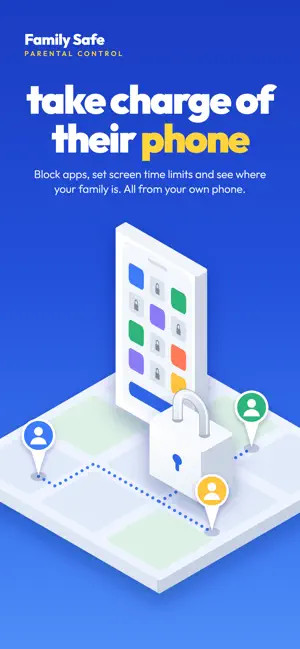


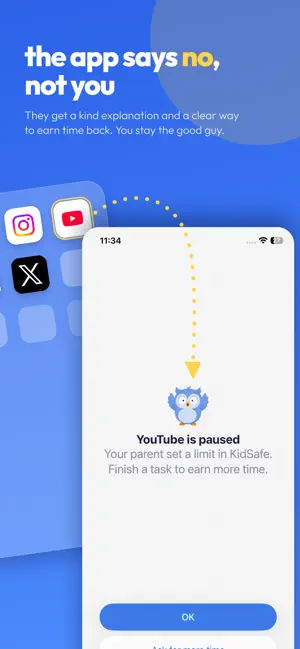
About Family Safe - Parental Control
Family Safe is the parental control app that keeps your whole family calm about screen time. Set screen time limits, block apps in one tap, see your family on a live map and turn chores and brain games into bonus screen time. Built on Apple Screen Time for real enforcement, with a calm dashboard that keeps parents in control without the drama. Why parents choose Family Safe: SCREEN TIME & APP CONTROL • Block distracting apps instantly with one tap from your phone • Set a fair daily screen time limit that counts down on the dashboard • Create per-app limits and category caps for games, social and video • Schedule bedtime, study and custom routines that repeat every day • Block internet in apps while keeping Phone and Messages available • Auto-block apps rated above the age level you choose WEB FILTERING • Block adult websites in Safari and other browsers • Block all websites at once when you need extra protection LIVE FAMILY LOCATOR • See every family member on one real-time map • Save places like Home and School and get arrive and leave alerts • Review location history, routes and stops from the last 24 hours • Get low battery and offline alerts so you stay connected TASKS, REWARDS & BRAIN GAMES • Assign chores and homework that earn bonus screen time • Approve every reward before it counts • Built-in brain games earn extra minutes • Streaks, a growing forest and a village keep everyone motivated, not punished FAMILY FEATURES • Manage every family profile from one parent phone • Invite a co-parent so rules, tasks and location stay in sync • Pair in minutes with a QR code or 8-character setup code • Emergency SOS sends a live location to your phone with one hold • Parent PIN keeps settings secure on the paired phone • Available in 50+ languages FREE TO START Family Safe is free for your first profile. Upgrade to Family Safe Plus for live location, unlimited app limits, web filtering, co-parent sync, unlimited profiles and more. HOW TO GET STARTED 1. Install Family Safe on your phone and sign in as the parent. 2. Create a family profile and pair the other iPhone with a code or QR scan. 3. Set limits, schedules and rules from your dashboard. The paired phone shows what is protected and why. Family Safe uses Apple Family Controls and Screen Time to enforce limits on the paired iPhone. Phone and Messages stay available for safety. Family Safe is designed to be used with the knowledge of everyone in your family and in line with applicable laws in your region. SUBSCRIPTIONS Family Safe Plus is an optional subscription that unlocks premium features such as live location, unlimited app limits, adult site blocking, co-parent sync and unlimited family profiles. • Payment is charged to your Apple ID account at confirmation of purchase. • Subscriptions renew automatically unless auto-renew is turned off at least 24 hours before the end of the current period. • Your account is charged for renewal within 24 hours before the end of the current period at the renewal rate. • Manage or cancel subscriptions anytime in App Store account settings after purchase. • If a free trial is offered, unused trial time is forfeited when you purchase a subscription unless canceled before the trial ends. • All prices include applicable local taxes where required. Questions or feedback? Contact us at [email protected] Privacy Policy: https://www.kidssafe.app/privacy/ Terms of Use: https://www.kidssafe.app/terms/ Download Family Safe and bring calm back to your family's screen time.
What’s new
Version 1.1.0 · Updated September 24, 2026
Performance improvements.
App privacy
The developer, Murat Kuslu, reported these privacy practices to Apple.
Data Linked to You
The following data, which may be collected and linked to your identity, may be used for the following purposes:
- Purchases: Purchase History
- Identifiers: User ID, Device ID
- Contact Info: Name, Physical Address, Email Address
- Location: Precise Location
- User Content: Photos or Videos, Other User Content
- Browsing History: Browsing History
- Usage Data: Product Interaction, Other Usage Data
- Diagnostics: Crash Data
Used for: Analytics, Product Personalization, App Functionality
Data Not Linked to You
The following data, which may be collected but is not linked to your identity, may be used for the following purposes:
- User Content: Gameplay Content
- Diagnostics: Performance Data, Other Diagnostic Data
- Other Data: Other Data Types
Used for: App Functionality
Alternatives to Family Safe - Parental Control
Looking for apps like Family Safe - Parental Control? Here are 6 similar apps on the App Store. The highest rated is OneLimit: Parental Controls (1.0/5), and all 6 are free to download.
-
 FawnGuard: Parental Control
-
 BrainPet - Screen Time Control
-
 FamilyGuard: GPS & Screen Time
-
 Sahur
Sahur
-
 OneLimit: My Screen Time
-
 OneLimit: Parental Controls
1.0
OneLimit: Parental Controls
1.0
| App | Rating | Price | Last updated | Compare |
|---|---|---|---|---|
| Family Safe - Parental Control | – | Free | September 24, 2026 | |
| FawnGuard: Parental Control | – | Free | Sep 7, 2026 | Compare |
| BrainPet - Screen Time Control | – | Free | Jun 13, 2026 | Compare |
| FamilyGuard: GPS & Screen Time | – | Free | Oct 5, 2026 | Compare |
| Sahur | – | Free | Feb 2, 2026 | Compare |
| OneLimit: My Screen Time | – | Free | Oct 6, 2026 | Compare |
| OneLimit: Parental Controls | 1.0 / 5 (1) | Free | Oct 5, 2026 | Compare |