

Paperlane: Scan to PDF
Levin David Schwab Productivity iPhoneiPadiPod touch
Paperlane: Scan to PDF is a free Productivity app for iPhone and iPad by Levin David Schwab. Rated 5.0/5 from 2 ratings. Requires iOS 17.0.
- Rating
- 5.0
- 2 ratings
- Price
- Free
- on the App Store
- Size
- 5 MB
- Age 4+
- Updated
- Oct 12
- 2026 · v2.1.1
Screenshots


About Paperlane: Scan to PDF
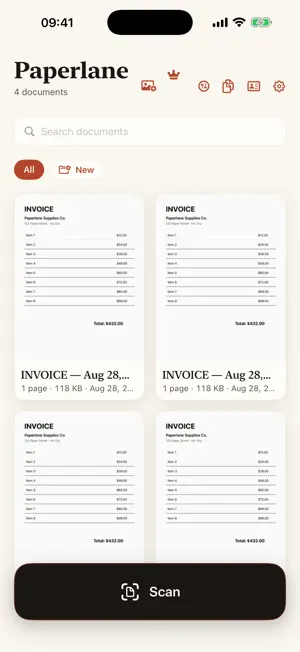
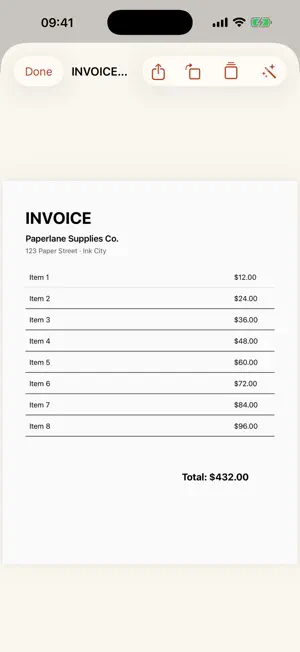
Paperlane is a free iPhone app that turns your phone into a document scanner and produces a clean, multi-page PDF in seconds. It automatically detects page edges and corrects perspective, keeps every scan on-device in a private library, and adds no watermark and no sign-up. A one-time Paperlane Pro purchase adds searchable OCR text, PDF merging, JPG/PNG export, password protection, and removes ads. Point, scan, and get a clean PDF in seconds. No subscription, no watermark, no account. FREE, FOREVER • Unlimited scans with automatic edge detection and perspective correction • Real, multi-page PDFs that open, print and share anywhere • A tidy on-device library, and your documents never leave your iPhone • No watermark. No scan limit. No sign-up. • Supported by ads, which Paperlane Pro removes PAPERLANE PRO, one-time purchase • Searchable OCR text layer (find any word inside a scan) • Combine pages into one PDF • Export as JPG or PNG • Password-protect sensitive PDFs • Removes all ads PRIVATE BY DESIGN Scanning, text recognition and PDF creation all happen on your device. Your scans are never uploaded to our servers. The free version shows ads served by Google AdMob, which never receive your documents. You are asked for consent first, and can withdraw it at any time under Ad privacy in the settings. Pay once, keep it forever. No monthly fees, ever. Where available, you can explore recommendations for our other apps. They load online; views and taps are counted as daily totals without personal profiles or user/device identifiers. Our privacy policy explains this feature and existing advertising. Privacy Policy: https://getpaperlane.vercel.app/privacy
What’s new
Version 2.1.1 · Updated October 12, 2026
Discover more apps from us in the new recommendations section. Updated privacy information.
App privacy
The developer, Levin David Schwab, reported these privacy practices to Apple.
Data Used to Track You
The following data may be used to track you across apps and websites owned by other companies:
- Identifiers: Device ID
- Usage Data: Product Interaction
Data Linked to You
The following data, which may be collected and linked to your identity, may be used for the following purposes:
- Location: Coarse Location
- Identifiers: Device ID
- Usage Data: Product Interaction, Advertising Data
Used for: Third-Party Advertising, Developer’s Advertising or Marketing, Analytics, App Functionality
Data Not Linked to You
The following data, which may be collected but is not linked to your identity, may be used for the following purposes:
- Diagnostics: Performance Data, Other Diagnostic Data, Crash Data
- Usage Data: Product Interaction
Used for: Third-Party Advertising, Developer’s Advertising or Marketing, Analytics, App Functionality
Alternatives to Paperlane: Scan to PDF
Looking for apps like Paperlane: Scan to PDF? Here are 6 similar apps on the App Store. The highest rated is Life AI: Organize Your Life (5.0/5), and all 6 are free to download.
-
 Life AI: Organize Your Life
5.0
Life AI: Organize Your Life
5.0
-
 ScanMate: PDF Scanner
-
 PureScan: Document Scanner
-
 Nox - Personal Data Vault
5.0
Nox - Personal Data Vault
5.0
-
 ScanMate: Scan, Convert, Edit
-
 Paperix - PDF Secure and Local
5.0
Paperix - PDF Secure and Local
5.0
| App | Rating | Price | Last updated | Compare |
|---|---|---|---|---|
| Paperlane: Scan to PDF | 5.0 / 5 (2 ratings) | Free | October 12, 2026 | |
| Life AI: Organize Your Life | 5.0 / 5 (8) | Free | Oct 14, 2026 | Compare |
| ScanMate: PDF Scanner | – | Free | Sep 21, 2026 | Compare |
| PureScan: Document Scanner | – | Free | May 28, 2026 | Compare |
| Nox - Personal Data Vault | 5.0 / 5 (6) | Free | Sep 20, 2026 | Compare |
| ScanMate: Scan, Convert, Edit | – | Free | Apr 24, 2025 | Compare |
| Paperix - PDF Secure and Local | 5.0 / 5 (4) | Free | Oct 10, 2026 | Compare |