

GeoPhoto Pro: GPS Photo Log
RENE SUESS Photo & Video iPhoneiPadiPod touch
GeoPhoto Pro: GPS Photo Log is a free Photo & Video app for iPhone and iPad by RENE SUESS. Requires iOS 16.0. Updated October 11, 2026.
- Price
- Free
- on the App Store
- Size
- 9 MB
- Age 4+
- Updated
- Oct 11
- 2026 · v2.4.1
Screenshots


About GeoPhoto Pro: GPS Photo Log
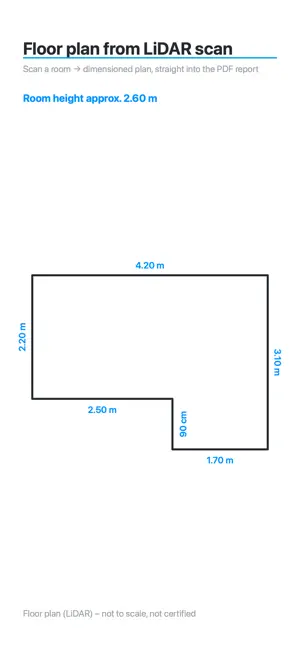
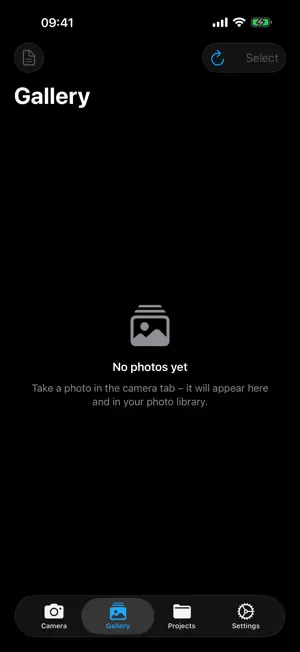
GeoPhoto Pro turns your iPhone into a professional documentation camera. Every photo is automatically stamped with its GPS coordinates – visible as a watermark on the image and embedded as a real geotag in the EXIF data. With Pro you also get address, timestamp, map overlay and your preferred coordinate format. Perfect for construction and trades, surveying, real estate, inspections, insurance and anywhere you need verifiable documentation. FEATURES • GPS watermark: coordinates right on the photo (with Pro also address, time and map) • Coordinate formats (Pro): decimal degrees, degrees/minutes/seconds, UTM and MGRS – in the watermark and live view • True geotagging: photos appear on the map in the Photos app • Multiple watermark styles (Pro): compact, standard, full • Projects: keep your photos neatly organized by job • PDF reports (Pro) with an overview map and detail pages – shareable in one tap • LiDAR tools (Pro, supported iPhones): measure distances, scan rooms → dimensioned floor plan + room height + 3D model, right into the PDF report • iCloud sync: your photos and projects across all your devices • OneDrive backup (Pro): new photos automatically – even in the background • Camera comfort: lens selection, tap-to-focus, exposure, grid, timer, aspect ratios PRIVACY FIRST GeoPhoto is local-first: your photos and projects stay on your device or in your private iCloud account. No user accounts, no tracking, no sharing with third parties. OneDrive backup is optional and uploads only to your own Microsoft account. GEOPHOTO PRO Camera, true geotagging and iCloud sync are free; photos then show the plain GPS coordinates. Pro unlocks full watermarks (address, time, map, styles), selectable coordinate formats including UTM/MGRS, PDF reports, multiple projects, OneDrive backup and – on supported iPhones – the LiDAR tools (measure & room scan). GeoPhoto Pro is a single one-time purchase: pay once, use forever – no subscription.
What’s new
Version 2.4.1 · Updated October 11, 2026
GeoPhoto Pro is now a one-time purchase: pay once and keep all Pro features forever — no subscription, no trial. Plus a cleaner, calmer purchase screen.
App privacy
The developer, RENE SUESS, reported these privacy practices to Apple.
Data Not Collected
The developer does not collect any data from this app.
Alternatives to GeoPhoto Pro: GPS Photo Log
Looking for apps like GeoPhoto Pro: GPS Photo Log? Here are 6 similar apps on the App Store. The highest rated is Timestamp Camera GPS (5.0/5), and all 6 are free to download.
-
 Geo Tag Video Camera GPS
-
 GeoLens — Geotag Camera
-
 MapTag Camera - GPS Camera
-
 Timestamp Camera GPS
5.0
Timestamp Camera GPS
5.0
-
 GPS Camera Map - WatermarkCam
-
 Silver Halide Pro
| App | Rating | Price | Last updated | Compare |
|---|---|---|---|---|
| GeoPhoto Pro: GPS Photo Log | – | Free | October 11, 2026 | |
| Geo Tag Video Camera GPS | – | Free | Sep 16, 2026 | Compare |
| GeoLens — Geotag Camera | – | Free | Oct 15, 2026 | Compare |
| MapTag Camera - GPS Camera | – | Free | Jul 19, 2026 | Compare |
| Timestamp Camera GPS | 5.0 / 5 (2) | Free | Dec 22, 2025 | Compare |
| GPS Camera Map - WatermarkCam | – | Free | Jun 15, 2026 | Compare |
| Silver Halide Pro | – | Free | Oct 15, 2026 | Compare |