

Picstack - Collage & Layers
Jack Schwarz Photo & Video iPhoneiPadiPod touch
Picstack - Collage & Layers is a free Photo & Video app for iPhone and iPad by Jack Schwarz. Requires iOS 17.0. Updated October 2, 2026.
- Price
- Free
- on the App Store
- Size
- 3 MB
- Age 4+
- Updated
- Oct 2
- 2026 · v1.1
Screenshots



About Picstack - Collage & Layers
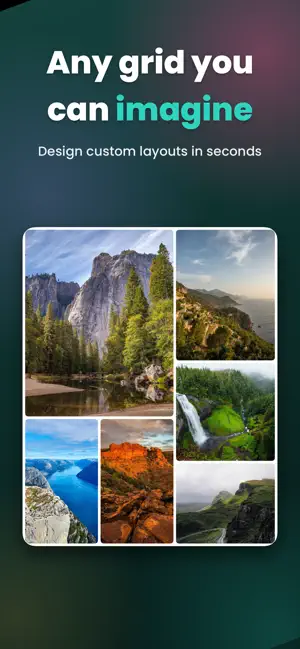
PicStack — Collage & Layers PicStack gives you an open canvas where your photos go exactly where you want them. Overlap them, resize and rotate freely, feather the edges so images blend softly instead of hard-cutting, adjust opacity, add text, and reorder layers until the composition feels right. It's the flexible, no-rules way to make something that actually looks like you. Need something more structured? Build custom grid collages too. Split any cell however you like to design your own layout, then pan and zoom each photo inside its frame. Adjust spacing, corner radius, and background to taste. Freeform canvas • Place, overlap, resize, and rotate photos anywhere • Feather edges for soft, natural blends • Control opacity and layer order • Add and style text • Borders and shadows for depth • Add arrow and circle Grid collages • Design your own grid by splitting cells • Pan and zoom photos within each cell • Tune spacing, corners, and background • Add annotation Sizes for anywhere Square, 4:5, 9:16, 16:9, 3:2, or a custom size in pixels — ready for posts, stories, prints, and wallpapers. Export & share Save full-resolution images to Photos, send straight to an Instagram post, or share to any app. No subscription. Ever. PicStack is a one-time purchase. Start free, and when you're ready, unlock unlimited watermark-free exports forever with a single purchase. No recurring fees, no upsells. Private by design No accounts. No cloud. No tracking. Your photos never leave your device — everything happens right on your iPhone. There's no AI, no filters, and no clutter. Just fast, focused tools that do exactly what you ask. PicStack is built to be small, sharp, and respectful of your time and your privacy. Make something great, keep it forever.
What’s new
Version 1.1 · Updated October 2, 2026
• Bug fixes • Added annotation
App privacy
The developer, Jack Schwarz, reported these privacy practices to Apple.
Data Not Collected
The developer does not collect any data from this app.
Alternatives to Picstack - Collage & Layers
Looking for apps like Picstack - Collage & Layers? Here are 6 similar apps on the App Store. The highest rated is Gridlace: Carousel & Collage (5.0/5), and 5 of the 6 are free to download.
-
 Gridlace: Carousel & Collage
5.0
Gridlace: Carousel & Collage
5.0
-
 MixaFrame
5.0
MixaFrame
5.0
-
 Luma Filter Cam
-
 Mosaico - Merge your photos
-
 Scroll & Collage Maker
-
 CamsSticker
| App | Rating | Price | Last updated | Compare |
|---|---|---|---|---|
| Picstack - Collage & Layers | – | Free | October 2, 2026 | |
| Gridlace: Carousel & Collage | 5.0 / 5 (1) | Free | Oct 7, 2026 | Compare |
| MixaFrame | 5.0 / 5 (1) | Free | Oct 10, 2026 | Compare |
| Luma Filter Cam | – | 6.99 USD | Aug 3, 2026 | Compare |
| Mosaico - Merge your photos | – | Free | Oct 14, 2026 | Compare |
| Scroll & Collage Maker | – | Free | Dec 24, 2025 | Compare |
| CamsSticker | – | Free | Jan 3, 2024 | Compare |