

Spok3n: AI Voice Keyboard
Apex Software Engineering LLC Productivity iPhoneiPadiPod touch
Spok3n: AI Voice Keyboard is a free Productivity app for iPhone and iPad by Apex Software Engineering LLC. Requires iOS 17.0. Updated October 7, 2026.
- Price
- Free
- on the App Store
- Size
- 28 MB
- Age 4+
- Updated
- Oct 7
- 2026 · v1.3.3
Screenshots

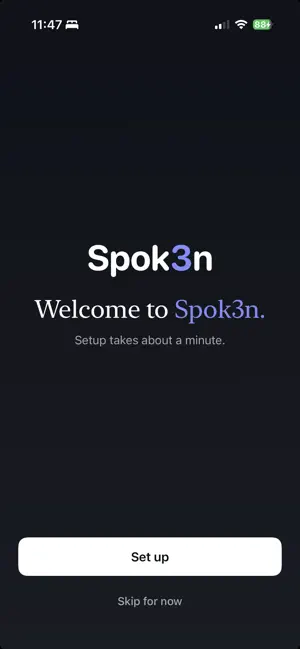
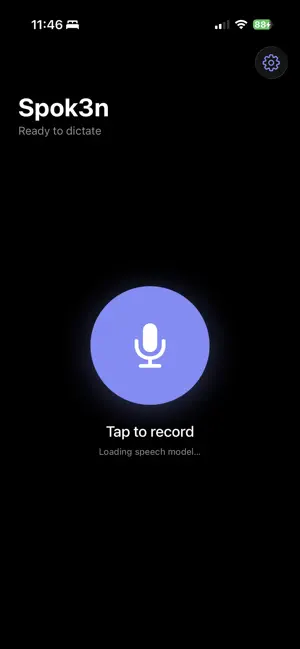
About Spok3n: AI Voice Keyboard
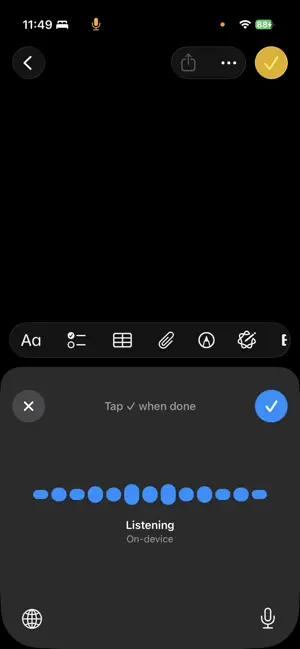
Spok3n turns your voice into text with a system-wide keyboard you can use in any app. KEYBOARD EXTENSION Add Spok3n as a third-party keyboard in Settings → General → Keyboard → Keyboards, then tap the globe icon from any text field to switch to it. Hit Dictate, speak, and your words land right in Messages, Notes, email, search bars, or anywhere else iOS accepts text. ON-DEVICE TRANSCRIPTION Spok3n uses Apple's Neural Engine to transcribe entirely on your iPhone. Your voice never leaves the device. No cloud servers. No analytics on what you say. No training data harvested from your speech. Once the model has been downloaded the first time you launch, dictation works fully offline — you can confirm in Airplane Mode. CROSS-PLATFORM PRO Spok3n Pro syncs across iPhone and Mac. Subscribe on either platform and Pro unlocks on both. Sign in with the same account on your Mac to pick up where you left off. FREE TIER Up to 5,000 words per week, free. The counter resets every Monday. No credit card required, no trial signup nag — just install and start dictating. WHAT'S IN PRO • Unlimited weekly dictation • Sync between iPhone and Mac • AI polish on long dictations — cleans up filler words and run-on sentences locally on-device • Priority email support PRIVACY • Audio: stays on device, never uploaded • Transcripts: stay on device, never uploaded • What we collect: your email (for sign-in), weekly word count (to enforce the free tier), and subscription status. Nothing about what you actually dictated. Read the full privacy policy at https://spok3n.com/privacy or contact us at [email protected]. PRO PRICING $24.99 / month with a 7-day free trial. Cancel anytime via Settings → Apple ID → Subscriptions. Subscription auto-renews monthly unless cancelled at least 24 hours before the current period ends. Payment is charged to your Apple ID at confirmation of purchase. SYSTEM REQUIREMENTS iPhone running iOS 17 or later. iPhone 15 Pro or newer recommended for fastest on-device transcription. Terms of Use (EULA): https://www.apple.com/legal/internet-services/itunes/dev/stdeula/
What’s new
Version 1.3.3 · Updated October 7, 2026
Subscribing now unlocks Spok3n Pro immediately, without showing an error after a successful purchase. Also improves error reporting so problems can be found and fixed faster.
App privacy
The developer, Apex Software Engineering LLC, reported these privacy practices to Apple.
Data Linked to You
The following data, which may be collected and linked to your identity, may be used for the following purposes:
- Usage Data: Product Interaction
- Purchases: Purchase History
- Contact Info: Email Address
- Diagnostics: Crash Data, Other Diagnostic Data
Used for: Analytics, App Functionality
Alternatives to Spok3n: AI Voice Keyboard
Looking for apps like Spok3n: AI Voice Keyboard? Here are 6 similar apps on the App Store. The highest rated is KeyVoice - AI Voice Keyboard (5.0/5), and all 6 are free to download.
-
 Voice Keyboard: Speech to Text
-
 KeyVoice - AI Voice Keyboard
5.0
KeyVoice - AI Voice Keyboard
5.0
-
 Speak - Voice Keyboard
-
 VoiceKey: AI Voice Keyboard
4.9
VoiceKey: AI Voice Keyboard
4.9
-
 Parlate: AI Dictation Keyboard
-
 Notepad: Private Diary & Lock
4.0
Notepad: Private Diary & Lock
4.0
| App | Rating | Price | Last updated | Compare |
|---|---|---|---|---|
| Spok3n: AI Voice Keyboard | – | Free | October 7, 2026 | |
| Voice Keyboard: Speech to Text | – | Free | Oct 7, 2026 | Compare |
| KeyVoice - AI Voice Keyboard | 5.0 / 5 (1) | Free | May 13, 2026 | Compare |
| Speak - Voice Keyboard | – | Free | Apr 21, 2026 | Compare |
| VoiceKey: AI Voice Keyboard | 4.9 / 5 (7) | Free | Jun 17, 2026 | Compare |
| Parlate: AI Dictation Keyboard | – | Free | Sep 15, 2026 | Compare |
| Notepad: Private Diary & Lock | 4.0 / 5 (1) | Free | Oct 10, 2026 | Compare |