

Murmly - Transcribe, summarize
Matteo Renzi Productivity iPhoneiPadiPod touchMacApple Watch
Murmly - Transcribe, summarize is a free Productivity app for iPhone and iPad by Matteo Renzi. Requires iOS 15.0. Updated October 16, 2026.
- Price
- Free
- on the App Store
- Size
- 35 MB
- Age 12+
- Updated
- Oct 16
- 2026 · v1.0.23
Screenshots


About Murmly - Transcribe, summarize
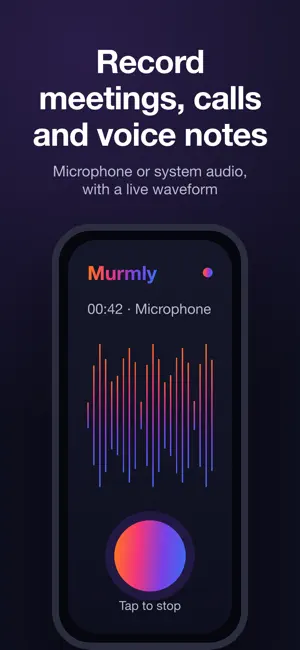
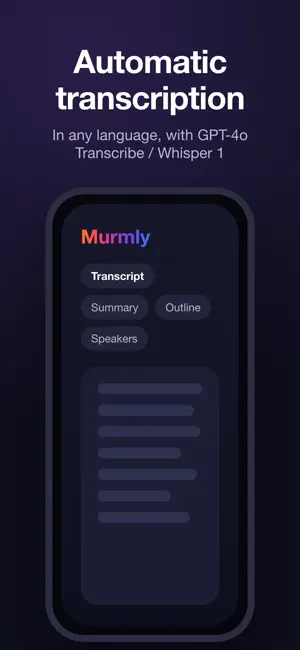
1 HOUR FREE — verify your email and we credit you 0.40 token (≈ 1 hour of recording, transcription and analysis) so you can try everything right away. Murmly turns your audio recordings into organized, ready-to-use text. Record a meeting, lecture, interview or voice note — or import an existing audio file — and let the app do the rest with OpenAI's GPT-4o Transcribe / Whisper 1. NEW — DICTATION EVERYWHERE (macOS EXCLUSIVE) Start dictation in Murmly, click where you want to write — Word, your browser, Mail, a text field on a website — and everything you say is transcribed sentence by sentence and typed right at your cursor. With the Accessibility permission the typing is automatic; otherwise each sentence is ready to paste with ⌘V. Available only in the Mac version. KEY FEATURES • Clear microphone audio recording • Recordings up to 4 hours each (auto-split and stitched back together) • Import existing audio files • Accurate automatic transcription • Smart content summary • Bullet-point outline of the topics • Speaker detection with custom name and color • Dictation everywhere on Mac: dictated text is typed into any app (macOS exclusive) • Share via email, WhatsApp, AirDrop and other apps (text and audio file) • Private access with a code and a customizable profile • Copy and share any text • Clean interface, light/dark theme • Interface in Italian and English (transcription in every language) HOW THE CREDIT WORKS • 0.40 token free when you verify your email, to try it right away • Pay only when you run out, with rechargeable packs • Credit never expires: use it whenever you want • Privacy: audio stays on your device and is never kept on our servers Perfect for professionals, students, journalists and teams who want to save time managing meetings.
What’s new
Version 1.0.23 · Updated October 16, 2026
What's New • Shortcuts and Siri on iPhone, iPad and Mac: start, stop and pause recording, have your transcript or summary read to you, transcribe an audio file, search your recordings, check your credit. Hands-free with Siri too. • When something goes wrong, Murmly now tells you in plain words and suggests what to do. • Very long or large recordings are transcribed smoothly. • Import audio: a double tap no longer causes an error. • Minor improvements and bug fixes.
App privacy
The developer, Matteo Renzi, reported these privacy practices to Apple.
Data Linked to You
The following data, which may be collected and linked to your identity, may be used for the following purposes:
- Contact Info: Email Address
- Identifiers: User ID, Device ID
- Usage Data: Product Interaction
Used for: App Functionality
Data Not Linked to You
The following data, which may be collected but is not linked to your identity, may be used for the following purposes:
- Contact Info: Name
Used for: App Functionality
Alternatives to Murmly - Transcribe, summarize
Looking for apps like Murmly - Transcribe, summarize? Here are 6 similar apps on the App Store. The highest rated is LocalScribe: Voice to Text (1.0/5), and all 6 are free to download.
-
 Smart Minutes: Meeting Notes
-
 Kiln: AI Meeting Reports
-
 Verbi AI Note Taker & Recorder
-
 Talkzo - Voice to Text Notes
-
 LocalScribe: Voice to Text
1.0
LocalScribe: Voice to Text
1.0
-
 Convoxa - AI Meeting Notes
| App | Rating | Price | Last updated | Compare |
|---|---|---|---|---|
| Murmly - Transcribe, summarize | – | Free | October 16, 2026 | |
| Smart Minutes: Meeting Notes | – | Free | Apr 1, 2026 | Compare |
| Kiln: AI Meeting Reports | – | Free | Aug 26, 2026 | Compare |
| Verbi AI Note Taker & Recorder | – | Free | Oct 21, 2026 | Compare |
| Talkzo - Voice to Text Notes | – | Free | Oct 15, 2026 | Compare |
| LocalScribe: Voice to Text | 1.0 / 5 (1) | Free | Sep 3, 2026 | Compare |
| Convoxa - AI Meeting Notes | – | Free | Oct 19, 2026 | Compare |