

Blur Photo & Mosaic Face Blur
MNB DIGITAL LLC Photo & Video iPhoneiPadiPod touch
Blur Photo & Mosaic Face Blur is a free Photo & Video app for iPhone and iPad by MNB DIGITAL LLC. Rated 3.7/5 from 3 ratings. Requires iOS 17.6.
- Rating
- 3.7
- 3 ratings
- Price
- Free
- on the App Store
- Size
- 21 MB
- Age 4+
- Updated
- Oct 3
- 2026 · v1.3.3
Screenshots


About Blur Photo & Mosaic Face Blur
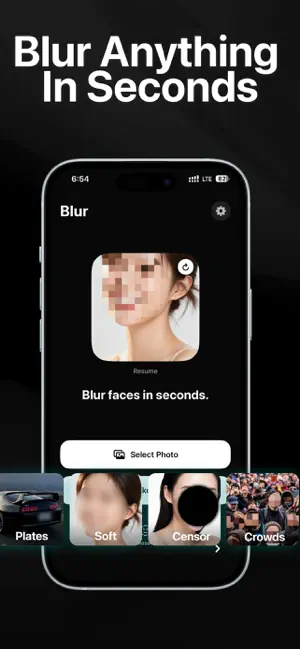
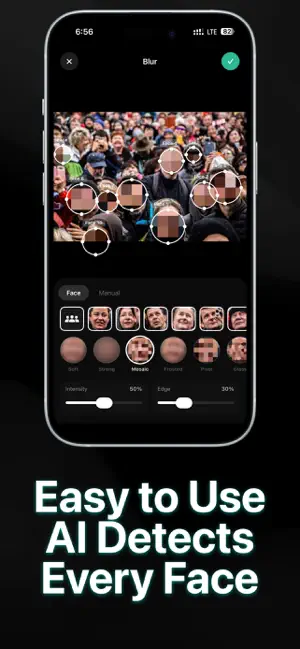
The easiest way to blur faces, hide license plates, and protect privacy in your photos. Key Features: - AI-powered automatic face detection and blur - Mosaic and pixelate effects for faces and text - Draw to blur any area manually - Hide license plates, documents, and sensitive info - Soft blur, strong blur, mosaic, and frosted styles - Adjust intensity and edge softness - Works entirely on your device — no data uploaded How to use: - Select a photo - Faces are detected automatically - Tap to blur or draw manually - Save and share Terms of Use (EULA): https://www.apple.com/legal/internet-services/itunes/dev/stdeula/
What’s new
Version 1.3.3 · Updated October 3, 2026
Bug fixes and performance improvements.
App privacy
The developer, MNB DIGITAL LLC, reported these privacy practices to Apple.
Data Not Collected
The developer does not collect any data from this app.
Alternatives to Blur Photo & Mosaic Face Blur
Looking for apps like Blur Photo & Mosaic Face Blur? Here are 6 similar apps on the App Store. The highest rated is Frame Pair: Dual Video Camera (5.0/5), and 5 of the 6 are free to download.
-
 Frame Pair: Dual Video Camera
5.0
Frame Pair: Dual Video Camera
5.0
-
 BabyTime - Baby Photo Album
-
 Last Frame Extractor
-
 Photo Organizer: SwipeSort
4.5
Photo Organizer: SwipeSort
4.5
-
 PixHush - Photo Blur Editor
5.0
PixHush - Photo Blur Editor
5.0
-
 ID Photo Craft
| App | Rating | Price | Last updated | Compare |
|---|---|---|---|---|
| Blur Photo & Mosaic Face Blur | 3.7 / 5 (3 ratings) | Free | October 3, 2026 | |
| Frame Pair: Dual Video Camera | 5.0 / 5 (2) | Free | Jul 11, 2026 | Compare |
| BabyTime - Baby Photo Album | – | Free | Sep 30, 2026 | Compare |
| Last Frame Extractor | – | Free | May 20, 2026 | Compare |
| Photo Organizer: SwipeSort | 4.5 / 5 (2) | Free | Jul 17, 2026 | Compare |
| PixHush - Photo Blur Editor | 5.0 / 5 (1) | Free | Sep 7, 2026 | Compare |
| ID Photo Craft | – | 0.99 USD | Sep 1, 2026 | Compare |