

PixHush - Photo Blur Editor
Kerem Cebi Photo & Video iPhoneiPadiPod touch
PixHush - Photo Blur Editor is a free Photo & Video app for iPhone and iPad by Kerem Cebi. Rated 5.0/5 from 1 ratings. Requires iOS 15.5.
- Rating
- 5.0
- 1 ratings
- Price
- Free
- on the App Store
- Size
- 86 MB
- Age 4+
- Updated
- Sep 7
- 2026 · v1.0.3
Screenshots

About PixHush - Photo Blur Editor
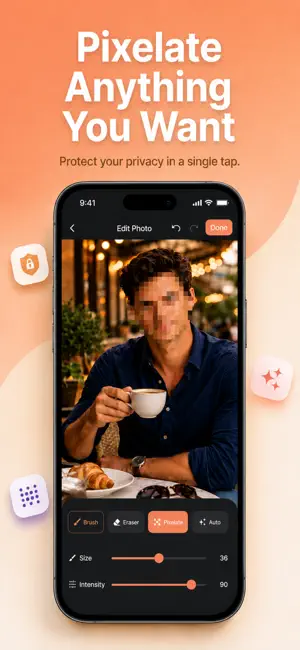
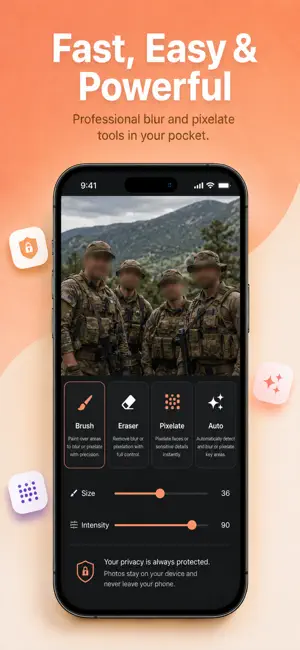
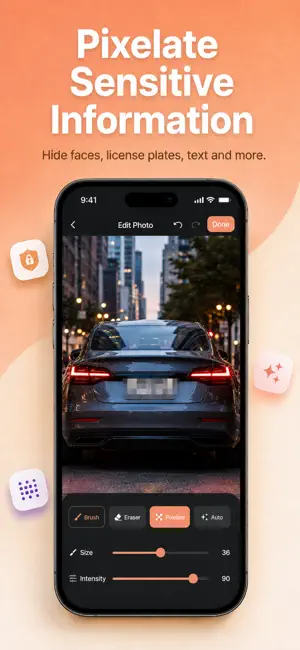
Blur faces, backgrounds, license plates, text, and private details in seconds. Blur gives you simple, precise tools to protect your privacy or create a polished background effect — without complicated photo editing. WHY BLUR? Every photo you share can reveal more than you intended. Blur helps you stay in control by making it quick and easy to hide sensitive areas before posting, sending, or saving your images. FACE & PERSON BLUR Quickly hide people in your photos. Blur a face or cover a person before sharing images that include friends, children, strangers, or anyone you want to keep private. BACKGROUND BLUR Make your subject stand out by softening distracting backgrounds. Create a clean, professional-looking depth effect that keeps attention where you want it. CUSTOM AREA BLUR Choose exactly what you want to hide using precise brush and lasso tools. Perfect for: * License plates * Addresses * Phone numbers * Documents * Screenshots * Personal information * Private conversations * Sensitive details ADJUSTABLE BLUR Control the strength of the effect to get exactly the result you want, from a subtle soft blur to stronger privacy protection. PERFECT FOR Content Creators Keep attention on your subject and clean up distracting backgrounds for social media posts. Parents Protect the privacy of children and other people appearing in family photos. Professionals Hide confidential information in documents, screenshots, messages, and work-related images. Everyday Sharing Cover anything you would rather keep private before sending or posting a photo. FAST & EASY 1. Choose a photo 2. Select the area you want to blur 3. Adjust the blur intensity 4. Save and share No complicated editing. No unnecessary steps. Download Blur and take control of what people can see in your photos. Terms of Use: https://www.apple.com/legal/internet-services/itunes/dev/stdeula/
What’s new
Version 1.0.3 · Updated September 7, 2026
New language localizations have been added. Design and user experience improvements are made.
App privacy
The developer, Kerem Cebi, reported these privacy practices to Apple.
Data Not Linked to You
The following data, which may be collected but is not linked to your identity, may be used for the following purposes:
- Identifiers: Device ID
Used for: App Functionality
Alternatives to PixHush - Photo Blur Editor
Looking for apps like PixHush - Photo Blur Editor? Here are 6 similar apps on the App Store. The highest rated is Face Blur on Photo (5.0/5), and all 6 are free to download.
-
 Blur Photo & Mosaic Face Blur
3.7
-
 Face Blur on Photo
5.0
-
 Blurry Photo Aрр
4.3
-
 Blur Video & Mosaic
4.5
-
 Blur Photo Editor: blur effect
4.7
-
 Blur Background Photo Effect
4.5
| App | Rating | Price | Last updated | Compare |
|---|---|---|---|---|
| PixHush - Photo Blur Editor | 5.0 / 5 (1 rating) | Free | September 7, 2026 | |
| Blur Photo & Mosaic Face Blur | 3.7 / 5 (3) | Free | Oct 3, 2026 | Compare |
| Face Blur on Photo | 5.0 / 5 (2) | Free | Sep 24, 2026 | Compare |
| Blurry Photo Aрр | 4.3 / 5 (561) | Free | Mar 12, 2025 | Compare |
| Blur Video & Mosaic | 4.5 / 5 (4,406) | Free | Sep 30, 2026 | Compare |
| Blur Photo Editor: blur effect | 4.7 / 5 (1,684) | Free | Jul 16, 2026 | Compare |
| Blur Background Photo Effect | 4.5 / 5 (19,618) | Free | Aug 22, 2025 | Compare |