

Split Video: Lossless Cut
Meet Pi LLC Photo & Video iPhoneiPadiPod touch
Split Video: Lossless Cut is a free Photo & Video app for iPhone and iPad by Meet Pi LLC. Rated 5.0/5 from 1 ratings. Requires iOS 17.0.
- Rating
- 5.0
- 1 ratings
- Price
- Free
- on the App Store
- Size
- 4 MB
- Age 4+
- Updated
- Oct 3
- 2026 · v2.0.0
Screenshots



About Split Video: Lossless Cut
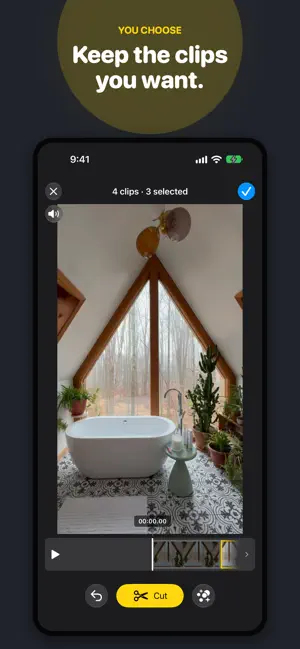
Turn one long video into the clips you want, in seconds. FAST, LOSSLESS CUTS Clips keep their original quality with no re-encoding, so exports are fast and look exactly like your source. • Tap clips to keep or skip them • Undo anytime and preview before you save • Save every clip to Photos in one go AUTO CUT, POWERED BY ON-DEVICE AI Let Split Video find the cuts for you: • By moment: find the highlights in your video, with a little lead-in and follow-through on each • By beat: cut to the music's sections, phrases, bars, or beats • By speech pause: split talking videos at natural pauses and sentence endings All analysis runs privately on your iPhone. Nothing is uploaded. NOW WITH SLO-MO SUPPORT Split a Slo-mo video and choose how to save it: exactly as it plays in Photos, or as Slo-mo you can still adjust in Photos. Your original is always kept. PRIVATE BY DESIGN No account. No ads. No tracking. Your videos never leave your device. Moment and beat cuts require iOS 27. Speech pause cuts require iOS 26 or later. Split Video requires iOS 17 or later and is available in English and Simplified Chinese. Questions or feedback? [email protected] Terms of Use: https://meetpi.dev/split-video/terms Privacy Policy: https://meetpi.dev/split-video/privacy
What’s new
Version 2.0.0 · Updated October 3, 2026
Split Video 2.0 is our biggest update yet: Auto cut, powered by on-device AI. • Cut by moment (iOS 27): Split Video finds the highlights in your video and suggests clips around them. • Cut by beat (iOS 27): split to the music's sections, phrases, bars, or beats. • Cut by speech pause (iOS 26+): split talking videos at natural pauses and sentence endings. • All AI runs privately on your device. Nothing is uploaded. • Pick your clips: tap clips on the timeline to keep or skip them. • Slo-mo, your way: keep the timing you see in Photos, or keep Slo-mo you can still adjust. • Clips are named after the original video: _01, _02, and more. • A faster, smoother library with new filters for date, length, and ratings. • Now in Simplified Chinese.
App privacy
The developer, Meet Pi LLC, reported these privacy practices to Apple.
Data Not Collected
The developer does not collect any data from this app.
Alternatives to Split Video: Lossless Cut
Looking for apps like Split Video: Lossless Cut? Here are 6 similar apps on the App Store. The highest rated is JoinCut - Video Merge & Trim (5.0/5), and all 6 are free to download.
-
 JoinCut - Video Merge & Trim
5.0
JoinCut - Video Merge & Trim
5.0
-
 ChotCut - Fast video trimming
-
 Video Splitter - VSplitter
4.2
Video Splitter - VSplitter
4.2
-
 Split Video Into Parts
4.4
Split Video Into Parts
4.4
-
 Video Joiner & Trimmer
4.7
Video Joiner & Trimmer
4.7
-
 Split Video: Long Story Maker
4.8
Split Video: Long Story Maker
4.8
| App | Rating | Price | Last updated | Compare |
|---|---|---|---|---|
| Split Video: Lossless Cut | 5.0 / 5 (1 rating) | Free | October 3, 2026 | |
| JoinCut - Video Merge & Trim | 5.0 / 5 (1) | Free | Oct 11, 2026 | Compare |
| ChotCut - Fast video trimming | – | Free | Aug 14, 2026 | Compare |
| Video Splitter - VSplitter | 4.2 / 5 (9) | Free | Aug 9, 2026 | Compare |
| Split Video Into Parts | 4.4 / 5 (31) | Free | Oct 7, 2026 | Compare |
| Video Joiner & Trimmer | 4.7 / 5 (6,392) | Free | Jul 2, 2026 | Compare |
| Split Video: Long Story Maker | 4.8 / 5 (4,987) | Free | Feb 7, 2024 | Compare |