

Font Maker: Custom Keyboard
MANUEL MATAS GALEOTE Graphics & Design iPhoneiPadiPod touch
Font Maker: Custom Keyboard is a free Graphics & Design app for iPhone and iPad by MANUEL MATAS GALEOTE. Requires iOS 26.0. Updated August 23, 2026.
- Price
- Free
- on the App Store
- Size
- 29 MB
- Age 4+
- Updated
- Aug 23
- 2026 · v2.0.0
Screenshots

About Font Maker: Custom Keyboard
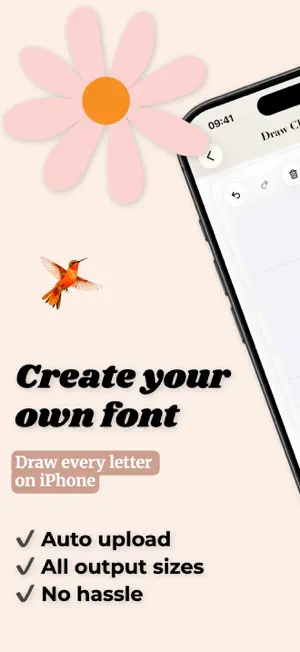
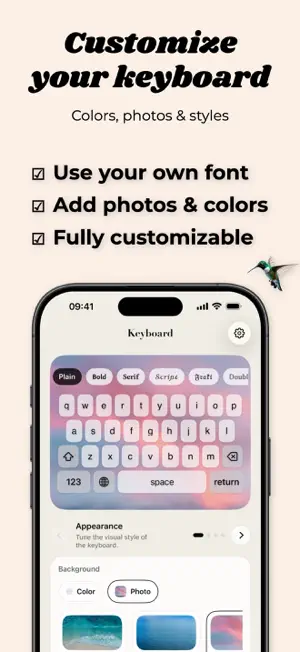
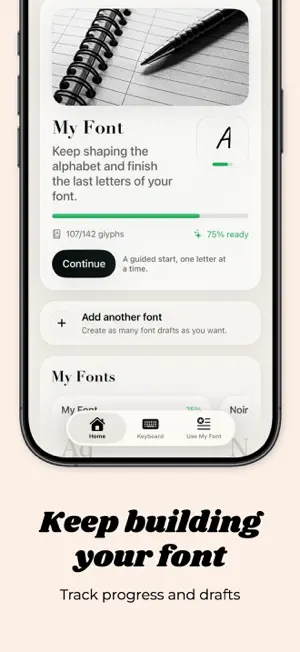
Turn your handwriting into a real font. Create your own custom typeface directly on iPhone by drawing each letter, number, and symbol by hand. Font Maker guides you from the first character to a complete font, lets you preview the result in real contexts, and exports a real TTF file you can save, test, and share. Whether you want a personal handwritten font, custom lettering for content, or a creative tool for typography experiments, Font Maker gives you everything in one place. What you can do with Font Maker - Create a font project from scratch - Draw uppercase, lowercase, numbers, punctuation, and international characters - Use guides and reference characters while drawing - Undo, redo, save drafts, and refine individual glyphs - Preview your font in notes, messages, and headline-style layouts - Export your font as a real TTF file - Generate PNG artwork with your custom font for stories, posts, covers, and thumbnails - Choose transparent or solid backgrounds for PNG exports - Import external font files and manage them inside the app - Install supported fonts for use in compatible apps - Set up and customize a companion keyboard experience Designed for real creative workflows Font Maker is built for creators, designers, lettering fans, journaling lovers, and anyone who wants a font that feels personal. You can move from sketching letters to testing style, exporting assets, and reusing your type across different use cases. Important note Custom keyboards on iPhone cannot force every app to display your font automatically. For the exact visual result, use PNG export. For compatible apps that support custom fonts, use the exported or installed TTF file. EULA By using this app, you agree to Apple's Standard End User License Agreement (EULA): https://www.apple.com/legal/internet-services/itunes/dev/stdeula/
What’s new
Version 2.0.0 · Updated August 23, 2026
Minor bug fixes and several corrections.
App privacy
The developer, MANUEL MATAS GALEOTE, reported these privacy practices to Apple.
Data Not Linked to You
The following data, which may be collected but is not linked to your identity, may be used for the following purposes:
- Purchases: Purchase History
Used for: Analytics, App Functionality
Alternatives to Font Maker: Custom Keyboard
Looking for apps like Font Maker: Custom Keyboard? Here are 6 similar apps on the App Store. The highest rated is InkFonk Handwriting Font Maker (5.0/5), and all 6 are free to download.
-
 Font Maker: My Handwriting
-
 InkFonk Handwriting Font Maker
5.0
InkFonk Handwriting Font Maker
5.0
-
 Font Maker: TypeMine
-
 LeFont: Handwriting Font Maker
5.0
LeFont: Handwriting Font Maker
5.0
-
 HandLetter: Font & Card Maker
5.0
HandLetter: Font & Card Maker
5.0
-
 Quick Font Creator
2.5
Quick Font Creator
2.5
| App | Rating | Price | Last updated | Compare |
|---|---|---|---|---|
| Font Maker: Custom Keyboard | – | Free | August 23, 2026 | |
| Font Maker: My Handwriting | – | Free | Oct 27, 2026 | Compare |
| InkFonk Handwriting Font Maker | 5.0 / 5 (1) | Free | Sep 3, 2026 | Compare |
| Font Maker: TypeMine | – | Free | Sep 14, 2026 | Compare |
| LeFont: Handwriting Font Maker | 5.0 / 5 (1) | Free | Oct 9, 2026 | Compare |
| HandLetter: Font & Card Maker | 5.0 / 5 (2) | Free | Oct 22, 2026 | Compare |
| Quick Font Creator | 2.5 / 5 (2) | Free | Aug 2, 2026 | Compare |