

Quick Font Creator
振宾 蔡 Graphics & Design iPhoneiPadiPod touch
Quick Font Creator is a free Graphics & Design app for iPhone and iPad by 振宾 蔡. Rated 2.5/5 from 2 ratings. Requires iOS 16. Updated August 2, 2026.
- Rating
- 2.5
- 2 ratings
- Price
- Free
- on the App Store
- Size
- 46 MB
- Age 4+
- Updated
- Aug 2
- 2026 · v2.4.2
Screenshots

About Quick Font Creator
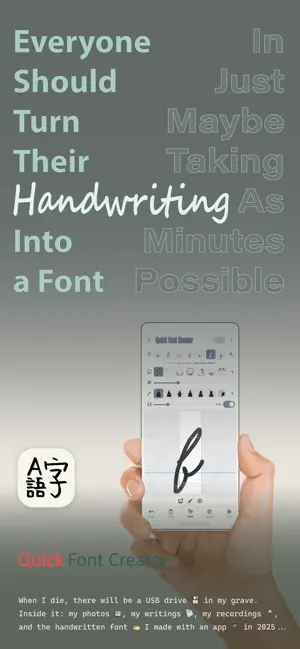
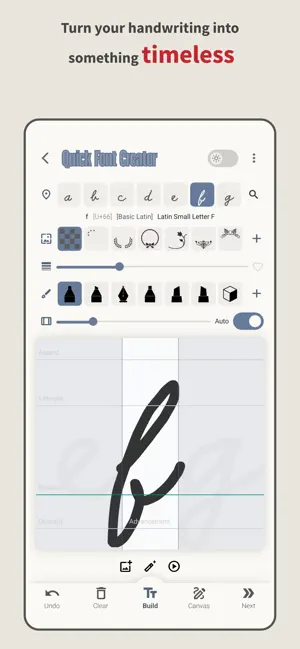
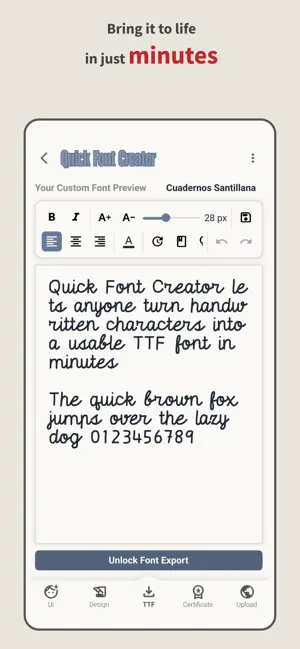
Quick Font Creator lets anyone turn handwritten characters into a usable TTF font in minutes – no complex menus or steep learning curve. It's built for creative explorers, hobbyists, and anyone who values speed and inspiration over deep technical controls. Key Highlights Effortless Workflow Draw directly on your screen, tap "Generate", and you'll have a ready-to-install font – no vector tweaking or advanced settings required. Lightning-Fast Results Most users go from first stroke to a complete font in about ten minutes, making quick ideas come to life fast. Full TTF Freedom Exported as a true TTF file, your font can be installed and used anywhere – in documents, websites, graphics – offering full creative freedom. Preserve Your Handwriting Digitize and save your unique script permanently, so your personal handwriting lives on in any project or format. Creativity First Focus on your ideas, not on menus. Preview your font at different sizes instantly, experiment freely, and share your creations right away. Ideal for Non-Specialists Whether you're a student, content creator, or casual designer, this app streamlines the font-making process without overwhelming you with professional-grade options. Straightforward Setup Install the app, draw your characters, and export. It's that simple – perfect for quick projects, prototypes, and playful experiments. Note: Quick Font Creator is designed to keep things simple, fast, and fun. Experience how simple font design can be. Download Quick Font Creator today and bring your handwriting to life! With our innovative font generator, you can quickly transform your handwritten characters into a TTF font – letting you effortlessly create your own fonts. Designed as a sleek font design app, it doubles as a custom font maker and DIY font creator, perfect for designers, artists, and typography enthusiasts alike. Instant Results Simply scribble on your screen and our handwritten font generator instantly converts your strokes into a high-quality font – making it the ideal digital font creator for fast projects. Versatile & Intuitive Whether you're tweaking details with our font maker app, refining styles as a font editor, or adding flair with a custom lettering app, our tool works seamlessly as a web font generator and creative design app. All-in-One Creativity Explore endless possibilities using our built-in custom typeface designer. This app isn’t just a font maker – it's a personalized font generator and full-featured font design tool with an artistic edge.
What’s new
Version 2.4.2 · Updated August 2, 2026
Bugs fiexed
App privacy
The developer, 振宾 蔡, reported these privacy practices to Apple.
Data Not Collected
The developer does not collect any data from this app.
Alternatives to Quick Font Creator
Looking for apps like Quick Font Creator? Here are 6 similar apps on the App Store. The highest rated is Font Creator Studio (5.0/5), and all 6 are free to download.
-
 Font Creator Studio
5.0
Font Creator Studio
5.0
-
 Font Maker: Custom Keyboard
-
 LeFont: Handwriting Font Maker
5.0
LeFont: Handwriting Font Maker
5.0
-
 Yohaku: Handwriting Font Maker
-
 FontStudio: Create & Edit Font
5.0
FontStudio: Create & Edit Font
5.0
-
 Font Maker - Greeting Card
3.1
Font Maker - Greeting Card
3.1
| App | Rating | Price | Last updated | Compare |
|---|---|---|---|---|
| Quick Font Creator | 2.5 / 5 (2 ratings) | Free | August 2, 2026 | |
| Font Creator Studio | 5.0 / 5 (2) | Free | Sep 22, 2026 | Compare |
| Font Maker: Custom Keyboard | – | Free | Aug 23, 2026 | Compare |
| LeFont: Handwriting Font Maker | 5.0 / 5 (1) | Free | Oct 9, 2026 | Compare |
| Yohaku: Handwriting Font Maker | – | Free | Oct 14, 2026 | Compare |
| FontStudio: Create & Edit Font | 5.0 / 5 (5) | Free | Aug 26, 2026 | Compare |
| Font Maker - Greeting Card | 3.1 / 5 (26) | Free | Oct 19, 2026 | Compare |
Compare Quick Font Creator with the top alternatives: ratings, updates, ASO score and keyword gaps →