

Sign PDF Documents: PDF Signer
Asad Ahsan Productivity iPhoneiPadiPod touch
Sign PDF Documents: PDF Signer is a free Productivity app for iPhone and iPad by Asad Ahsan. Requires iOS 13.0. Updated August 11, 2026.
- Price
- Free
- on the App Store
- Size
- 110 MB
- Age 4+
- Updated
- Aug 11
- 2026 · v1.0.3
Screenshots



About Sign PDF Documents: PDF Signer
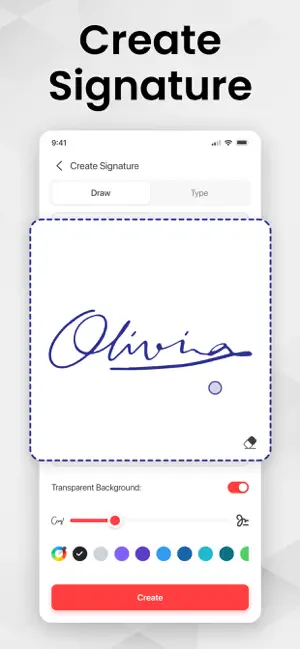
eSign PDF is a professional and secure solution for signing PDF documents and creating electronic signatures directly on your device. Easily sign contracts, agreements, invoices, and other important documents in minutes, saving time and eliminating the need for printing or scanning. With esignature app, you can add signatures to PDFs, create your own digital signature, and sign documents anytime, anywhere. Designed for professionals, students, freelancers, and businesses, this PDF signing tool saves time and boosts productivity. Key Features: • eSign PDF documents • Create electronic signatures • Draw, type, or upload signature • Easy PDF signing interface • Fast, lightweight, and user-friendly Create signature in seconds: • Draw your signature by hand • Type your name as a digital signature • Upload an image of your signature Once created, reuse your signature across multiple documents with ease. Sign PDF Documents Effortlessly: • Sign documents files with a few taps • Add signature anywhere on the document • Adjust size, position, and rotation • Fill and sign forms quickly • Sign contracts, agreements, invoices, and letters This PDF signer app makes document signing smooth and stress-free. Secure & Reliable: Your privacy matters. pdf signature app ensures secure document handling with local processing for safety. No data misuse or unauthorized access. Sign documents confidently with a trusted electronic signature app. Precise for Work & Personal Use: Use pdf signer for business contracts, office paperwork, freelance work, school documents, and legal forms. This esignature app is ideal for anyone who needs a fast and reliable way to esign PDF documents digitally. Why Choose PDF signature app? No printing or scanning needed. Save time and paper with a simple and professional digital signing experience. Download esignature app today and sign documents smarter, faster, and more efficiently. If eSign PDF is helpful, please rate us 5 stars. If you have any questions, please contact us: [email protected]. Disclaimer: This app provides tools to create and add electronic signatures to documents. It is not affiliated with any government authority. Users must ensure compliance with applicable laws and regulations. Privacy Policy https://www.itspdf.com/policy Terms of Service https://www.itspdf.com/termsandconditions
What’s new
Version 1.0.3 · Updated August 11, 2026
- More functionalities added - Support for new devices - User friendly Interface - Bug Fixed
App privacy
The developer, Asad Ahsan, reported these privacy practices to Apple.
Data Not Collected
The developer does not collect any data from this app.
Alternatives to Sign PDF Documents: PDF Signer
Looking for apps like Sign PDF Documents: PDF Signer? Here are 6 similar apps on the App Store. The highest rated is Sign Documents: eSign PDF (5.0/5), and all 6 are free to download.
-
 Sign Documents: eSign PDF
5.0
-
 Sign PDF: eSign & Fill Forms
5.0
-
 PDF & OCR Scanner: eSign PDF
-
 Text to Speech, Voice Reader
-
 E-signature PDF: sign document
3.0
-
 Easy PDF Signer: Scan & Fill
| App | Rating | Price | Last updated | Compare |
|---|---|---|---|---|
| Sign PDF Documents: PDF Signer | – | Free | August 11, 2026 | |
| Sign Documents: eSign PDF | 5.0 / 5 (2) | Free | Jul 6, 2026 | Compare |
| Sign PDF: eSign & Fill Forms | 5.0 / 5 (1) | Free | Sep 28, 2026 | Compare |
| PDF & OCR Scanner: eSign PDF | – | Free | Sep 8, 2025 | Compare |
| Text to Speech, Voice Reader | – | Free | Sep 4, 2026 | Compare |
| E-signature PDF: sign document | 3.0 / 5 (2) | Free | Jul 8, 2026 | Compare |
| Easy PDF Signer: Scan & Fill | – | Free | Aug 19, 2026 | Compare |