

Vox.md - Quick Capture Notes
Cody Russell Bontecou Productivity iPhoneiPadiPod touchMacApple Watch
Vox.md - Quick Capture Notes is a free Productivity app for iPhone and iPad by Cody Russell Bontecou. Rated 4.7/5 from 3 ratings. Requires iOS 17.6.
- Rating
- 4.7
- 3 ratings
- Price
- Free
- on the App Store
- Size
- 81 MB
- Age 4+
- Updated
- Oct 16
- 2026 · v2.11
Screenshots


About Vox.md - Quick Capture Notes
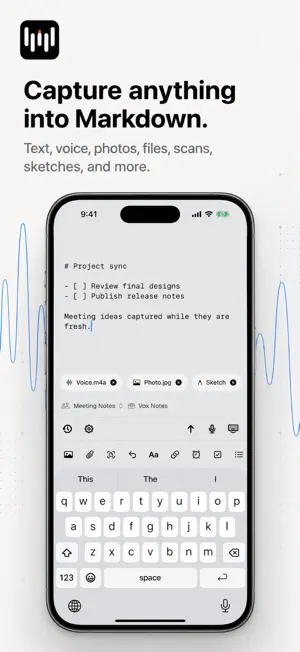
Vox.md is a local-first quick capture app for Obsidian vaults and Markdown folders. Send text, links, photos, files, document scans, sketches, and voice to the right note without stopping to organize first. CAPTURE MORE THAN VOICE Add typed Markdown, a URL, photos or screenshots, files, a document scanner with on-device OCR, a sketch, or a voice recording. Combine several items in one capture, preview the result, then save it as plain Markdown. SEND IT WHERE IT BELONGS Capture Presets remember the destination and formatting for workflows such as your inbox, journal, task list, or meeting notes. Create a note, append or prepend to an existing file, insert beneath a heading, or write to rolling daily, weekly, monthly, quarterly, or yearly notes. Each preset can keep its own template, metadata, attachment folder, filename rules, placement, and processing preferences. Override a destination or template for one capture without changing the preset. CAPTURE FROM MORE PLACES Use Vox.md from the app, Share Sheet, custom keyboard, Home Screen and Lock Screen widgets, Shortcuts, or Apple Watch. Pending and failed deliveries remain available for retry, so a temporary folder permission or sync issue does not lose your work. PRIVATE VOICE TRANSCRIPTION Transcribe speech into text on your device with Apple Speech, Whisper, or Parakeet, depending on your settings and device. Audio and transcripts are never sent to Vox.md servers. Use offline dictation and voice typing from the custom keyboard, record on Apple Watch, or export transcripts as TXT, Markdown, JSON, or YAML. PLAIN FILES, NO LOCK-IN Vox.md writes standard Markdown to the folders and Obsidian vaults you choose. You do not need an account or a proprietary notes database. Your files remain readable in any Markdown app. FREE TO TRY New users receive 15 minutes of free transcription and 10 successful Capture deliveries. A single one-time purchase unlocks unlimited use. There is no recurring subscription. PRIVACY Capture contents, exported notes, audio, transcripts, keystrokes, file paths, and bookmarks are not sent to Vox.md servers. Vox.md collects limited, privacy-safe onboarding analytics to understand setup problems. Microphone, camera, photo, and file access are used only when you choose those capture types.
What’s new
Version 2.11 · Updated October 16, 2026
Save voice transcripts to a custom note property, with the option to keep them out of the note body. This update also improves recording reliability and note delivery.
App privacy
The developer, Cody Russell Bontecou, reported these privacy practices to Apple.
Data Not Linked to You
The following data, which may be collected but is not linked to your identity, may be used for the following purposes:
- Purchases: Purchase History
- Identifiers: User ID
- Usage Data: Product Interaction
Used for: Analytics
Alternatives to Vox.md - Quick Capture Notes
Looking for apps like Vox.md - Quick Capture Notes? Here are 6 similar apps on the App Store. The highest rated is Litho: Screenshot to Obsidian (5.0/5), and all 6 are free to download.
-
 Litho: Screenshot to Obsidian
5.0
Litho: Screenshot to Obsidian
5.0
-
 ThinkAloud Notes
5.0
ThinkAloud Notes
5.0
-
 Voice Inbox for Obsidian
4.8
Voice Inbox for Obsidian
4.8
-
 TaskNotes
-
 Hippo - Contact Notes
3.0
Hippo - Contact Notes
3.0
-
 Quick Draft for Obsidian
3.7
Quick Draft for Obsidian
3.7
| App | Rating | Price | Last updated | Compare |
|---|---|---|---|---|
| Vox.md - Quick Capture Notes | 4.7 / 5 (3 ratings) | Free | October 16, 2026 | |
| Litho: Screenshot to Obsidian | 5.0 / 5 (2) | Free | Jun 20, 2026 | Compare |
| ThinkAloud Notes | 5.0 / 5 (2) | Free | Sep 17, 2026 | Compare |
| Voice Inbox for Obsidian | 4.8 / 5 (4) | Free | Oct 19, 2026 | Compare |
| TaskNotes | – | Free | Oct 11, 2026 | Compare |
| Hippo - Contact Notes | 3.0 / 5 (8) | Free | Oct 10, 2026 | Compare |
| Quick Draft for Obsidian | 3.7 / 5 (3) | Free | Oct 14, 2026 | Compare |