

QuikCad
Blake Bender Productivity iPhoneiPadiPod touch
QuikCad is a free Productivity app for iPhone and iPad by Blake Bender. Rated 3.0/5 from 1 ratings. Requires iOS 18.5. Updated October 3, 2026.
- Rating
- 3.0
- 1 ratings
- Price
- Free
- on the App Store
- Size
- 263 MB
- Age 4+
- Updated
- Oct 3
- 2026 · v1.5
Screenshots



About QuikCad
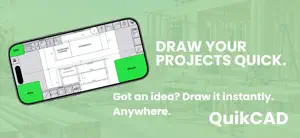
Design faster. Draw cleaner. Build with confidence. QuikCad is a precision 2D CAD app built for creators who need speed and accuracy, without the learning curve of traditional CAD software. Now on iPad with full Apple Pencil support. A bigger workspace. A more natural way to design. Start with a 7-day free trial. Built for real-world projects. Furniture. Workshops. Renovations. Jobsites. Concepts. If you can sketch it, you can build it. Why QuikCad • Fast, responsive 2D drafting • Precision snapping and dimension tools • Clean, professional drawings every time • Effortless editing and layout control • Export and print with confidence • Works offline, anywhere • Upload DXF, SVG, PDF & JPG Simple Pricing Full access with a yearly subscription. iPhone — QuikCad Yearly $24.99/year (price may vary by region) iPad — QuikCad iPad Yearly $49.99/year (price may vary by region) Includes a 7-day free trial for all new users. Subscription Details • Payment will be charged to your Apple ID account at confirmation of purchase • Subscription automatically renews unless auto-renew is turned off at least 24 hours before the end of the current period • Your account will be charged for renewal within 24 hours prior to the end of the current period • Manage or cancel anytime in your Apple ID Account Settings Terms of Use: https://www.apple.com/legal/internet-services/itunes/dev/stdeula/ Privacy Policy: https://blakebender.github.io/quikcad-privacy/
What’s new
Version 1.5 · Updated October 3, 2026
• Create a QuikCad account and keep your projects in sync • New Business Accounts for teams • Share projects with your crew • Join a business using a Company Code • Improved account and project management • Bug fixes and performance improvements
App privacy
The developer, Blake Bender, reported these privacy practices to Apple.
Data Linked to You
The following data, which may be collected and linked to your identity, may be used for the following purposes:
- Purchases: Purchase History
Used for: App Functionality
Data Not Linked to You
The following data, which may be collected but is not linked to your identity, may be used for the following purposes:
- Usage Data: Product Interaction
- Diagnostics: Crash Data, Performance Data
Used for: Analytics, App Functionality
Alternatives to QuikCad
Looking for apps like QuikCad? Here are 6 similar apps on the App Store. The highest rated is ArcSite: Quick CAD Floor Plans (4.7/5), and all 6 are free to download.
-
 iPocket Draw Lite
3.6
iPocket Draw Lite
3.6
-
 Shed Sketch 3D: Shed Designer
1.0
Shed Sketch 3D: Shed Designer
1.0
-
 HomeCAD — Design your home
3.0
HomeCAD — Design your home
3.0
-
 ArcSite: Quick CAD Floor Plans
4.7
ArcSite: Quick CAD Floor Plans
4.7
-
 RenoPlan - Floor Plan Creator
4.5
RenoPlan - Floor Plan Creator
4.5
-
 Metaroom - 3D Room Scanner
4.4
Metaroom - 3D Room Scanner
4.4
| App | Rating | Price | Last updated | Compare |
|---|---|---|---|---|
| QuikCad | 3.0 / 5 (1 rating) | Free | October 3, 2026 | |
| iPocket Draw Lite | 3.6 / 5 (16) | Free | Aug 3, 2026 | Compare |
| Shed Sketch 3D: Shed Designer | 1.0 / 5 (1) | Free | Sep 24, 2026 | Compare |
| HomeCAD — Design your home | 3.0 / 5 (25) | Free | Sep 14, 2026 | Compare |
| ArcSite: Quick CAD Floor Plans | 4.7 / 5 (9,219) | Free | Oct 23, 2026 | Compare |
| RenoPlan - Floor Plan Creator | 4.5 / 5 (751) | Free | Feb 13, 2025 | Compare |
| Metaroom - 3D Room Scanner | 4.4 / 5 (89) | Free | Oct 22, 2026 | Compare |
Compare QuikCad with the top alternatives: ratings, updates, ASO score and keyword gaps →