

LocalNotebook
LUKAS PATRICK YODER Productivity iPad
LocalNotebook is a free Productivity app for iPad by LUKAS PATRICK YODER. Rated 5.0/5 from 1 ratings. Requires iOS 26.2. Updated June 29, 2026.
- Rating
- 5.0
- 1 ratings
- Price
- Free
- on the App Store
- Size
- 6 MB
- Age 4+
- Updated
- Jun 29
- 2026 · v1.11
Screenshots


About LocalNotebook
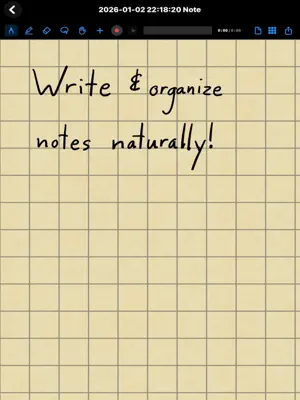
LocalNotebook is an app for note taking on iPad devices that gives you a first-class multimedia note-taking and organization experience. With seamless pencil stroke + picture + audio synchronization, you can replay your notes and always answer the question "What was I thinking when I wrote these scribbles down in my notebook?" Are ideas entering your head too quickly for you to write them down? Simply use the audio recording feature and every time you start discussing a new idea, write the name of the idea. You'll then be able to easily graphically navigate to the audio timestamp associated with the start of each idea. Every recording is automatically transcribed right on your iPad. As you listen back, the transcript reads along and highlights each word - and you can search your notes by what was actually said, or export a clean written record when you need one. Because every bit of this happens on-device and offline, your data never leaves your iPad. Attending a presentation where there's too much information being presented too quickly to take notes from scratch? Import the slideshow and write on it. While many apps exist that share the same features, because all other such apps have "cloud" integration for synchronization/backup, none of them can guarantee data security. For this reason, many organizations cannot adopt those apps. This app was created to fill the need for a high-fidelity multimedia note-taking program on iPadOS that is local-only in its data handling and therefore adoptable by organizations who need guarantees that their data won't be transmitted off-device. With LocalNotebook, no data, metadata, telemetry, or any other form of information is EVER transmitted over a network. This app doesn't even have the capability to access the network. It is, put quite simply, a local notebook that is purely local and does not communicate in any way with the outside world.
What’s new
Version 1.11 · Updated June 29, 2026
Lock the App with Face ID Keep your notes for your eyes only. Turn on the app lock in Settings, and LocalNotebook asks for Face ID (or Touch ID) every time you open it. Like everything else in the app, it works entirely on your iPad. Faster, Smoother Notes Writing and scrolling are now much faster and smoother, especially on pages full of ink, and your notes take up less space on your iPad. Previously, ink-heavy pages could feel sluggish as you wrote. Hide the Recording Bar Want a cleaner page? You can now hide the audio recording bar - turn it off by default in Settings, or hide it for a single note. When space is tight, it also tidies itself onto its own row. Resize the Sidebars Drag the edge of the page list or the transcript panel to set it to the width you want, and each note remembers how you left it. A Roomier Editor The toolbar now floats above your page and the separate navigation bar is gone, giving you more room to write and a cleaner, less cluttered look. Cleaner Imported PDFs When you import a PDF to write on, the page grid no longer shows through it - so slides, sheet music, and documents stay crisp and clean.
App privacy
The developer, LUKAS PATRICK YODER, reported these privacy practices to Apple.
Data Not Collected
The developer does not collect any data from this app.
Alternatives to LocalNotebook
Looking for apps like LocalNotebook? Here are 6 similar apps on the App Store. The highest rated is Beamer Notes (5.0/5), and all 6 are free to download.
-
 Beamer Notes
5.0
-
 Scriptum - Notebook Creator
-
 Compbook
-
 RADii Viewer
-
 Penstar eNote
-
 Simplify Notes: PDF Notebook
5.0
| App | Rating | Price | Last updated | Compare |
|---|---|---|---|---|
| LocalNotebook | 5.0 / 5 (1 rating) | Free | June 29, 2026 | |
| Beamer Notes | 5.0 / 5 (1) | Free | Oct 21, 2026 | Compare |
| Scriptum - Notebook Creator | – | Free | Sep 30, 2026 | Compare |
| Compbook | – | Free | Oct 18, 2026 | Compare |
| RADii Viewer | – | Free | Oct 8, 2026 | Compare |
| Penstar eNote | – | Free | Nov 20, 2025 | Compare |
| Simplify Notes: PDF Notebook | 5.0 / 5 (2) | Free | Oct 21, 2026 | Compare |
Compare LocalNotebook with the top alternatives: ratings, updates, ASO score and keyword gaps →