

Neutral - Photo Enhancer
PT. Gagasan Anak Bangsa Photo & Video iPhoneiPadiPod touch
Neutral - Photo Enhancer is a free Photo & Video app for iPhone and iPad by PT. Gagasan Anak Bangsa. Rated 5.0/5 from 1 ratings. Requires iOS 17.0.
- Rating
- 5.0
- 1 ratings
- Price
- Free
- on the App Store
- Size
- 4 MB
- Age 17+
- Updated
- Jan 27
- 2026 · v1.0.20
Screenshots


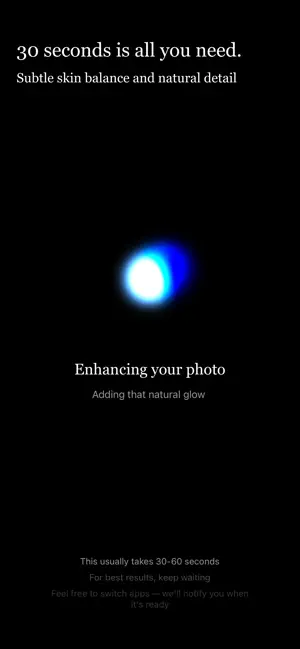

About Neutral - Photo Enhancer
Neutral is a simple AI photo enhancer made for people who want better photo quality without filters or complicated editing. If you’ve ever taken a photo that looks slightly blurry, low-quality, or flat, Neutral helps you upgrade it in one tap so it looks cleaner, sharper, and more natural. Most photo apps give you endless sliders, heavy beauty effects, or dramatic “AI” edits that don’t look like real life. Neutral is different. It focuses on subtle improvements that feel camera-native, like the photo was taken with a better lens and better lighting, not like it was edited. What Neutral does Neutral enhances your photo quality automatically with a natural retouch approach: • Improve clarity and sharpness without harsh over-sharpening • Restore detail in low-resolution or slightly blurry photos • Clean up lighting and balance exposure for a more polished look • Subtle skin retouch to reduce minor blemishes while keeping real texture • Keep your face and features the same (no face reshaping) Built for natural results Neutral is designed to look realistic. It doesn’t aim for “perfect skin” or fake smoothness. The goal is to keep pores, texture, and facial details natural, while reducing distractions like uneven lighting or low-quality softness. The result should feel like you took the same photo again with a higher-end camera. No learning curve Neutral keeps everything minimal so you don’t waste time making choices: Upload a photo Tap Enhance Download the result That’s it. No filters, no manual adjustments, and no creative editing tools. Great for everyday photos Neutral works well for: • Portraits and selfies • Social media photos that need a quality boost • Blurry or low-res images you want to restore • Photos with flat lighting or soft details • Natural retouch without looking “beauty edited” Your privacy matters Neutral processes your photo only to generate the enhanced result. Images are stored temporarily so you can download them, then deleted automatically. We do not sell your data, and we do not use your photos for advertising. If you want a fast, natural AI photo enhancer that feels like a clean retouch instead of an obvious filter, Neutral is built for you. Terms of Use: https://www.apple.com/legal/internet-services/itunes/dev/stdeula/
What’s new
Version 1.0.20 · Updated January 27, 2026
New zoom feature for better visibility Optimized for a smoother experience on smaller phones Fresh, cleaner, and more natural look
App privacy
The developer, PT. Gagasan Anak Bangsa, reported these privacy practices to Apple.
Data Linked to You
The following data, which may be collected and linked to your identity, may be used for the following purposes:
- Contact Info: Email Address, Name
Used for: App Functionality
Data Not Linked to You
The following data, which may be collected but is not linked to your identity, may be used for the following purposes:
- Identifiers: Device ID
- Usage Data: Product Interaction
- Diagnostics: Crash Data
- User Content: Photos or Videos
Used for: Analytics, App Functionality
Alternatives to Neutral - Photo Enhancer
Looking for apps like Neutral - Photo Enhancer? Here are 6 similar apps on the App Store. The highest rated is Photo Enhancer: UnblurAI (5.0/5), and all 6 are free to download.
-
 Photo Enhancer: UnblurAI
5.0
Photo Enhancer: UnblurAI
5.0
-
 Fix Blurry Photos: ClearPix
5.0
Fix Blurry Photos: ClearPix
5.0
-
 Gloww - AI Photo Enhancer
-
 Rez AI: Photo Enhancer
5.0
Rez AI: Photo Enhancer
5.0
-
 AI Photo Enhancer-Restore Edit
-
 Ai Enhancer : Photo Editor
| App | Rating | Price | Last updated | Compare |
|---|---|---|---|---|
| Neutral - Photo Enhancer | 5.0 / 5 (1 rating) | Free | January 27, 2026 | |
| Photo Enhancer: UnblurAI | 5.0 / 5 (2) | Free | Aug 23, 2026 | Compare |
| Fix Blurry Photos: ClearPix | 5.0 / 5 (1) | Free | Sep 22, 2026 | Compare |
| Gloww - AI Photo Enhancer | – | Free | Jun 11, 2026 | Compare |
| Rez AI: Photo Enhancer | 5.0 / 5 (3) | Free | Jun 1, 2026 | Compare |
| AI Photo Enhancer-Restore Edit | – | Free | Aug 7, 2026 | Compare |
| Ai Enhancer : Photo Editor | – | Free | Apr 12, 2024 | Compare |