

Photo Enhancer: Unblur AI
UNIFY BILISIM VE YAZILIM TICARET LIMITED SIRKETI Photo & Video iPhoneiPadiPod touch
Photo Enhancer: Unblur AI is a free Photo & Video app for iPhone and iPad by UNIFY BILISIM VE YAZILIM TICARET LIMITED SIRKETI. Rated 3.7/5 from 3 ratings.
- Rating
- 3.7
- 3 ratings
- Price
- Free
- on the App Store
- Size
- 92 MB
- Age 4+
- Updated
- Oct 19
- 2026 · v2.2.0
Screenshots
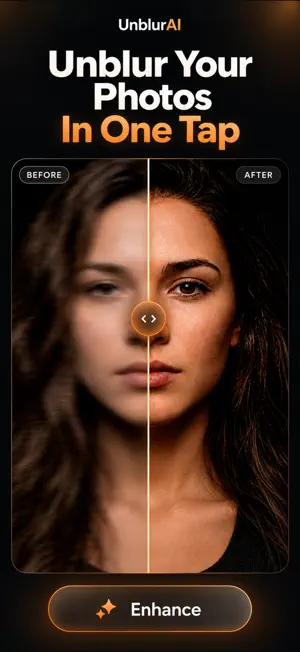
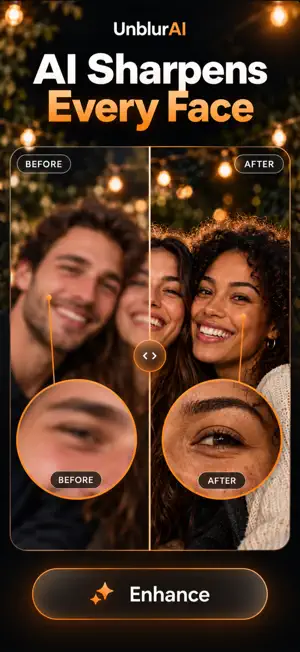


About Photo Enhancer: Unblur AI
Turn blurry, pixelated, or low-resolution photos into clearer images with UnblurAI. UnblurAI is an AI photo enhancer designed to fix blur, sharpen details, improve photo quality, and restore pictures that matter. Enhance portraits, old family photos, screenshots, and everyday images with a simple editing experience. UNBLUR PHOTOS IN ONE TAP Choose a blurry photo and let UnblurAI improve clarity automatically. Reduce softness caused by missed focus, camera shake, compression, or low resolution. SHARPEN FACES AND DETAILS Bring facial features, hair, textures, and small details into clearer focus. UnblurAI helps portraits, selfies, profile photos, and group pictures look sharper and more defined. RESTORE OLD PHOTOS Revive faded or damaged memories. Improve old photos, reduce visible noise, and recover details so family pictures are easier to preserve and share. UPSCALE IMAGE RESOLUTION Enlarge low-resolution images while improving sharpness and perceived quality. Create clearer results for social posts, wallpapers, albums, and prints. REDUCE NOISE AND PIXELATION Clean up grainy, compressed, or pixelated pictures. Improve clarity, lighting, contrast, and overall image quality without complicated controls. COMPARE AND SAVE Review the before-and-after result, keep the enhanced version, and share it directly from your device. Results vary according to the quality, resolution, focus, lighting, and content of the original image. UnblurAI enhances existing visual information and may not reconstruct details that were never captured. Privacy Policy: https://tinyurl.com/4m3ywusw Terms of Use (EULA): https://www.apple.com/legal/internet-services/itunes/dev/stdeula/
What’s new
Version 2.2.0 · Updated October 19, 2026
• A completely redesigned look, with a new home screen that helps you find the right tool faster. • Now on iPad, with a layout made for the bigger screen: sidebar navigation and a side-by-side editor. • History now keeps your latest 30 edits in an easy-to-browse grid. • Now available in 16 languages. • A much smaller download. • Performance improvements and bug fixes.
App privacy
The developer, UNIFY BILISIM VE YAZILIM TICARET LIMITED SIRKETI, reported these privacy practices to Apple.
Data Not Linked to You
The following data, which may be collected but is not linked to your identity, may be used for the following purposes:
- Purchases: Purchase History
- Usage Data: Product Interaction
- Identifiers: Device ID
Used for: Analytics, App Functionality
Alternatives to Photo Enhancer: Unblur AI
Looking for apps like Photo Enhancer: Unblur AI? Here are 6 similar apps on the App Store. The highest rated is Neutral - Photo Enhancer (5.0/5), and all 6 are free to download.
-
 Unblur Photo: Enhance Photos
1.0
-
 AI Photo Enhancer Unblur: Pro
-
 Unblur X - AI Photo Enhancer
-
 Neutral - Photo Enhancer
5.0
-
 UnBlur AI: Fix Blurry Photos
-
 AI Photo Enhancer-Restore Edit
| App | Rating | Price | Last updated | Compare |
|---|---|---|---|---|
| Photo Enhancer: Unblur AI | 3.7 / 5 (3 ratings) | Free | October 19, 2026 | |
| Unblur Photo: Enhance Photos | 1.0 / 5 (1) | Free | Sep 30, 2025 | Compare |
| AI Photo Enhancer Unblur: Pro | – | Free | Jul 1, 2025 | Compare |
| Unblur X - AI Photo Enhancer | – | Free | May 19, 2026 | Compare |
| Neutral - Photo Enhancer | 5.0 / 5 (1) | Free | Oct 22, 2026 | Compare |
| UnBlur AI: Fix Blurry Photos | – | Free | Oct 17, 2026 | Compare |
| AI Photo Enhancer-Restore Edit | – | Free | Aug 7, 2026 | Compare |