

AI Photo Enhancer-Restore Edit
Momina Khalid Photo & Video iPhoneiPadiPod touch
AI Photo Enhancer-Restore Edit is a free Photo & Video app for iPhone and iPad by Momina Khalid. Requires iOS 15.6. Updated August 7, 2026.
- Price
- Free
- on the App Store
- Size
- 56 MB
- Age 4+
- Updated
- Aug 7
- 2026 · v1.3
Screenshots


About AI Photo Enhancer-Restore Edit
Turn blurry photos into crystal-clear HD in seconds. AI Photo Enhancer is a powerful tool to enhance photo quality, remove blur, and restore details using advanced AI technology. Key Features: Unblur photos instantly Enhance photo quality to HD Sharpen images with AI precision Restore old and damaged photos Improve low-resolution pictures Fast, one-tap processing Why Choose This App? Whether your photo is blurry, pixelated, or low quality, our AI automatically detects and enhances details to give you professional results. Perfect for: Old photo restoration Social media content Profile pictures Memories you want to save in high quality Simple & Fast: Just upload your image and let AI do the magic. No editing skills required. Note: STEP 1: Payment will be charged to your iTunes account at confirmation of purchase. Your subscription will automatically renew unless auto-renew is turned off at least 24 hours before the end of the current subscription period. STEP 2: Your account will be charged for renewal within 24 hours before the end of the current subscription period. Automatic renewals will cost the same price you were originally charged for the subscription. STEP 3: You can manage your subscriptions and turn off auto-renewal by going to your Account Settings on the App Store after purchase. Read our terms of service and Privacy Policy for more information. Terms of Use: https://sites.google.com/view/namigamesstudio/terms-of-use Privacy Policy: https://sites.google.com/view/namigamesstudio/privacy-policy/photo-enhancer-privacy-policy
What’s new
Version 1.3 · Updated August 7, 2026
Improved enhancement quality. Better image restoration performance. Faster AI processing. Stability improvements. Bug fixes and overall performance enhancements.
App privacy
The developer, Momina Khalid, reported these privacy practices to Apple.
Data Used to Track You
The following data may be used to track you across apps and websites owned by other companies:
- Identifiers: User ID, Device ID
- Diagnostics: Crash Data, Performance Data, Other Diagnostic Data
Data Not Linked to You
The following data, which may be collected but is not linked to your identity, may be used for the following purposes:
- Identifiers: User ID, Device ID
- Diagnostics: Crash Data, Performance Data, Other Diagnostic Data
Used for: Analytics
Alternatives to AI Photo Enhancer-Restore Edit
Looking for apps like AI Photo Enhancer-Restore Edit? Here are 6 similar apps on the App Store. The highest rated is Clara: AI Photo Enhancer (5.0/5), and all 6 are free to download.
-
 PixSharp - AI Photo Enhancer
-
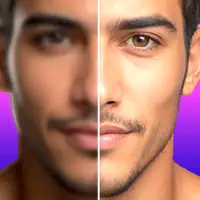 Photo Enhancer AI & Remove Bg
-
 Photo Enhancer: Unblur AI
3.7
-
 Clara: AI Photo Enhancer
5.0
-
 Ai Enhancer : Photo Editor
-
 AI Photo Enhancer Unblur: Pro
| App | Rating | Price | Last updated | Compare |
|---|---|---|---|---|
| AI Photo Enhancer-Restore Edit | – | Free | August 7, 2026 | |
| PixSharp - AI Photo Enhancer | – | Free | Jan 8, 2026 | Compare |
| Photo Enhancer AI & Remove Bg | – | Free | May 6, 2026 | Compare |
| Photo Enhancer: Unblur AI | 3.7 / 5 (3) | Free | Oct 19, 2026 | Compare |
| Clara: AI Photo Enhancer | 5.0 / 5 (2) | Free | Oct 19, 2026 | Compare |
| Ai Enhancer : Photo Editor | – | Free | Apr 12, 2024 | Compare |
| AI Photo Enhancer Unblur: Pro | – | Free | Jul 1, 2025 | Compare |