

OnTimer - Never be late
Ethan Garr Productivity iPhoneiPadiPod touch
OnTimer - Never be late is a free Productivity app for iPhone and iPad by Ethan Garr. Rated 4.6/5 from 22 ratings. Requires iOS 18.0.
- Rating
- 4.6
- 22 ratings
- Price
- Free
- on the App Store
- Size
- 34 MB
- Age 4+
- Updated
- Oct 3
- 2026 · v1.2.20
Screenshots
About OnTimer - Never be late
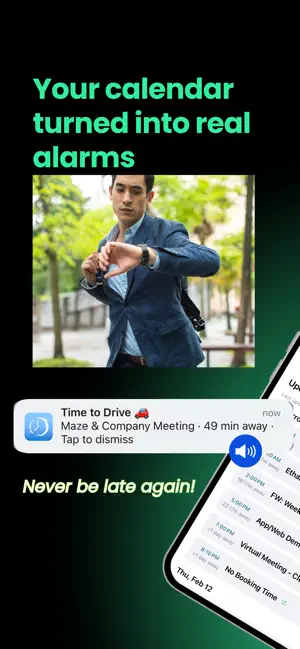
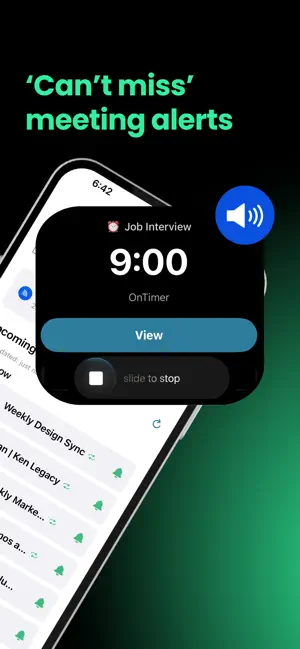
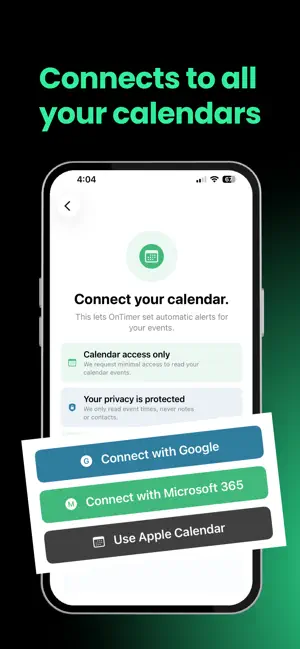
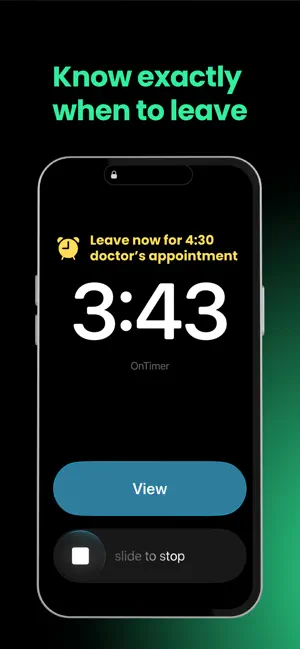
“Are you joining the meeting?” If you’ve ever gotten that message while you were sidetracked by an email, a task, or one more thing, OnTimer is for you. It’s easy to dismiss a calendar notification and lose track of time. OnTimer helps make sure that doesn’t turn into a missed meeting. OnTimer automatically keeps you on time. Connect your Google, Microsoft, or Apple Calendar once, and OnTimer does the rest—from an Early Warning before an important event to a persistent alarm when it’s time to act, and a Time to Leave alert when it’s time to head out. HOW IT WORKS OnTimer uses your existing calendar as the source of truth. When your schedule changes, your alarms automatically stay in sync—so you never have to create or maintain manual alarms. Unlike regular calendar notifications that disappear after a swipe, OnTimer uses persistent alarms that keep reminding you until you dismiss them, helping bridge the gap between noticing a reminder and actually showing up on time. High Alert helps important alarms reach you. On iOS 26.1 and later, it can ring through Silent mode and Focus/Do Not Disturb. Prefer quieter alerts? Choose Medium Alert to have OnTimer respect Focus. Want a heads-up first? Early Warning gives Pro users a lighter notification before the main alarm, so an important meeting or appointment doesn't sneak up on you. Need more time for one particular event? Adjust its main alarm and Early Warning timing without changing your defaults for everything else. Make your alarms your own. Pick sounds for your main alarm and Time to Leave alerts, or give one event its own sound. USE ONTIMER FOR • Meetings and calls • Appointments • Recurring events • Work and personal calendars • Events with locations • Moments when being late costs time, trust, or causes stress APPLE CALENDAR, GOOGLE CALENDAR, AND MICROSOFT CALENDAR • OnTimer supports Apple Calendar, along with Google Calendar and Microsoft Calendar. • Connect one calendar for free, or upgrade to connect multiple calendars across work and personal life. TIME TO LEAVE ALERTS For events with locations, OnTimer helps you know exactly when to leave. Choose your preferred travel mode, add a departure buffer, and let OnTimer monitor traffic so you head out at the right time. • No more guessing when to leave. • No more scrambling when traffic is worse than expected. • Just reliable alerts that help you arrive on time. ESPECIALLY HELPFUL IF YOU • See calendar reminders and still leave late • Miss meetings even when alerts are turned on • Get focused and lose the final few minutes before a call • Want a heads-up before it’s time to stop what you’re doing and join a meeting • Need alarms that keep reminding you until you take action • Use more than one calendar • Need help knowing when to join, leave, or switch tasks • Experience time blindness or notification overload FREE VERSION • Connect one Google, Microsoft, or Apple Calendar • Automatic alarms for every calendar event • Persistent, customizable alarms • High Alert and Medium Alert options • Recurring event controls • Focus & Silent Mode settings • See which events support Time to Leave alerts PAID VERSION • Connect multiple Google, Microsoft, and Apple Calendars • Combine work and personal calendars • Early Warning alerts before your main alarm • Customize alarm timing for individual events • A growing collection of alarm sounds • Business Hours • Time to Leave alerts • Custom travel modes • Departure buffer settings • 7-day free trial on the annual plan OnTimer works quietly in the background, automatically keeping you on time so you never have to think about setting alarms again. Download OnTimer today and never be late again. Some features require a paid subscription. Monthly and annual subscription options are available in the app. Pricing varies by region and is shown before purchase. Terms of Use: https://www.apple.com/legal/internet-services/itunes/dev/stdeula/
Ratings & reviews
4.6
22 ratings
What’s new
Version 1.2.20 · Updated October 3, 2026
Get OnTimer's latest so you're never late. Now you can choose your alarm sounds. Preview and pick a sound for your main alarm and another for Time to Leave alerts, and even give individual events their own sound. Sounds play with High Alert, and this is just our first collection, with more on the way. Pausing is clearer too. When you pause alarms for a set time, Home now shows it in amber, so you can see at a glance that OnTimer will turn itself back on. And, as always, this release includes reliability improvements and fixes to help OnTimer keep doing its job in the background: keeping you on time.
App privacy
The developer, Ethan Garr, reported these privacy practices to Apple.
Data Linked to You
The following data, which may be collected and linked to your identity, may be used for the following purposes:
- Identifiers: User ID
- Usage Data: Product Interaction
Used for: App Functionality
Alternatives to OnTimer - Never be late
Looking for apps like OnTimer - Never be late? Here are 6 similar apps on the App Store. The highest rated is Cal2Alarm: Alarm from Calendar (5.0/5), and all 6 are free to download.
-
 Unmissable: Calendar Alarm
3.0
Unmissable: Calendar Alarm
3.0
-
 Cal2Alarm: Alarm from Calendar
5.0
Cal2Alarm: Alarm from Calendar
5.0
-
 Calalarm Calendar
4.5
Calalarm Calendar
4.5
-
 Calendar Alarm
5.0
Calendar Alarm
5.0
-
 Alarm Reminders: Cannot Ignore
4.4
Alarm Reminders: Cannot Ignore
4.4
-
 Meeting Alarms: Calerto
4.8
Meeting Alarms: Calerto
4.8
| App | Rating | Price | Last updated | Compare |
|---|---|---|---|---|
| OnTimer - Never be late | 4.6 / 5 (22 ratings) | Free | October 3, 2026 | |
| Unmissable: Calendar Alarm | 3.0 / 5 (1) | Free | Sep 29, 2026 | Compare |
| Cal2Alarm: Alarm from Calendar | 5.0 / 5 (3) | Free | Oct 7, 2026 | Compare |
| Calalarm Calendar | 4.5 / 5 (314) | Free | Aug 24, 2026 | Compare |
| Calendar Alarm | 5.0 / 5 (1) | Free | May 7, 2026 | Compare |
| Alarm Reminders: Cannot Ignore | 4.4 / 5 (25) | Free | Sep 26, 2026 | Compare |
| Meeting Alarms: Calerto | 4.8 / 5 (6) | Free | Sep 26, 2026 | Compare |