

LifeBlocks: Daily Calendar
Chung Ping Tseng Productivity iPhoneiPadiPod touch
LifeBlocks: Daily Calendar is a free Productivity app for iPhone and iPad by Chung Ping Tseng. Requires iOS 16.2. Updated March 12, 2026.
- Price
- Free
- on the App Store
- Size
- 49 MB
- Age 4+
- Updated
- Mar 12
- 2026 · v1.8.0
Screenshots
About LifeBlocks: Daily Calendar
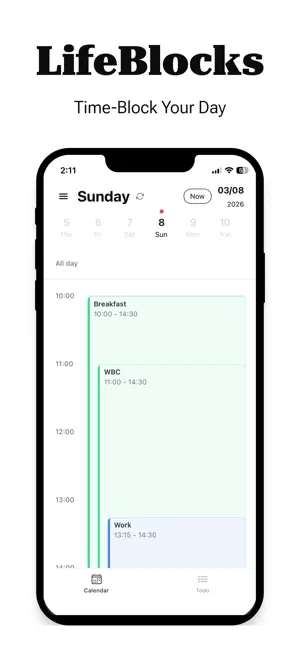
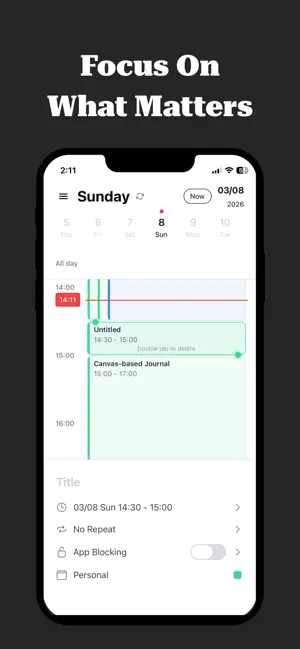
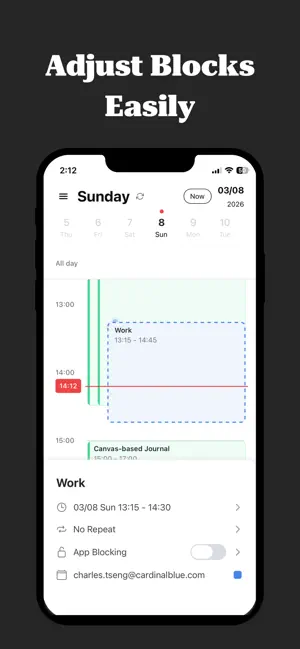
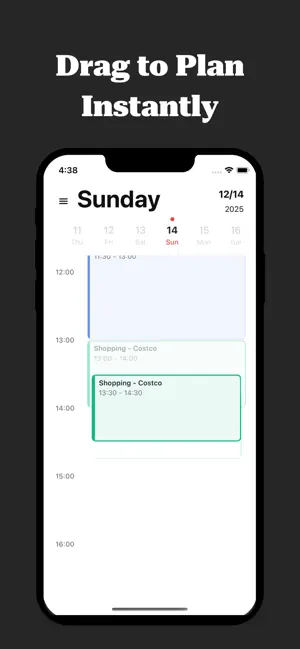
LifeBlocks is a time-blocking calendar designed to protect your focus. Why waste energy switching between a calendar, a to-do list, and an app blocker? We bring them together into one clean, visual timeline—so you can protect what matters. Turn overwhelming to-do lists into clear, achievable time blocks. Whether you need structure for ADHD, deep work sessions, or just a better daily routine, LifeBlocks helps you stay mindful and balanced. Who it’s for - The ADHD community looking for visual structure to combat time blindness. - Busy professionals balancing back-to-back meetings with deep work. - Students needing a study planner that actually works. - Freelancers managing complex daily routines. - Anyone tired of feeling “busy but not fulfilled.” Why users love it - Minimalist Design: A clean, calm interface built for mental clarity. - Effortless Time Blocking: Turn tasks into intuitive visual blocks in seconds. - App & Distraction Blocker: Stay in the zone by limiting distracting apps. - Smart Calendar Sync: Seamlessly connects with Apple and Google Calendars. - To-Do Integration: Drag your tasks directly into your daily schedule. - Live Activities: Track your event instantly from the Lock Screen. How it works 1. Sync: Connect your calendars to see existing commitments. 2. Block: Drag tasks into the gaps to create a balanced plan. 3. Focus: One tap to begin focusing when a block starts. 4. Reflect: Use analytics to ensure you're making time for what counts. Questions or feedback - We’d love to hear from you — contact us at [email protected] Related links - Terms of Use: https://techtech.cc/terms - Privacy Policy: https://techtech.cc/privacy
What’s new
Version 1.8.0 · Updated March 12, 2026
- Live Activities on the Lock Screen - Bug fixes and performance improvements
App privacy
The developer, Chung Ping Tseng, reported these privacy practices to Apple.
Data Used to Track You
The following data may be used to track you across apps and websites owned by other companies:
- Usage Data: Product Interaction, Advertising Data
- Diagnostics: Crash Data, Performance Data, Other Diagnostic Data
Data Not Linked to You
The following data, which may be collected but is not linked to your identity, may be used for the following purposes:
- Usage Data: Product Interaction, Advertising Data
- Diagnostics: Crash Data, Performance Data, Other Diagnostic Data
Used for: Third-Party Advertising, Analytics, Product Personalization, App Functionality
Alternatives to LifeBlocks: Daily Calendar
Looking for apps like LifeBlocks: Daily Calendar? Here are 6 similar apps on the App Store.
-
 ToBlock: Time Block Planner
-
 Time Block Planner - DayBlock
-
 TodoLock
-
 ZenPomo: Pomodoro Timer
-
 FlickTask
-
 TaskGate: App Blocker & To-Do
| App | Rating | Price | Last updated | Compare |
|---|---|---|---|---|
| LifeBlocks: Daily Calendar | – | Free | March 12, 2026 | |
| ToBlock: Time Block Planner | – | Free | Sep 17, 2026 | Compare |
| Time Block Planner - DayBlock | – | Free | Oct 13, 2026 | Compare |
| TodoLock | – | Free | Oct 1, 2026 | Compare |
| ZenPomo: Pomodoro Timer | – | Free | Oct 2, 2026 | Compare |
| FlickTask | – | Free | Sep 8, 2026 | Compare |
| TaskGate: App Blocker & To-Do | – | Free | Oct 23, 2026 | Compare |