

Video Splitter - BlitzCut AI
Tomas Radionovas Photo & Video iPhoneiPadiPod touchMac
Video Splitter - BlitzCut AI is a free Photo & Video app for iPhone and iPad by Tomas Radionovas. Rated 4.4/5 from 20 ratings. Requires iOS 18.0.
- Rating
- 4.4
- 20 ratings
- Price
- Free
- on the App Store
- Size
- 173 MB
- Age 4+
- Updated
- Oct 6
- 2026 · v1.22
Screenshots
About Video Splitter - BlitzCut AI
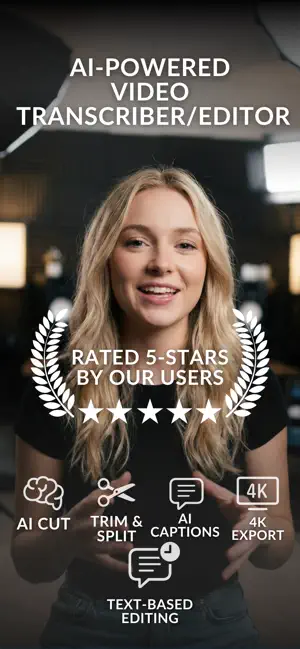
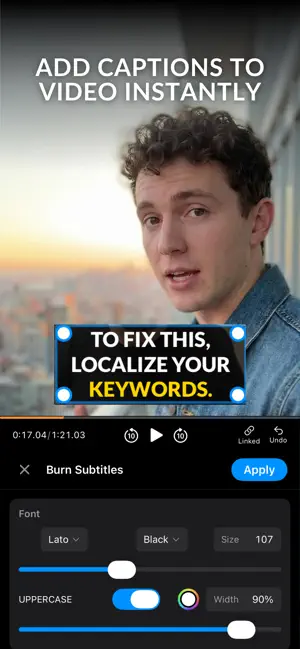
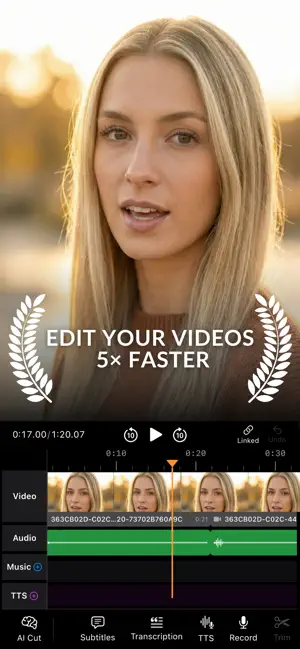
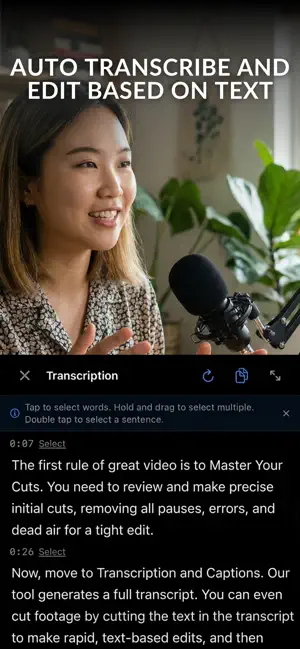
Create scroll-stopping videos for Instagram, TikTok, YouTube Shorts — and polished long-form content for YouTube, podcasts, and beyond. BlitzCut is the all-in-one video editor that handles the hard parts automatically: silence removal, subtitle generation, and precise cutting, whether you're publishing a 30-second Reel or a 30-minute deep dive. Just record, import, and let BlitzCut do the editing. Why Creators Choose BlitzCut Stop wasting hours scrubbing through footage. BlitzCut's smart tools work across any video length — trim a quick talking-head clip for TikTok or clean up a full-length tutorial, interview, or podcast recording for YouTube. One app, every format. Auto Silence Removal - Instantly cut out pauses, filler words, and dead air - Keep viewers engaged whether your video is 60 seconds or 60 minutes - Save hours of manual editing on long recordings - Perfect for tutorials, vlogs, interviews, podcasts, and reviews Auto Subtitles & Captions - Generate accurate captions directly from your speech - Boost watch time with subtitles for sound-off viewing - Choose from modern subtitle styles that stand out - Customize fonts, colors, outlines, and animations - Supports multiple languages Smart AI Video Editing - Trim and cut clips with frame-level precision - Remove mistakes with one tap - Edit short clips or full-length videos in the same clean workflow - Intuitive timeline built for speed Music & Audio - Import your own tracks for branded content - Layer audio across any video length Built for Every Format - Export vertical (9:16) for Reels, TikTok, and Shorts — instantly - Export horizontal (16:9) for YouTube, webinars, and presentations - Perfect aspect ratios, every time Who It's For Creators, influencers, YouTubers, podcasters, coaches, educators, and small business owners. Whether you're filming quick product reviews, long-form tutorials, motivational content, vlogs, or interview-style videos — BlitzCut helps you look professional without the editing grind. Why BlitzCut Stands Out Most video editors make you hunt for silences manually. BlitzCut removes them automatically — across any video length — and adds stylish subtitles, giving you a complete editing workflow in one app. Short-form or long-form, your content is ready faster. SUBSCRIPTION INFO Subscribe to unlock all features including unlimited silence removal, premium subtitle styles, long-form export, and watermark-free videos. Subscription options: weekly,monthly, yearly, lifetime Payment charged to Apple Account at confirmation of purchase Manage subscriptions in Account Settings Terms of Use: Available in App Store listing
Ratings & reviews
4.4
20 ratings
What’s new
Version 1.22 · Updated October 6, 2026
• AI motion graphics: describe your idea and get animated charts, text and graphics for your videos • Background removal for video got a big upgrade, and you can now move the subject anywhere in the frame • Two new caption templates: Pair Pop and Emoji Accent • Preloaded sound effects in your library: tap a sound to preview it, or let AI place them for you • Updated AI editing models • Performance fixes for a smoother editing experience
App privacy
The developer, Tomas Radionovas, reported these privacy practices to Apple.
Data Used to Track You
The following data may be used to track you across apps and websites owned by other companies:
- Purchases: Purchase History
- Location: Coarse Location
- Identifiers: Device ID
- Usage Data: Product Interaction, Advertising Data
- Diagnostics: Performance Data, Other Diagnostic Data
Data Linked to You
The following data, which may be collected and linked to your identity, may be used for the following purposes:
- Purchases: Purchase History
- Location: Coarse Location
- Identifiers: Device ID
- Usage Data: Product Interaction, Advertising Data
- Diagnostics: Performance Data, Other Diagnostic Data
Used for: Third-Party Advertising, Developer’s Advertising or Marketing, Analytics
Alternatives to Video Splitter - BlitzCut AI
Looking for apps like Video Splitter - BlitzCut AI? Here are 6 similar apps on the App Store. The highest rated is Video Splitter - Clip Cutter (4.8/5), and all 6 are free to download.
-
 Video Silence Remover: Jumpcut
4.3
Video Silence Remover: Jumpcut
4.3
-
 Remove Silence: Jump Cut Video
4.0
Remove Silence: Jump Cut Video
4.0
-
 Talk - AI Video Editor & Maker
4.6
Talk - AI Video Editor & Maker
4.6
-
 JumpCut Teleprompter for Video
4.5
JumpCut Teleprompter for Video
4.5
-
 Video Splitter - Clip Cutter
4.8
Video Splitter - Clip Cutter
4.8
-
 Split Video Into Parts
4.5
Split Video Into Parts
4.5
| App | Rating | Price | Last updated | Compare |
|---|---|---|---|---|
| Video Splitter - BlitzCut AI | 4.4 / 5 (20 ratings) | Free | October 6, 2026 | |
| Video Silence Remover: Jumpcut | 4.3 / 5 (27) | Free | Oct 22, 2026 | Compare |
| Remove Silence: Jump Cut Video | 4.0 / 5 (7) | Free | Oct 2, 2026 | Compare |
| Talk - AI Video Editor & Maker | 4.6 / 5 (7) | Free | Oct 23, 2026 | Compare |
| JumpCut Teleprompter for Video | 4.5 / 5 (2) | Free | Oct 14, 2026 | Compare |
| Video Splitter - Clip Cutter | 4.8 / 5 (21) | Free | May 26, 2026 | Compare |
| Split Video Into Parts | 4.5 / 5 (32) | Free | Oct 23, 2026 | Compare |