

JumpCut AI: Silence Remover
Berkay MENEKSE Photo & Video iPhoneiPadiPod touch
JumpCut AI: Silence Remover is a free Photo & Video app for iPhone and iPad by Berkay MENEKSE. Rated 4.5/5 from 2 ratings. Requires iOS 18.0.
- Rating
- 4.5
- 2 ratings
- Price
- Free
- on the App Store
- Size
- 28 MB
- Age 4+
- Updated
- Oct 26
- 2026 · v2.60
Screenshots


About JumpCut AI: Silence Remover
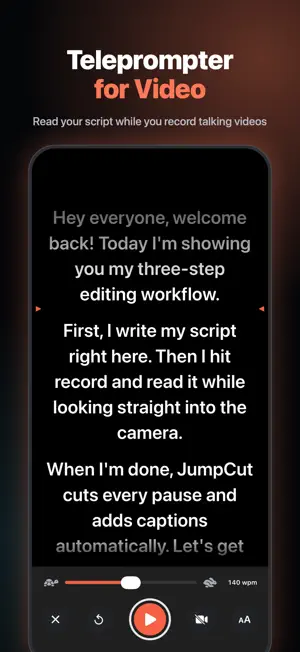
Remove silence from your videos automatically. JumpCut cuts the pauses and dead air out of your talking videos, adds subtitles and frames you for 9:16. Pick a video and get a tight jump cut edit in seconds. Made for talking videos: vlogs, podcasts, tutorials, lessons, interviews and talking-head clips for Reels, Shorts and TikTok. REMOVE SILENCE AUTOMATICALLY • Cuts dead air and long pauses so your speech flows. • Tune the silence threshold, minimum pause length and padding. • Switch between Before and After and see how much time the cut saved. • Review and trim every clip on the timeline before you export. AUTO SUBTITLES • Generates captions from your speech in the language you pick. • Clean, Bold and Social styles. • Drag captions into place and set their size, text color and background. • Trim or delete single captions on the timeline. FRAMING THAT FOLLOWS YOU • Center keeps the speaker in the middle of the frame. • 9:16 turns horizontal footage into a vertical head-and-shoulders shot. • Keep head steady reduces head movement in 9:16. • Stabilize video smooths out handheld shake. TELEPROMPTER FOR VIDEO • Write or paste your script. It saves as you type. • The text scrolls just under the front camera, so you keep eye contact. • Set the speed in words per minute and pick from four text sizes. • 3-2-1 countdown, tap to pause, drag to scroll. • Text-only mode with mirrored text for a teleprompter rig. • Retake, or send the take straight to Studio. MULTIPLE CLIPS • Import several takes at once, from Photos or the teleprompter. • Use one set of settings for every clip, or change them per clip. • Merge everything into one video with cuts or crossfades. • Export in 1080p or original quality. Silence detection, framing and export run on your iPhone. Subtitles use Apple's speech recognition. Record, edit and preview for free. Saving or sharing your finished video needs JumpCut Pro. Terms of Use: https://3dbastir.com/jumpcuttos Privacy Policy: https://3dbastir.com/jumpcutprivacy
What’s new
Version 2.60 · Updated October 26, 2026
Start with one video right from the Studio home, or tap Multiple clips to combine several takes. New Before / After switch on the preview: compare your original with the JumpCut edit and see how much time the cut saved.
App privacy
The developer, Berkay MENEKSE, reported these privacy practices to Apple.
Data Linked to You
The following data, which may be collected and linked to your identity, may be used for the following purposes:
- Identifiers: User ID
- Purchases: Purchase History
- Diagnostics: Crash Data
Used for: Analytics, Product Personalization, App Functionality
Data Not Linked to You
The following data, which may be collected but is not linked to your identity, may be used for the following purposes:
- Diagnostics: Crash Data
Used for: Analytics
Alternatives to JumpCut AI: Silence Remover
Looking for apps like JumpCut AI: Silence Remover? Here are 6 similar apps on the App Store. The highest rated is Silence Remover (5.0/5), and all 6 are free to download.
-
 Silence Remover - Auto Cut
-
 Video Silence Remover
-
 Remove Silence
-
 Remove Silence: Jump Cut Video
4.0
-
 Silence Remover
5.0
-
 Video Silence Remover: Jumpcut
4.3
| App | Rating | Price | Last updated | Compare |
|---|---|---|---|---|
| JumpCut AI: Silence Remover | 4.5 / 5 (2 ratings) | Free | October 26, 2026 | |
| Silence Remover - Auto Cut | – | Free | Oct 22, 2026 | Compare |
| Video Silence Remover | – | Free | Oct 15, 2026 | Compare |
| Remove Silence | – | Free | Jun 15, 2026 | Compare |
| Remove Silence: Jump Cut Video | 4.0 / 5 (7) | Free | Oct 2, 2026 | Compare |
| Silence Remover | 5.0 / 5 (3) | Free | Sep 28, 2026 | Compare |
| Video Silence Remover: Jumpcut | 4.3 / 5 (27) | Free | Oct 25, 2026 | Compare |