

OneBreath: Screen Time Blocker
Riki Suzuki Health & Fitness iPhoneiPadiPod touch
OneBreath: Screen Time Blocker is a free Health & Fitness app for iPhone and iPad by Riki Suzuki. Requires iOS 18.5. Updated September 30, 2026.
- Price
- Free
- on the App Store
- Size
- 17 MB
- Age 4+
- Updated
- Sep 30
- 2026 · v2.11
Screenshots


About OneBreath: Screen Time Blocker
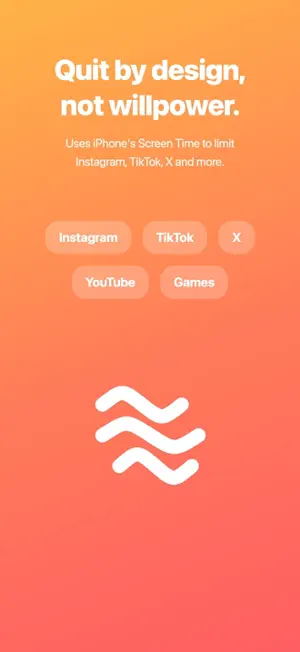
"I just meant to check Instagram… and an hour went by." Sound familiar? OneBreath asks "Do you really need this?" the moment you open a distracting app. Built on iPhone's Screen Time, it helps you cut phone time by design, not willpower. HOW IT WORKS 1. Choose the apps to limit (Instagram, TikTok, X, YouTube, games and more) 2. When you open one, a shield screen appears 3. Choose "I'll skip it" or "Use for a few minutes" If you choose to use it, a short breathing screen comes first. When your time is up, the limit turns back on automatically. SEE YOUR PROGRESS - How many times you held back today - Time saved - Your streak and a 7-day chart Check it on the Home Screen widget, and share your progress as an image. ADULT SITE BLOCKER (NEW) Custom Block (free) Add the sites you want to block, and turn it on or off anytime. Ironclad Mode (Premium) Automatically blocks tens of thousands of adult sites using Apple's filter. No typing required. While it's on, OneBreath can't be deleted, and turning it off requires a one-time payment. There's no free off-switch for impulsive moments, which makes it a real commitment for people who want to quit. SET YOUR SESSION LENGTH Free: fixed at 3 minutes. Premium: choose 1, 2, 3, 5, 10, 15, 20 or 30 minutes. FULL LOCK MODE (PREMIUM) Your last resort. Blocks selected apps for 24 hours. You can only unlock 24 hours after requesting it, so impulse can't win. PREMIUM - Custom session length (1 to 30 minutes) - No ads - Full Lock Mode - Ironclad Mode (auto-block adult sites) Includes a 7-day free trial. PRIVACY Screen Time data stays on your iPhone and is never sent anywhere. SUBSCRIPTION DETAILS - Payment is charged to your Apple ID account at confirmation of purchase - Subscriptions renew automatically unless turned off at least 24 hours before the end of the current period - Manage or cancel anytime in your App Store account settings Terms of Use (EULA): https://www.apple.com/legal/internet-services/itunes/dev/stdeula/
What’s new
Version 2.11 · Updated September 30, 2026
- Snobreath is now OneBreath, with a new icon - New: Adult Site Blocker - Custom Block (free): add the sites you want to block - Ironclad Mode (Premium): automatically blocks tens of thousands of adult sites, with no free way to turn it off on impulse - Shared progress cards now link to the App Store - Redesigned onboarding and Home screen
App privacy
The developer, Riki Suzuki, reported these privacy practices to Apple.
Data Linked to You
The following data, which may be collected and linked to your identity, may be used for the following purposes:
- Usage Data: Product Interaction
- Identifiers: User ID
Used for: Analytics, App Functionality
Data Not Linked to You
The following data, which may be collected but is not linked to your identity, may be used for the following purposes:
- Usage Data: Other Usage Data
Used for: Analytics
Alternatives to OneBreath: Screen Time Blocker
Looking for apps like OneBreath: Screen Time Blocker? Here are 6 similar apps on the App Store.
-
 ZenLock – App Blocking App
-
 スマホ制限、スクリーンタイム制限-Bebest
-
 Hitokokyu: Pause Before Apps
-
 おやすみアナウンス 蛍の光でスマホ依存対策・寝不足改善
-
 禁煙クエスト
-
 My Daily Habits
| App | Rating | Price | Last updated | Compare |
|---|---|---|---|---|
| OneBreath: Screen Time Blocker | – | Free | September 30, 2026 | |
| ZenLock – App Blocking App | – | Free | Sep 23, 2025 | Compare |
| スマホ制限、スクリーンタイム制限-Bebest | – | Free | Feb 5, 2026 | Compare |
| Hitokokyu: Pause Before Apps | – | Free | Oct 8, 2026 | Compare |
| おやすみアナウンス 蛍の光でスマホ依存対策・寝不足改善 | – | Free | Dec 4, 2024 | Compare |
| 禁煙クエスト | – | Free | Sep 13, 2026 | Compare |
| My Daily Habits | – | 0.99 USD | Jan 2, 2026 | Compare |