

BrainGuard: Cut Screentime
LONG SANG CHAN Productivity iPhoneiPadiPod touch
BrainGuard: Cut Screentime is a free Productivity app for iPhone and iPad by LONG SANG CHAN. Requires iOS 18.2. Updated April 29, 2026.
- Price
- Free
- on the App Store
- Size
- 35 MB
- Age 4+
- Updated
- Apr 29
- 2026 · v1.11
Screenshots
About BrainGuard: Cut Screentime
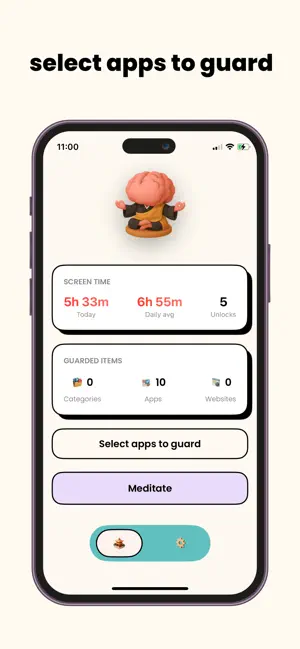
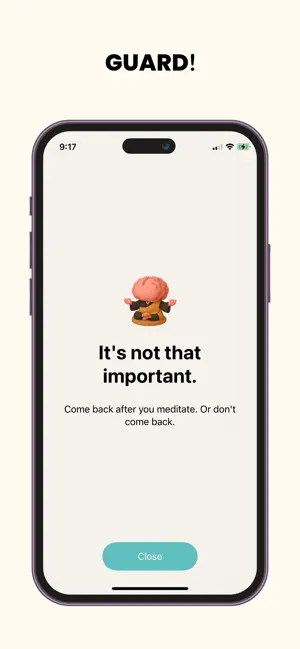
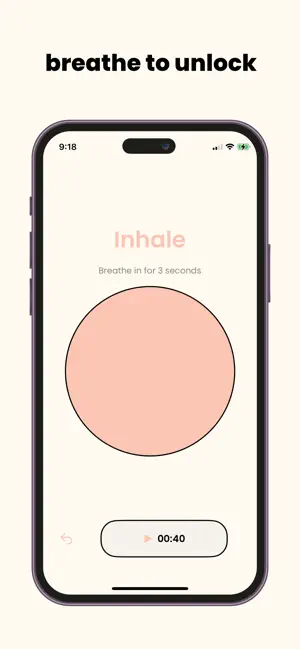
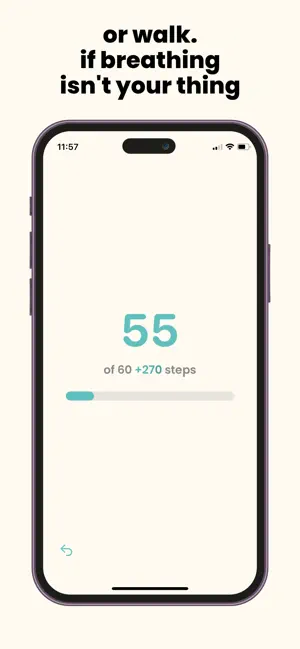
BrainGuard helps you use your phone with intention. Pick the apps that distract you. When you feel the urge, take a short guided breathing session. When it finishes, you get 15 minutes of access - then it locks again. How it works: - Select what to guard using Screen Time controls - Start a 4‑7‑8 breathing session with optional calming sounds - Unlock 15 minutes when the session completes - Locks again automatically after the timer ends Free features: - Guard apps, categories, and websites - Guided breathing unlocks - Optional background sounds - No account required; data stays on device **Premium features** - Walk Mode - Stats tab Terms of use: https://clsstudio.com/brainguard/terms-of-service
What’s new
Version 1.11 · Updated April 29, 2026
Added Live Activity support for the unlock countdown
App privacy
The developer, LONG SANG CHAN, reported these privacy practices to Apple.
Data Not Collected
The developer does not collect any data from this app.
Alternatives to BrainGuard: Cut Screentime
Looking for apps like BrainGuard: Cut Screentime? Here are 6 similar apps on the App Store. The highest rated is Step Guard: Screen Time Block (5.0/5), and all 6 are free to download.
-
 Doomscroll Totem
-
 Step Guard: Screen Time Block
5.0
Step Guard: Screen Time Block
5.0
-
 Mindbrake: Screen Time Control
-
 Screen Olympics
-
 Held: Focus & Screen Time
-
 App Blocker: Earn Brainrot
5.0
App Blocker: Earn Brainrot
5.0
| App | Rating | Price | Last updated | Compare |
|---|---|---|---|---|
| BrainGuard: Cut Screentime | – | Free | April 29, 2026 | |
| Doomscroll Totem | – | Free | Jun 24, 2026 | Compare |
| Step Guard: Screen Time Block | 5.0 / 5 (1) | Free | Sep 20, 2026 | Compare |
| Mindbrake: Screen Time Control | – | Free | Jun 22, 2026 | Compare |
| Screen Olympics | – | Free | Jul 13, 2025 | Compare |
| Held: Focus & Screen Time | – | Free | Feb 20, 2026 | Compare |
| App Blocker: Earn Brainrot | 5.0 / 5 (4) | Free | May 17, 2026 | Compare |