

Scribbler: Transcribe Video
Massimo Gollo Productivity iPhoneiPadiPod touch
Scribbler: Transcribe Video is a free Productivity app for iPhone and iPad by Massimo Gollo. Requires iOS 26.0. Updated October 4, 2026.
- Price
- Free
- on the App Store
- Size
- 8 MB
- Age 4+
- Updated
- Oct 4
- 2026 · v1.1.0
Screenshots


About Scribbler: Transcribe Video
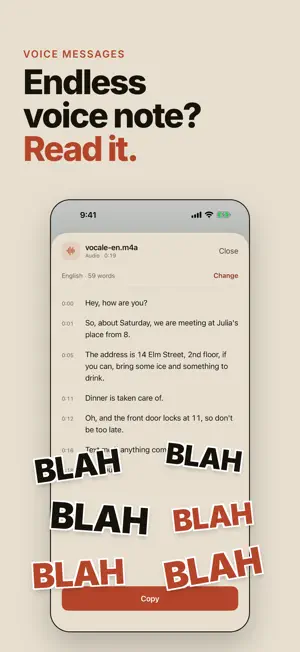
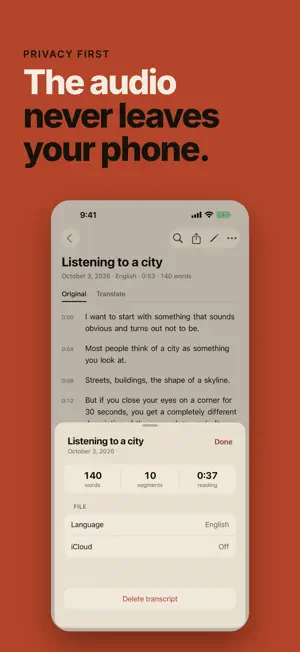
Scribbler turns a video or an audio file into a document you can read, search, fix and export. Everything happens on your iPhone or iPad. The media never leaves your device. No account, no upload. Once the language pack is on your device, it works in airplane mode. A transcript you can work with. Tap any word to jump to the second it was said, and watch the text light up as the audio plays. Fix a wrong word in two taps. Search the whole document and move between matches. Read it in another language, still on device. Translate a finished transcript and read it in your language. Search, editing and export work on the translation too. Record or import. Record a lecture, a meeting or an interview and watch the text appear while you speak, within about two seconds in Fast mode. Or bring in a file you already have: voice memos, video, podcasts. A voice message or a video shared from another app is transcribed in a popup, without leaving that app. Export where you need it. Plain text, Markdown, PDF, and SRT subtitles, with or without timestamps. Free every day. The free plan comes with transcription minutes that renew every day, with every feature included. No trial, no account, no card. Pro removes the daily limit. Transcribes in English, Italian, Spanish, French, German, Portuguese, Japanese, Korean and Chinese. Translates into around twenty languages, so a recording made in one language becomes a document you can read in yours. Your transcripts sync across your devices through your own iCloud account. The media stays on the device that made it. Requires iOS 26 and a device that supports on-device speech recognition. Terms of Use: https://www.apple.com/legal/internet-services/itunes/dev/stdeula/
What’s new
Version 1.1.0 · Updated October 4, 2026
Scribbler has a new look. Each document is a single page, from choosing the language to the finished text, and dark mode and large text have been redesigned. Stopping a transcription halfway now keeps the text written so far, and the document can be completed later. The recorder has a Fast mode: words appear about two seconds after they are spoken, with a little less accuracy in some languages. It can be made the default in Settings. Library search shows where each match is in the text, and the Library opens smoothly even with many documents. Audio and video shared with Scribbler show their text while it is being transcribed, and Stop keeps what is already done. Videos recorded with the Camera and imported from Files now play and transcribe, and a few smaller issues are fixed.
App privacy
The developer, Massimo Gollo, reported these privacy practices to Apple.
Data Not Linked to You
The following data, which may be collected but is not linked to your identity, may be used for the following purposes:
- Location: Coarse Location
- Identifiers: Device ID
- Usage Data: Product Interaction
- Diagnostics: Performance Data, Crash Data, Other Diagnostic Data
Used for: Analytics, App Functionality
Alternatives to Scribbler: Transcribe Video
Looking for apps like Scribbler: Transcribe Video? Here are 6 similar apps on the App Store. The highest rated is Transcribe Video to Text: Nota (4.3/5), and all 6 are free to download.
-
 Cadence - Audio Transcription
3.0
Cadence - Audio Transcription
3.0
-
 Scriba: Transcribe Audio
-
 Transcribe Video to Text: Nota
4.3
Transcribe Video to Text: Nota
4.3
-
 Kaseta: Voice to Text
-
 Transcribe Private Voice Notes
3.7
Transcribe Private Voice Notes
3.7
-
 Transcribe Video to Text: V2Tx
| App | Rating | Price | Last updated | Compare |
|---|---|---|---|---|
| Scribbler: Transcribe Video | – | Free | October 4, 2026 | |
| Cadence - Audio Transcription | 3.0 / 5 (1) | Free | Oct 22, 2026 | Compare |
| Scriba: Transcribe Audio | – | Free | Oct 12, 2026 | Compare |
| Transcribe Video to Text: Nota | 4.3 / 5 (6) | Free | Sep 21, 2026 | Compare |
| Kaseta: Voice to Text | – | Free | Oct 10, 2026 | Compare |
| Transcribe Private Voice Notes | 3.7 / 5 (3) | Free | Oct 22, 2026 | Compare |
| Transcribe Video to Text: V2Tx | – | Free | May 7, 2026 | Compare |