

AI Spend Tracker: RetroBudget
Pushpinder Pal Singh Finance iPhoneiPadiPod touch
AI Spend Tracker: RetroBudget is a free Finance app for iPhone and iPad by Pushpinder Pal Singh. Rated 3.0/5 from 2 ratings. Requires iOS 18.5.
- Rating
- 3.0
- 2 ratings
- Price
- Free
- on the App Store
- Size
- 21 MB
- Age 4+
- Updated
- Aug 18
- 2026 · v1.4
Screenshots
About AI Spend Tracker: RetroBudget
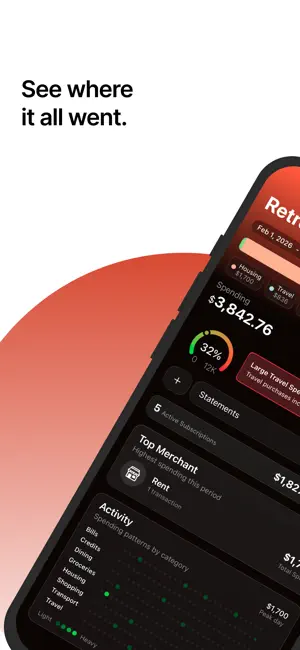
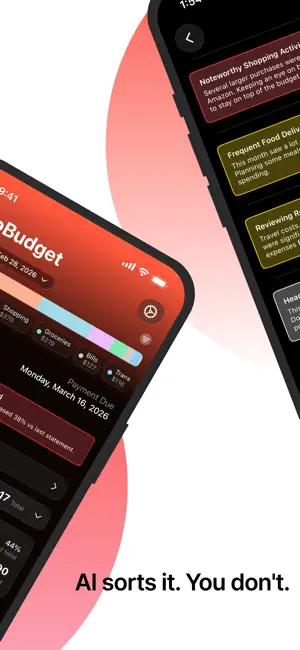
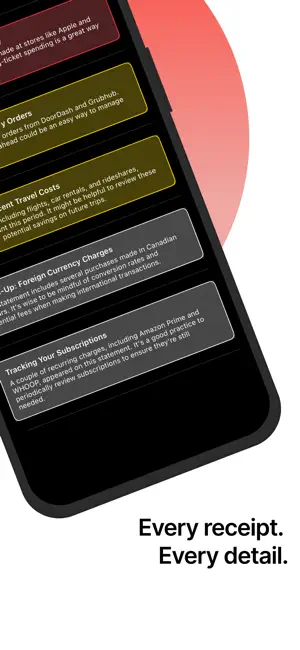
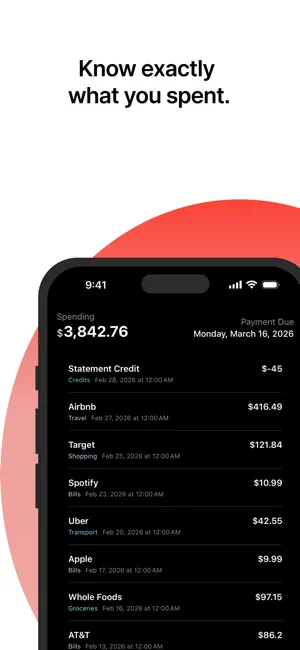
RetroBudget is an AI expense tracker made by one independent developer. I built it around a simple problem: credit card statements contain the answers, but they make it surprisingly hard to understand where your money actually went. Most finance apps want you to connect a bank account. RetroBudget takes a different route. Upload a credit card statement PDF you already have, and RetroBudget turns the transactions into a clear view of your spending without your bank password or live account access. What you can see: • Spending by category, merchant, and card • Recurring charges and monthly spending patterns • Simple charts that make the numbers easier to understand • Live Activity and optional notifications while a statement is processed How it works: 1. Choose a credit card statement PDF 2. AI reads and categorizes the transactions 3. Explore your spending breakdown 4. Delete the statement whenever you’re done Your imported PDF and extracted records remain in your iCloud-backed app storage until you delete the statement. RetroBudget uses Sign in with Apple and does not require bank linking. RetroBudget isn’t built by a big finance company. It’s an independent app I’m making to solve one focused problem well. If it helps you understand your spending a little faster, it’s doing its job. Privacy Policy: https://retrobudget.app/privacy Terms of Use: https://www.apple.com/legal/internet-services/itunes/dev/stdeula/
What’s new
Version 1.4 · Updated August 18, 2026
Statement imports are now more reliable. Unlock password-protected credit card PDFs during setup, or retry a failed import without choosing the file again. New • Delete your account from Settings, with the option to erase iCloud-backed PDFs and imported financial data. Improved • Category setup works better with larger text, easier-to-tap controls, and clearer VoiceOver labels. Fixed • Deleting a statement now removes both its imported data and PDF. If iCloud cleanup is interrupted, it can safely continue later. • PDFs shared from other apps remain ready to retry if an import fails. • Signing out during setup safely cancels any import in progress.
App privacy
The developer, Pushpinder Pal Singh, reported these privacy practices to Apple.
Data Not Linked to You
The following data, which may be collected but is not linked to your identity, may be used for the following purposes:
- Usage Data: Product Interaction
Used for: Analytics
Alternatives to AI Spend Tracker: RetroBudget
Looking for apps like AI Spend Tracker: RetroBudget? Here are 6 similar apps on the App Store. The highest rated is Local Budget: Statement Scan (5.0/5), and all 6 are free to download.
-
 Local Budget: Statement Scan
5.0
Local Budget: Statement Scan
5.0
-
 Stmnt
Stmnt
-
 TrackDue - Budget & Bills
-
 Fiscify: Smart Expense Tracker
-
 Klik Finance
-
 Ledgr-Journal
| App | Rating | Price | Last updated | Compare |
|---|---|---|---|---|
| AI Spend Tracker: RetroBudget | 3.0 / 5 (2 ratings) | Free | August 18, 2026 | |
| Local Budget: Statement Scan | 5.0 / 5 (2) | Free | Oct 3, 2026 | Compare |
| Stmnt | – | Free | Sep 4, 2026 | Compare |
| TrackDue - Budget & Bills | – | Free | Oct 1, 2026 | Compare |
| Fiscify: Smart Expense Tracker | – | Free | Sep 15, 2026 | Compare |
| Klik Finance | – | Free | Nov 30, 2025 | Compare |
| Ledgr-Journal | – | Free | Aug 18, 2026 | Compare |