

Home Design 3D: Draw & Plan
Home Design 3D Srl Productivity iPhoneiPadiPod touch
Home Design 3D: Draw & Plan is a free Productivity app for iPhone and iPad by Home Design 3D Srl. Rated 4.3/5 from 104,826 ratings. Requires iOS 15.0.
- Rating
- 4.3
- 104K ratings
- Price
- Free
- on the App Store
- Size
- 934 MB
- Age 4+
- Updated
- Aug 23
- 2026 · v5.9.1
Screenshots
About Home Design 3D: Draw & Plan
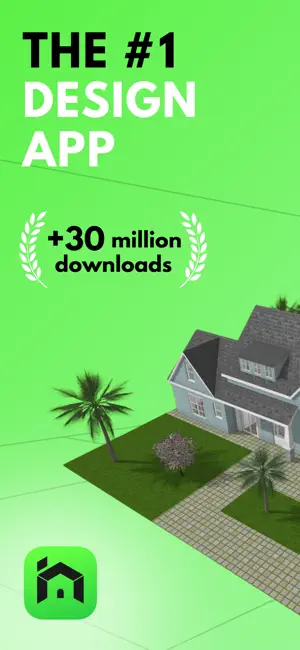
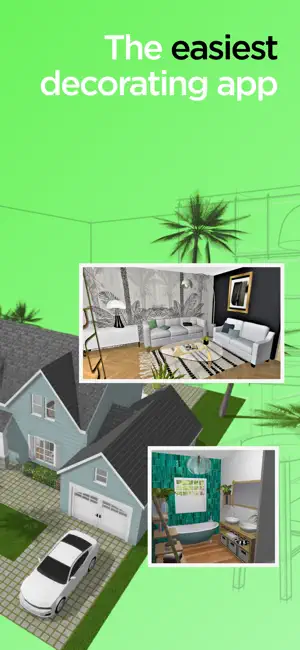
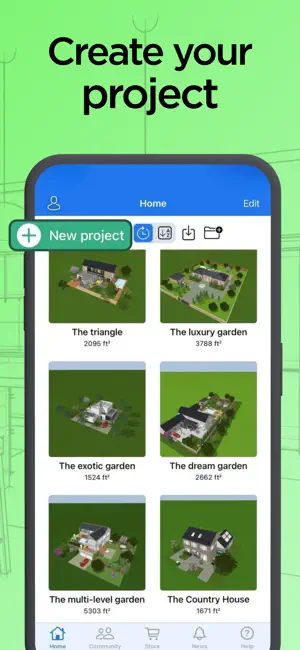
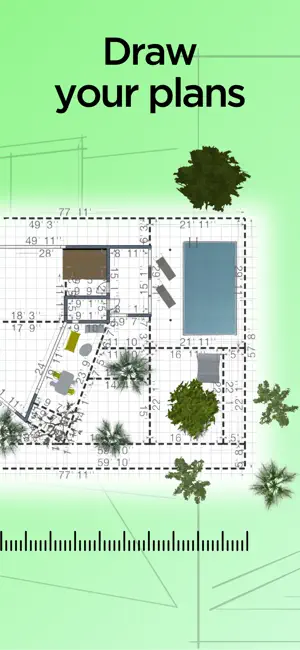
HOME DESIGN 3D - CREATE YOUR DREAM HOUSE IN 3D Create your dream house design with the world's leading home design app, trusted by over 60 million users in more than 150 countries. Transform your house design idea into stunning reality with our ultimate 3D house designer, featuring an intuitive planner and immersive 3D. Perfect for interior design, construction preparation, and rapid iterations across every design space, from concept to completion. PLAN & DESIGN YOUR DREAM HOME IN 3D • Draw floor plans in 2D, then instantly view in immersive 3D and 5D perspectives • Professional house designer tools for precise construction measurements • Create multi-story home renovation design projects with unlimited floors • Adjust wall thickness, height & angles for accurate planning • Map your entire house from ground to rooftop across every design space FURNISH & DECORATE EVERY SPACE • Browse thousands of items to decorate living rooms, kitchens, bedrooms & gardens • Customize furniture size, color & placement in each design space • Save multiple versions for easy comparison - redesign entire rooms instantly • Redecor entire rooms instantly and compare different styles in seconds • Test layouts with our advanced planner before starting your home renovation • Professional interior design tools with fine-tuned lighting & palettes • Perfect room planner for decorating and interior design projects VISUALIZE & WALK THROUGH • Photorealistic 3D rendering - walk through your dream house as if you were there • Experience your Home Design in 5D through virtual reality with VR export • Day/Night slider to preview natural lighting in every design space • Real-time 3D exploration of your house design and construction plans IMPORT ANY HOUSE DESIGN • Import existing projects and blueprints and draw directly on top • Import custom textures to personalize and decorate every design space with unique materials • Draw a floor plan in 2D and explore it instantly in 3D from your imported plans COLLABORATE, SHARE AND EXPORT • Keep a private design space library & share selected rooms once ready • Export projects across devices and collaborate with other house designers • Publish to our community, get decorating tips, feedback on your house design, redecor and iterate • Share your architecture projects via email, Dropbox, OneDrive • Share your creations with the Home Design 3D community on www.homedesign3d.net • Cross-platform compatibility so you can continue projects on any device Subscribe to access the app's premium features. The subscription details are as follows: - Duration: weekly or yearly - Free trial: on selected subscriptions only - Payment will be charged to your iTunes account once you confirm the purchase - You can manage your subscriptions and turn off auto-renewal in your account settings after purchase - Your subscription renews automatically unless you turn off auto-renewal at least 24 hours before the end of the current period - The renewal cost is charged to your account within the 24 hours before the end of the current period - When you cancel a subscription, it remains active until the end of the period. Auto-renewal is turned off, but the current subscription is not refunded - Any unused portion of a free trial period, if offered, is forfeited when you purchase a subscription Terms and Conditions: https://magic-cake-e95.notion.site/iOS-MacOS-Home-Design-3D-Terms-Conditions-3a5cf6557a08808186f1ca77df372251?source=copy_link Privacy Policy: https://en.homedesign3d.net/privacy-policy For any questions contact us at [email protected]
Ratings & reviews
4.3
104K ratings
What’s new
Version 5.9.1 · Updated August 23, 2026
Bug fixing and improvements
App privacy
The developer, Home Design 3D Srl, reported these privacy practices to Apple.
Data Used to Track You
The following data may be used to track you across apps and websites owned by other companies:
- Identifiers: Device ID
- Usage Data: Product Interaction, Advertising Data
- Diagnostics: Crash Data, Performance Data
Data Linked to You
The following data, which may be collected and linked to your identity, may be used for the following purposes:
- Contact Info: Email Address
- User Content: Gameplay Content, Customer Support
- Identifiers: User ID
Used for: App Functionality
Data Not Linked to You
The following data, which may be collected but is not linked to your identity, may be used for the following purposes:
- Usage Data: Advertising Data, Product Interaction
- Identifiers: Device ID
- Diagnostics: Crash Data, Performance Data
Used for: Third-Party Advertising, Analytics, App Functionality
Alternatives to Home Design 3D: Draw & Plan
Looking for apps like Home Design 3D: Draw & Plan? Here are 6 similar apps on the App Store. The highest rated is ArcSite: Quick CAD Floor Plans (4.7/5), and all 6 are free to download.
-
 Keyplan 3D Lite - Home design
4.5
Keyplan 3D Lite - Home design
4.5
-
 DrawPlan
3.5
DrawPlan
3.5
-
 Roomle: 3D Room Planner & AR
4.2
Roomle: 3D Room Planner & AR
4.2
-
 ArcSite: Quick CAD Floor Plans
4.7
ArcSite: Quick CAD Floor Plans
4.7
-
 magicplan
4.7
magicplan
4.7
-
 Draft Paper
4.4
Draft Paper
4.4
| App | Rating | Price | Last updated | Compare |
|---|---|---|---|---|
| Home Design 3D: Draw & Plan | 4.3 / 5 (104,826 ratings) | Free | August 23, 2026 | |
| Keyplan 3D Lite - Home design | 4.5 / 5 (52,725) | Free | Aug 10, 2026 | Compare |
| DrawPlan | 3.5 / 5 (5,314) | Free | May 30, 2026 | Compare |
| Roomle: 3D Room Planner & AR | 4.2 / 5 (1,492) | Free | Jul 14, 2026 | Compare |
| ArcSite: Quick CAD Floor Plans | 4.7 / 5 (9,090) | Free | Sep 24, 2026 | Compare |
| magicplan | 4.7 / 5 (41,143) | Free | Sep 24, 2026 | Compare |
| Draft Paper | 4.4 / 5 (15,789) | Free | Sep 13, 2026 | Compare |