

WeBe Bluetooth Mouse for Mac
Gabriel Hohener Utilities iPhoneiPadiPod touch
WeBe Bluetooth Mouse for Mac is a paid Utilities app for iPhone and iPad by Gabriel Hohener. Requires iOS 15.0. Updated March 2, 2026.
- Price
- 1.99 USD
- on the App Store
- Size
- 12 MB
- Age 4+
- Updated
- Mar 2
- 2026 · v2.0
Screenshots


About WeBe Bluetooth Mouse for Mac
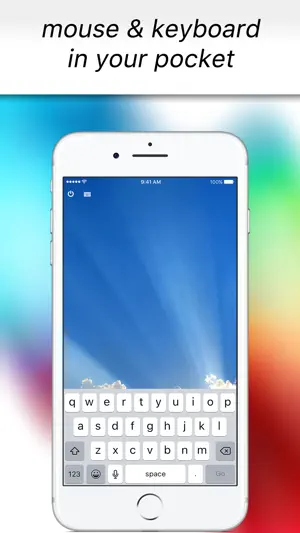
Turn your iPhone into a precision trackpad and keyboard for Mac and Windows. Originally launched in 2010 and featured in the US App Store, WeBe returns as version 2.0 — completely rebuilt for today’s Mac and Windows systems. Connect via Bluetooth, Wi-Fi, or USB and control your computer instantly. Whether you're presenting, working across multiple monitors, or controlling your computer from the couch, WeBe delivers smooth, precise control in seconds. No complicated setup. No outdated helpers. Install the desktop helper and start controlling instantly. FEATURES • Precision trackpad with smooth scrolling • Built-in keyboard for instant typing • Bluetooth, Wi-Fi and USB connectivity • Multi-monitor support • macOS Hot Corners & Dock activation • Works with Mac and Windows • Optimized for modern macOS and Windows versions • Clean, minimal interface • Built for speed and stability PERFECT FOR • Presentations and slide control • Remote work setups • Media control from your couch • Multi-monitor workflows • Emergency backup when your mouse fails SIMPLE SETUP • Install the desktop helper on your Mac or Windows PC • Open WeBe on your iPhone • Connect via Bluetooth, Wi-Fi or USB • Start controlling instantly SUPPORT, PRIVACY & TERMS Download desktop helpers and setup instructions: https://webe-app.com Privacy Policy: https://webe-app.com/privacy-policy Terms & Conditions: https://webe-app.com/terms-and-conditions
What’s new
Version 2.0 · Updated March 2, 2026
Version 2.0.0 • Complete rebuild from the ground up • Modern Bluetooth, Wi-Fi and USB connectivity • Improved stability and performance • Multi-monitor support enhancements • Better macOS Hot Corners and Dock triggering • Updated Windows helper • Smoother scrolling and cursor precision • Optimized onboarding experience • Bug fixes and performance improvements WeBe has been fully modernized for today’s macOS and Windows systems.
App privacy
The developer, Gabriel Hohener, reported these privacy practices to Apple.
Data Not Linked to You
The following data, which may be collected but is not linked to your identity, may be used for the following purposes:
- Usage Data: Product Interaction
Used for: Analytics, App Functionality
Alternatives to WeBe Bluetooth Mouse for Mac
Looking for apps like WeBe Bluetooth Mouse for Mac? Here are 6 similar apps on the App Store. The highest rated is QR Trust by Qerberos (5.0/5), and 5 of the 6 are free to download.
-
 PCBmaker
-
 TouchNav Pro
-
 QR Trust by Qerberos
5.0
QR Trust by Qerberos
5.0
-
 BatteryGuard: Battery Care
-
 MiniBridge: Portable Display
5.0
MiniBridge: Portable Display
5.0
-
 Tappio: Computer Remote
5.0
Tappio: Computer Remote
5.0
| App | Rating | Price | Last updated | Compare |
|---|---|---|---|---|
| WeBe Bluetooth Mouse for Mac | – | 1.99 USD | March 2, 2026 | |
| PCBmaker | – | Free | Oct 18, 2026 | Compare |
| TouchNav Pro | – | Free | Aug 14, 2026 | Compare |
| QR Trust by Qerberos | 5.0 / 5 (1) | 1.99 USD | Sep 15, 2026 | Compare |
| BatteryGuard: Battery Care | – | Free | Oct 9, 2026 | Compare |
| MiniBridge: Portable Display | 5.0 / 5 (2) | Free | Oct 23, 2026 | Compare |
| Tappio: Computer Remote | 5.0 / 5 (2) | Free | Oct 23, 2026 | Compare |