Concrete Calculator: RawMath
Cement and concrete calculator: slabs, footings, bags, yards, cost and waste.
About Concrete Calculator: RawMath
The concrete calculator that shows the waste.
RawMath is a concrete and cement calculator for the people who order the truck. Enter the dimensions of a pour and it returns the volume in cubic yards, cubic feet and cubic meters at once, the number of bags, and what both cost — so you can read whichever number the ready-mix supplier asks for without converting anything in your head.
Waste is its own line
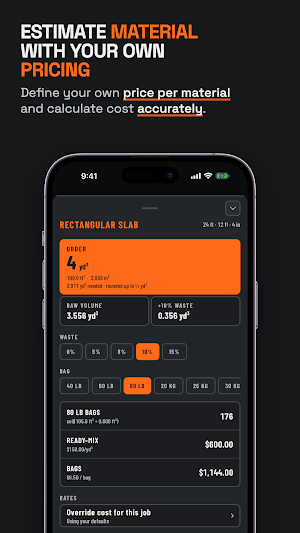
Raw volume and order quantity are separate rows with the allowance shown between them, at whatever percentage you set. Set your own default — the usual allowance is 5–10% for spillage, over-excavation and an uneven subgrade — and change it on any pour. Nothing is quietly folded into the total, so you can see what you are actually paying for twice.
Eight pour shapes
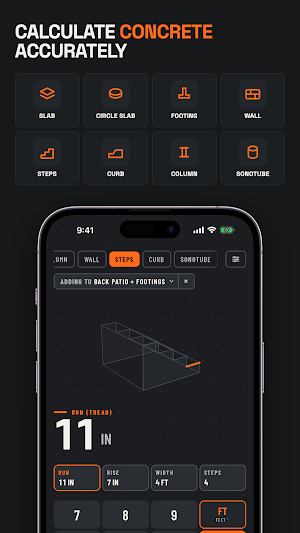
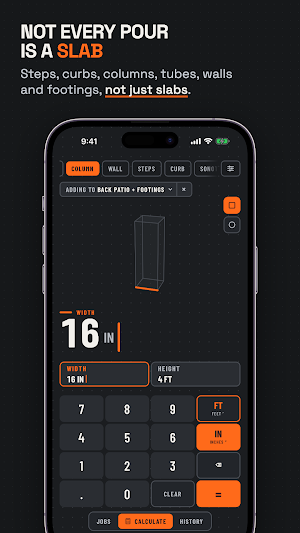
Rectangular slab, for a driveway, patio, garage floor or sidewalk. Circular slab, for pads, bases and fire pits. Footings, strip or pad. Columns and posts, square or round. Walls, including stem walls and retaining walls. Steps, from run, rise, width and step count. Curbs. Tubes and forms, from diameter and height.
A bag calculator and a yardage calculator in one
Bag counts for 40 lb, 60 lb and 80 lb, and for 20, 25, 30 and 40 kg. The pound figures are Quikrete's published coverage — 0.30, 0.45 and 0.60 cubic feet per bag. The kilogram sizes are derived from that same yield density, because the bag makers do not all publish one, and the app says which is which rather than passing a derived number off as a manufacturer's.
Concrete cost, both ways
Set your ready-mix rate per cubic yard or per cubic meter, and your price per bag. Every result shows both totals side by side, so the choice between a truck and a pallet of bags is a number rather than a guess.
Jobs, not just answers
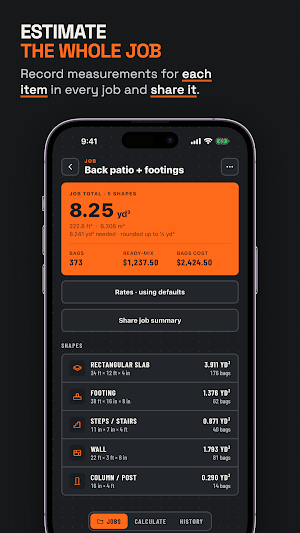
A driveway is rarely one pour. Save a calculation, add it to a job, and the job totals every pour in it — volume, bags and cost as one figure to order against. History keeps your last fifty calculations, and anything filed in a job stays with the job. Any of them can be duplicated and edited rather than re-entered from scratch. A pour or a whole job shares as plain text with the dimensions included, so whoever reads it can check your inputs and not only your answer.
Feet, inches, metric — whichever you work in
Enter dimensions in feet and inches, or in metres and millimetres (or centimetres, where that is how the trade writes them). Order in cubic yards or cubic metres, rounded up to the step your supplier sells in. Set once; the app starts in your region's units.
Built for the jobsite
Works with no signal, because it never needed one. Dark by default, with light and system themes if you want them. No account, no sign-in, and nothing you type ever leaves the phone — not a dimension, not a total, not a job name. Anonymous usage counts and crash reports help fix what breaks, and switch off in Settings.
Please note
RawMath calculates volume from the dimensions you type in. It does not size structural members, specify a mix design, schedule rebar or check anything against a building code. Bag yields are coverage figures and vary with how wet the mix is worked, so order with that in mind.
Terms of use (EULA): https://feetinchescalculator.com/terms/
Privacy policy: https://feetinchescalculator.com/privacy/
