Mriga FTP - Client & Server
Secure FTP, FTPS, SFTP & SCP client and FTP server in one powerful Android app
About Mriga FTP - Client & Server
Mriga FTP is a professional-grade, all-in-one file transfer application for Android that combines a multi-protocol remote client with a built-in FTP server — right from your phone or tablet.
🔗 MULTI-PROTOCOL CLIENT
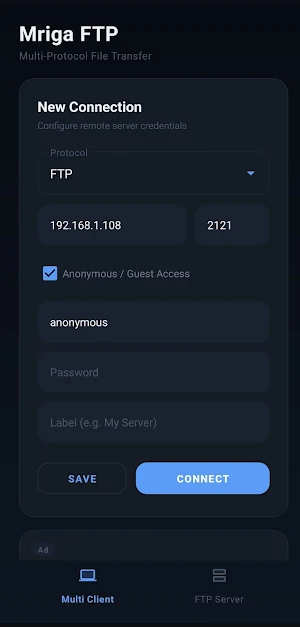
Connect to any remote server using FTP, FTPS (TLS/SSL), SFTP (SSH File Transfer Protocol), or SCP (Secure Copy Protocol). Whether you're managing web hosting files, accessing a NAS, or transferring documents between machines, Mriga FTP has you covered.
• Browse remote directories with a clean, intuitive file explorer
• Download files directly to your device's Downloads folder
• Real-time progress tracking with percentage indicators
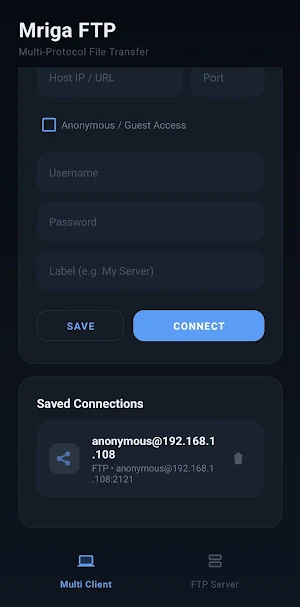
• Save and manage multiple server connection profiles
• Support for username/password and anonymous (guest) access
• Secure connections via SSH (SFTP/SCP) and TLS/SSL (FTPS)
🖥️ BUILT-IN FTP SERVER
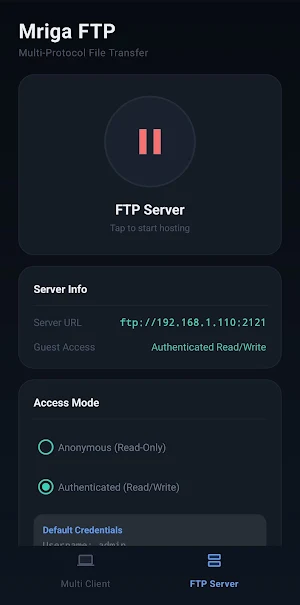
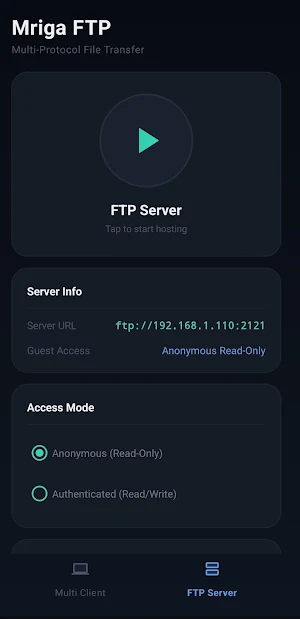
Turn your Android device into a lightweight FTP server. Share files from your phone over Wi-Fi — perfect for quick transfers between devices on your local network.
• One-tap server start/stop with an elegant power toggle
• Configurable shared folder or default internal storage
• Multi-user support with custom credentials
• Anonymous read-only guest access for easy sharing
• Live console log to monitor connections and activity
• Runs as a foreground service for reliable background operation
🛡️ SECURE BY DESIGN
• SFTP and SCP connections use SSH encryption via BouncyCastle & SSHJ
• FTPS uses TLS/SSL for encrypted data channels
• No data stored on external servers — all connections are direct
🎨 MODERN DARK UI
Mriga FTP features a premium dark theme with a refined, glassmorphic design language. Smooth gradients, responsive layouts, and a polished interface make file management a pleasure.
📱 KEY HIGHLIGHTS
• Dual-mode: Client + Server in a single app
• 4 protocols: FTP, FTPS, SFTP, SCP
• Lightweight — no bloatware or unnecessary permissions
• Works with any standard FTP/SFTP server
• Android 8.0+ (API 26) support
Built by Mriga Shirsha — crafted for developers, sysadmins, and power users who demand a reliable, secure file transfer tool on mobile.
