

Trim Video
inettools.net Video Players & Editors Contains ads
Trim or cut video and audio, remove sound, convert formats and share.
- Downloads
- 100+
- on Google Play
- Price
- Free
- No in-app purchases
- Updated
- Jul 21
- 2026 · v1.0.19
Screenshots


About Trim Video
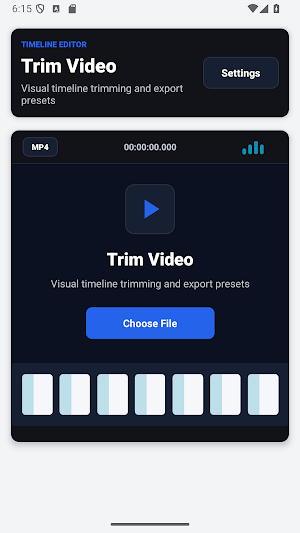
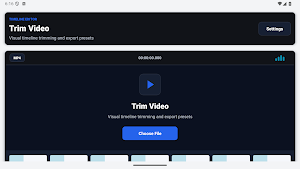
Trim Video is a practical on-device editor for cutting video and audio without a complicated timeline.
Choose a media file, set the start and end points with the range slider, manual time fields or the current player position, preview the selection and export the result. You can keep the selected fragment or remove the selected middle section.
Features:
- trim video and audio files;
- cut out an unwanted middle section;
- fast keyframe cutting or precise re-encoded cutting;
- remove the audio track from a video;
- quality and sharing presets;
- optional transcoding and bitrate settings;
- video export as MP4, MOV, MKV or WebM;
- audio export as M4A, MP3, AAC, OGG, Opus, WAV or FLAC;
- result details, recent files and cleanup settings;
- standard Android sharing;
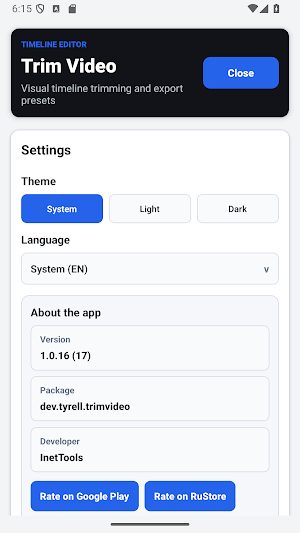
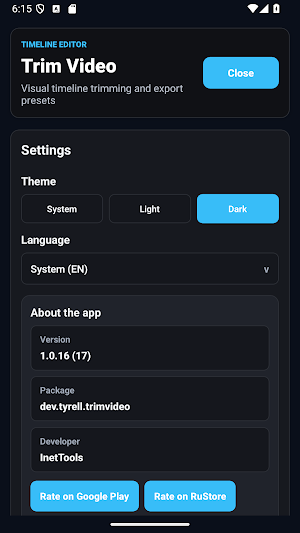
- app language selection and system, light or dark theme.
Media processing runs locally on your device. Processing time and output compatibility depend on file size, source codecs, device performance, selected format and export settings. Fast mode cuts at compatible keyframes and may not match the requested time exactly; use precise mode when exact boundaries matter.
Keep the original file until you have checked the exported result.
Choose a media file, set the start and end points with the range slider, manual time fields or the current player position, preview the selection and export the result. You can keep the selected fragment or remove the selected middle section.
Features:
- trim video and audio files;
- cut out an unwanted middle section;
- fast keyframe cutting or precise re-encoded cutting;
- remove the audio track from a video;
- quality and sharing presets;
- optional transcoding and bitrate settings;
- video export as MP4, MOV, MKV or WebM;
- audio export as M4A, MP3, AAC, OGG, Opus, WAV or FLAC;
- result details, recent files and cleanup settings;
- standard Android sharing;
- app language selection and system, light or dark theme.
Media processing runs locally on your device. Processing time and output compatibility depend on file size, source codecs, device performance, selected format and export settings. Fast mode cuts at compatible keyframes and may not match the requested time exactly; use precise mode when exact boundaries matter.
Keep the original file until you have checked the exported result.
Alternatives to Trim Video
Looking for apps like Trim Video? Here are 6 similar Android apps on Google Play. All of them are free to download.





| App | Rating | Price | Installs | Last updated | Compare |
|---|---|---|---|---|---|
| Trim Video | – | Free | 100+ | Jul 21, 2026 | |
| Gratitude Journal | – | Free | 10+ | Oct 17, 2026 | Compare |
| AppMetrica Viewer | – | Free | 10+ | Oct 17, 2026 | Compare |
| DICOM Viewer | – | Free | 1,000+ | Oct 17, 2026 | Compare |
| Sudoku Logic Path | – | Free | 5+ | – | Compare |
| TOTP Authenticator | – | Free | 100+ | Oct 17, 2026 | Compare |
| AutoLog | – | Free | 50+ | Oct 17, 2026 | Compare |
Compare Trim Video with the top alternatives: ratings, updates, ASO score and keyword gaps →