
Data Manager Classic
A. Grauf Productivity
Database app: build tables, fields & relations – offline, no cloud, no ads
- Downloads
- 94+
- on Google Play
- Price
- Free
- No in-app purchases
- Updated
- Sep 23
- 2026 · v1.9.0
Screenshots

About Data Manager Classic
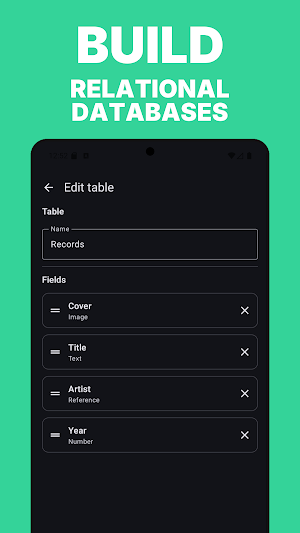
You define the tables, fields and relationships yourself — no spreadsheet hacks, no cloud account required, no ads. Everything stays on your device.
FEATURES
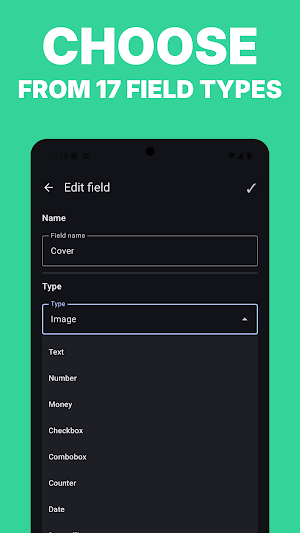
• 16 field types: Text, Number, Money, Date, Time, Checkbox, Combobox, Counter, Link, Email, Phone, Image, Location, Rating and more
• Unlimited databases, multiple tables per database
• Relational references between tables
• Sort, group, search, totals and per-group subtotals
• Composite unique keys with live duplicate warnings
• Per-field display settings (visibility, label, color, font size, order)
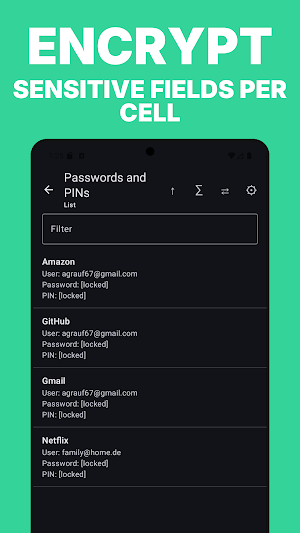
• Password protection and optional per-field encryption
• Image attachments inside records
• Custom background image and theme per database
• CSV import / export — compatible with the original data format
• Share a whole database definition — optionally with data and images — as a single file
• Built for large datasets (tested with 5,000 entries)
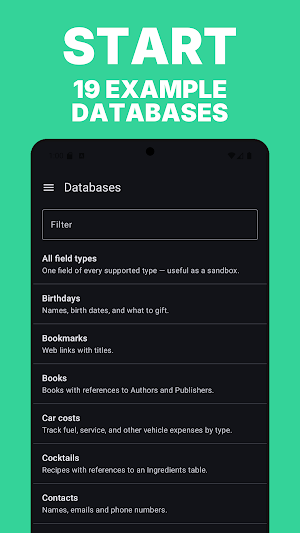
19 EXAMPLES INCLUDED
Books, movies, contacts, birthdays, bookmarks, car expenses, cocktails, shopping lists, credit cards, travel packing and more — ready to use as templates or just to explore the app.
YOUR DATA STAYS WITH YOU
No sign-up, no account, no tracking. Optionally encrypt individual fields with a passphrase you choose.
HERITAGE
Data Manager Classic is a direct port of the original webOS app "Data Manager" (VivaLV Software, 2012), rebuilt natively for Android.
What’s new
Version 1.9.0 · Updated September 23, 2026
Numbers in your own format • Decimal commas like 3,5 are now read correctly. Until now they were silently skipped in totals, sorting and statistics. Values you have already entered start counting after the update — there is nothing to re-enter. • The number keypad now offers a decimal comma. New • Target value with progress bar for total columns • Auto-increment for number fields, including when duplicating a row • Default values matched to the field type (date picker and so on)
Alternatives to Data Manager Classic
Looking for apps like Data Manager Classic? Here are 5 similar Android apps on Google Play. All of them are free to download.
-
Shopping Manager Classic
-
Parking Reminder - Car Finder
-
Sound Memory - Pairs & Tones
-
VocabTrain – Vocab Flashcards
-
Secret Notes – Private Notepad
| App | Rating | Price | Installs | Last updated | Compare |
|---|---|---|---|---|---|
| Data Manager Classic | – | Free | 50+ | Sep 23, 2026 | |
| Shopping Manager Classic | – | Free | 10+ | – | Compare |
| Parking Reminder - Car Finder | – | Free | 50+ | Aug 12, 2026 | Compare |
| Sound Memory - Pairs & Tones | – | Free | 100+ | – | Compare |
| VocabTrain – Vocab Flashcards | – | Free | 500+ | – | Compare |
| Secret Notes – Private Notepad | – | Free | 1,000+ | Sep 26, 2026 | Compare |