smo Hybrid Tough101H
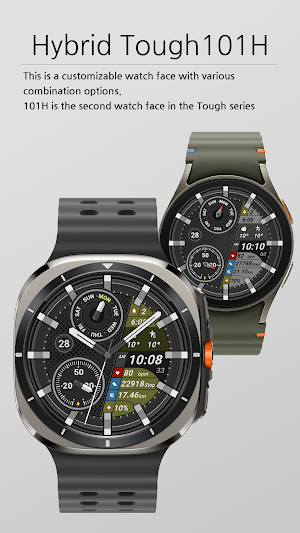
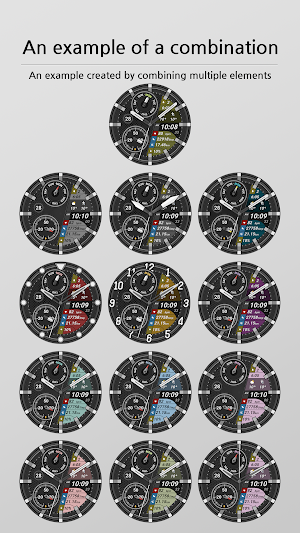
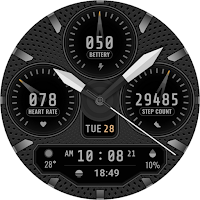
This is a hybrid type watch face that can be configured in various combinations.
About smo Hybrid Tough101H
This is a watch face that can be used based on WEAR OS.
Installation method
1. Click the drop-down button next to the install button and select the watch you want to install.
Click the install button and wait until the installation is complete.
2. Activate once installation is complete.
a. To activate it on the watch, press and hold the watch screen and move it to the left to select the watch face.
Add and select the newly installed watch face.
b. To activate on a smartphone, run an app such as (ex) Galaxy Wearable and click at the bottom.
Select ‘Downloaded’ and apply.
You may need to install additional complication apps to use the complication.
All tests were conducted with Samsung Galaxy Watch 4 and Watch 7.
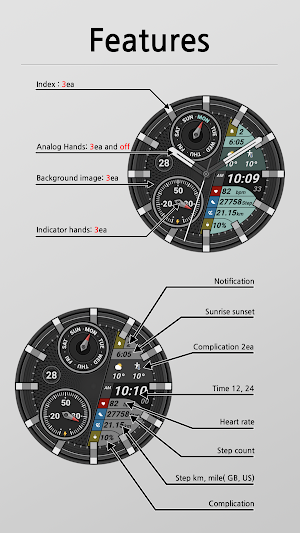
The composition of this watch face is as follows.
• 12h, 24h time settings can be changed (requires changing settings on mobile phone)
• alarm
• Battery quantity
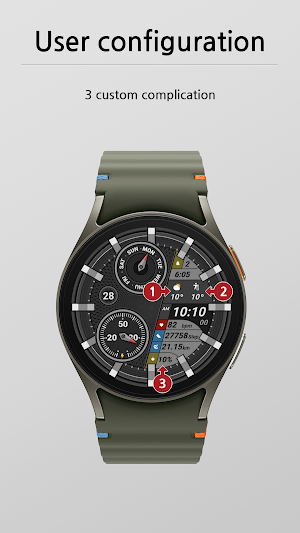
• 3 complications
• Number of steps
• Heart rate
* Long press on the watch screen > Open custom settings to change the desired configuration.
Similar Apps
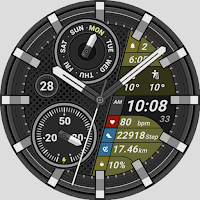
smo Hybrid Tough101H
WEAR OS 기반하에 사용 가능한 워치페이스 입니다.설치방법1. 설치버튼(install) 옆의 드롭다운버튼을 누르셔서 설치할...
smo Analog Tough101A
WEAR OS 기반하에 사용 가능한 워치페이스 입니다.터프한 이미지의 아날로그 타입의 워치페이스입니다.설치방법1. 설치버튼(install)...
Weather smo502L
WEAR OS 5 기반하에 사용 가능한 워치페이스 입니다.날씨를 테마로 제작된 smo502의 light버전으로...
Weather smo502
이 워치페이스는 WEAR OS5 기반하에 사용 가능한 워치페이스 입니다.설치후 날씨이미지가 "?"로 보이면...
Hybrid smo303
WEAR OS 기반하에 사용 가능한 워치페이스 입니다.설치방법1. 설치버튼(install) 옆의 드롭다운버튼을 누르셔서 설치할...

Digital smo202
WEAR OS5 기반하에 사용 가능한 워치페이스 입니다.날씨 아이콘에 에니메이션이 적용되어 있습니다.설치방법1. 설치버튼(install)...