

Butterfly Rose Gold
Personalization
Digital Wear OS clock face
- Downloads
- 201+
- on Google Play
- Price
- $1.49
- No in-app purchases
- Updated
- Aug 9
- 2026
Screenshots


About Butterfly Rose Gold
Digital Wear OS clock face.
Wear OS
Immediately after installing the mobile application,
a message will appear when you open the application.
You just need to tap on it to start the process of
installing the watch face on your watch.
If the notification doesn't appear for some reason,
you can still install a watch face on your watch
using the Google Play Store:
just search for a watch face by its name.
Main Features:
- Digital time display
- 8 color themes option
- 12/24 hours
- AM/PM marker
- Date
- Battery level status
- Always on display
- Customizable complication
App Shortcuts :
- Tap on date to open calendar
- Tap on clock time indicator to open alarm
- Tap on battery level status to open the battery options
- Tap on complication to open additional app
For full functionality, please enable sensor and complication data permissions.
The features offered may differ depending on the machine and its model.
Wear OS
Immediately after installing the mobile application,
a message will appear when you open the application.
You just need to tap on it to start the process of
installing the watch face on your watch.
If the notification doesn't appear for some reason,
you can still install a watch face on your watch
using the Google Play Store:
just search for a watch face by its name.
Main Features:
- Digital time display
- 8 color themes option
- 12/24 hours
- AM/PM marker
- Date
- Battery level status
- Always on display
- Customizable complication
App Shortcuts :
- Tap on date to open calendar
- Tap on clock time indicator to open alarm
- Tap on battery level status to open the battery options
- Tap on complication to open additional app
For full functionality, please enable sensor and complication data permissions.
The features offered may differ depending on the machine and its model.
Alternatives to Butterfly Rose Gold
Looking for apps like Butterfly Rose Gold? Here are 6 similar Android apps on Google Play.
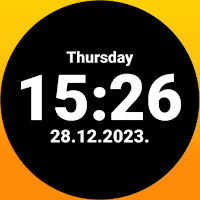
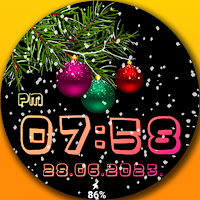
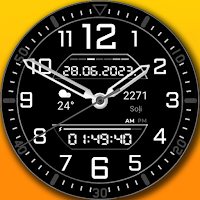
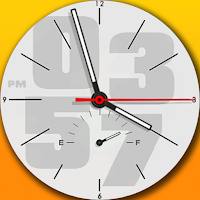
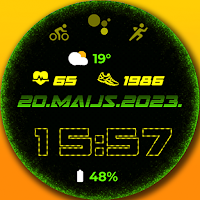
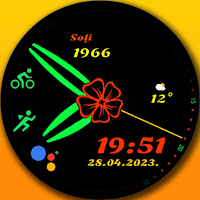
| App | Rating | Price | Installs | Last updated | Compare |
|---|---|---|---|---|---|
| Butterfly Rose Gold | – | $1.49 | 100+ | Aug 9, 2026 | |
| Minimalism | – | 1.49 USD | 100+ | Aug 9, 2026 | Compare |
| Xmas snow | – | 1.99 USD | 10+ | Aug 9, 2026 | Compare |
| Classic watch DG | – | 1.49 USD | 1,000+ | Aug 9, 2026 | Compare |
| Classic watch | – | 0.99 USD | 100+ | Aug 9, 2026 | Compare |
| Digital clock | – | 1.49 USD | 10+ | – | Compare |
| Classic watch flower | – | 0.99 USD | 10+ | Aug 9, 2026 | Compare |
Similar apps on Google Play
- Minimalism
- Xmas snow
- Classic watch DG
- Classic watch
- Digital clock
- Classic watch flower
- Flower dial
- TEOXC
- Microchip
- Digital animated clock
- Digital X5
- Digital sports watch
- Digital X6
- Elegant Color Themes
- Snow watch face
- Christmas miracle
- Neon clock
- Colorful stars
- Colorful Hearts
- Digital X3
- Digital X2
- Clean view
- Christmas Feeling
- Winter painting
- Animated snow watch
- Flowers
- Colorful bubbles
- Winter color dial
- Wonder butterflies
- Halloween ghost
- Digit May Sport
- AOD
- Lucky clover AOD2
- AODminimal
- DigitMay
- Rose Gold Digital 2
- Digital 2
- Digital with red watch hands
- Flower
- Trendy digital
- Doggy
- Bonsai Tree
- Romance
- Rose Gold Simple face
- Simple face
- Rose Gold XV12
- Silver XV12
- Cat Black Friday Rose Gold
- Cat Black Friday
- Rose Gold Orchids
- Orchids
- Space XC
- Rose gold Space XC
- Snow dial
- Winter in the woods Rose Gold
- Winter in the woods
- Rose Gold winter bunny snow
- Winter bunny snow
- Butterfly Rose Gold
- Butterfly Silver
- Silver heart
- Rose gold heart
- Rose Gold Christmas tree
- Winter Christmas tree
- Minimalism Rose Gold
- Minimalism
- Rose Gold minimalism
- Rose gold modern clock
- Modern clock
- Xmas snow Animated watch face
- Winter view animated
- Latvian flag
- Latvian flag Animated
- Latvian flag
- Latvian flag Animated
- Halloween Ghost
- Winter and deer Rose gold
- Winter and deer
- Winter snow Rose gold
- Winter snow
- Rose gold snow watch
- Rose gold animated snow watch