
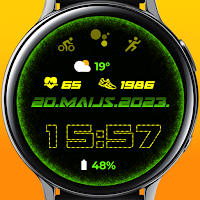
Digital clock
Personalization
Animated Wear OS Watch face
- Downloads
- 12+
- on Google Play
- Price
- $1.49
- No in-app purchases
- Updated
- Aug 9
- 2026
Screenshots


About Digital clock
IMPORTANT AFTER INSTALLATION - after installation, the phone will open a refund link that will be visible on the watch. To find a watch face don't press refund and browse the watch face library to find a watch face.
Wear OS watch screen companion app for phone:
Immediately after installing the mobile application, a message will appear when you open the application.
You need to tap on the watch face image to start the process of installing the watch face on your watch.
Once the installation process is complete, the companion app can be deleted.
After installation, browse the watch face library to find the screen face.
Main Features:
- Animated Watch face(Can be turned off).
- AM/PM marker.
- Digital watch face switchable to 12/24 hour via Phone Settings.
- Date.
- Heart rate (Restores after 10min, or tap on heart rate icon to measure & make sure you wear the watch and the screen is turned on during the measurement).
- Steps.
- Battery level status(Can be removed).
- Changeable colors (tap & hold to customize & change colors)
- Quick access to Alarm.
- Quick access to the calendar.
- The phone finder must manually set up the search.
- Quick access to 5 custom shortcuts(Tap & hold to customize & change Hidden shortcut to your chosen action).
- Quick access to 1hidden custom shortcut (tap and hold to customize and change the hidden shortcut to your chosen action).
- Always on display.
Note:
For full functionality, please enable sensor data permissions.
Background fitness data cannot be changed or replaced with others. You can Change hidden shortcuts to programs or actions you want.
Watch face has an automatic 10 minute interval heart rate measurement implemented.Or if manually updated by tapping (works while you're wearing the watch and the screen is on)
Email for feedback and suggestions ===> [email protected]
Wear OS watch screen companion app for phone:
Immediately after installing the mobile application, a message will appear when you open the application.
You need to tap on the watch face image to start the process of installing the watch face on your watch.
Once the installation process is complete, the companion app can be deleted.
After installation, browse the watch face library to find the screen face.
Main Features:
- Animated Watch face(Can be turned off).
- AM/PM marker.
- Digital watch face switchable to 12/24 hour via Phone Settings.
- Date.
- Heart rate (Restores after 10min, or tap on heart rate icon to measure & make sure you wear the watch and the screen is turned on during the measurement).
- Steps.
- Battery level status(Can be removed).
- Changeable colors (tap & hold to customize & change colors)
- Quick access to Alarm.
- Quick access to the calendar.
- The phone finder must manually set up the search.
- Quick access to 5 custom shortcuts(Tap & hold to customize & change Hidden shortcut to your chosen action).
- Quick access to 1hidden custom shortcut (tap and hold to customize and change the hidden shortcut to your chosen action).
- Always on display.
Note:
For full functionality, please enable sensor data permissions.
Background fitness data cannot be changed or replaced with others. You can Change hidden shortcuts to programs or actions you want.
Watch face has an automatic 10 minute interval heart rate measurement implemented.Or if manually updated by tapping (works while you're wearing the watch and the screen is on)
Email for feedback and suggestions ===> [email protected]
Alternatives to Digital clock
Looking for apps like Digital clock? Here are 6 similar Android apps on Google Play.
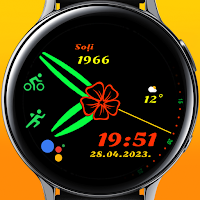
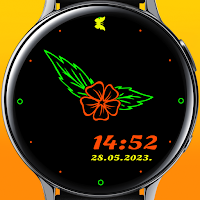
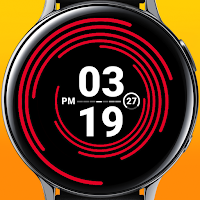
| App | Rating | Price | Installs | Last updated | Compare |
|---|---|---|---|---|---|
| Digital clock | – | $1.49 | 10+ | Aug 9, 2026 | |
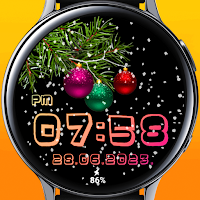
| Xmas snow | – | 1.99 USD | 10+ | Aug 9, 2026 | Compare |
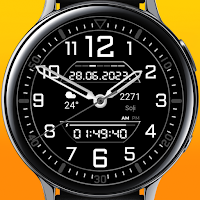
| Classic watch DG | – | 1.49 USD | 1,000+ | Aug 9, 2026 | Compare |
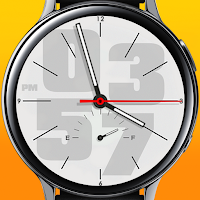
| Classic watch | – | 0.99 USD | 100+ | Aug 9, 2026 | Compare |
| Classic watch flower | – | 0.99 USD | 10+ | Aug 9, 2026 | Compare |
| Flower dial | – | 0.99 USD | 10+ | Aug 9, 2026 | Compare |
| TEOXC | – | 1.49 USD | 100+ | Aug 9, 2026 | Compare |
Compare Digital clock with the top alternatives: ratings, updates, ASO score and keyword gaps →
Similar apps on Google Play
- Xmas snow
- Classic watch DG
- Classic watch
- Digital clock
- Classic watch flower
- Flower dial
- TEOXC
- Microchip
- Digital animated clock
- Digital X5
- Digital sports watch
- Digital X6
- Elegant Color Themes
- Snow watch face
- Christmas miracle
- Neon clock
- Colorful stars
- Colorful Hearts
- Digital X3
- Digital X2
- Clean view
- Christmas Feeling
- Winter painting
- Animated snow watch
- Flowers
- Colorful bubbles
- Winter color dial
- Wonder butterflies
- Halloween ghost
- Digit May Sport
- AOD
- Lucky clover AOD2
- AODminimal
- DigitMay
- Rose Gold Digital 2
- Digital 2
- Digital with red watch hands
- Flower
- Trendy digital
- Doggy
- Bonsai Tree
- Romance
- Rose Gold Simple face
- Simple face
- Rose Gold XV12
- Silver XV12
- Cat Black Friday Rose Gold
- Cat Black Friday
- Rose Gold Orchids
- Orchids
- Space XC
- Rose gold Space XC
- Snow dial
- Winter in the woods Rose Gold
- Winter in the woods
- Rose Gold winter bunny snow
- Winter bunny snow
- Butterfly Rose Gold
- Butterfly Silver
- Silver heart
- Rose gold heart
- Rose Gold Christmas tree
- Winter Christmas tree
- Minimalism Rose Gold
- Minimalism
- Rose Gold minimalism
- Rose gold modern clock
- Modern clock
- Xmas snow Animated watch face
- Winter view animated
- Latvian flag
- Latvian flag Animated
- Latvian flag
- Latvian flag Animated
- Halloween Ghost
- Winter and deer Rose gold
- Winter and deer
- Winter snow Rose gold
- Winter snow
- Rose gold snow watch
- Rose gold animated snow watch