Status Saver - Download Status
Save and share image or video statuses already viewed on your device
About Status Saver - Download Status
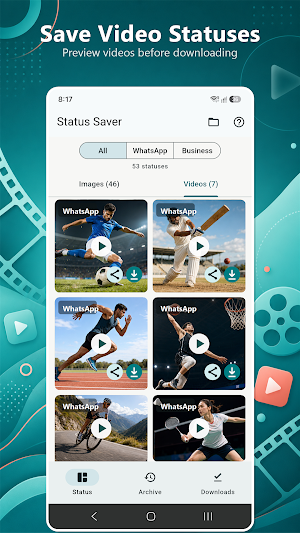
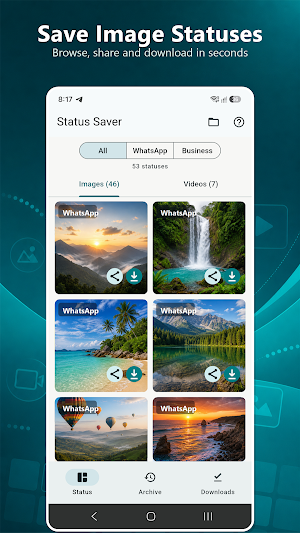
Status Saver helps you browse, save and share image or video statuses that you have already viewed in WhatsApp or WhatsApp Business.
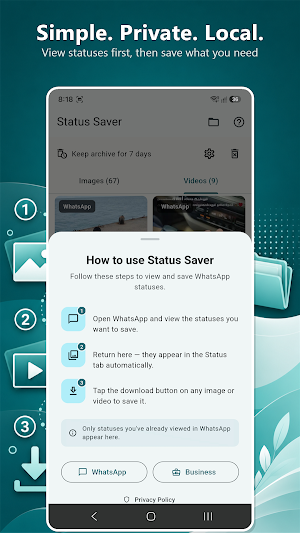
How it works:
1. Open WhatsApp or WhatsApp Business.
2. View the image or video statuses you want to save.
3. Return to Status Saver and refresh the Status tab.
4. Tap Download to save a copy on your device.
Main features:
- Browse viewed image and video statuses
- Separate Images and Videos tabs
- Filter by WhatsApp or WhatsApp Business
- View images in full screen
- Play videos with sound controls
- Save status media to organised device folders
- Share images and videos using Android's share menu
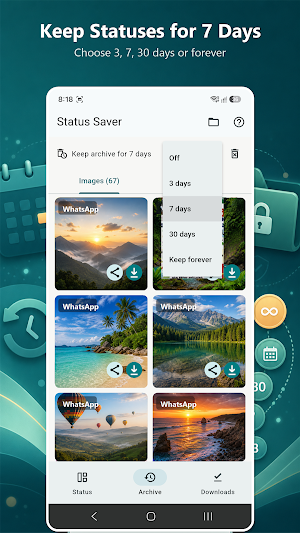
- Browse and manage saved downloads
- Delete saved copies from the Downloads tab
- Open saved image and video folders in your file manager
- Fast local caching and pull-to-refresh
Your saved files are organised in:
- Pictures/Status Saver/Images
- Movies/Status Saver/Videos
Privacy and storage:
Status Saver works locally on your Android device. It does not require an account and does not upload your status media to W3Park servers. Folder access is granted through Android's system folder picker, so you choose the folders the app can read.
Important:
- Only statuses already viewed in WhatsApp or WhatsApp Business can appear.
- Availability depends on status files remaining on your device.
- The app saves a separate copy and does not modify or delete the original source status.
Disclaimer:
Status Saver is an independent application and is not affiliated with, endorsed by or sponsored by WhatsApp or Meta. WhatsApp is a trademark of its respective owner.
Privacy policy:
https://www.w3park.com/wastatussaver/privacy-policy.html
Similar Apps

PVKN Alumni
Connect with your school alumni, batches, events and updates

Status Saver - Download Status
Save and share image or video statuses already viewed on your device

AV Player - Video Player
Video player for all formats with folders, history, rich features of the player

App Lock Advanced
Lock apps with PIN or pattern, custom themes, and flexible privacy controls

Family Spending Tracker
Track family income, expenses, categories, and shared monthly spending reports

PicText - Photo to Text
Extract, edit, translate, save, and back up text from photos.
