
WhisperVoice — Voice to Text
%E6%A0%AA%E5%BC%8F%E4%BC%9A%E7%A4%BEVRC Productivity
AI voice input. Speak, and your words become text at the speed of thought.
- Downloads
- 225+
- on Google Play
- Price
- Free
- No in-app purchases
- Updated
- Oct 23
- 2026 · v0.0.24
Screenshots


About WhisperVoice — Voice to Text
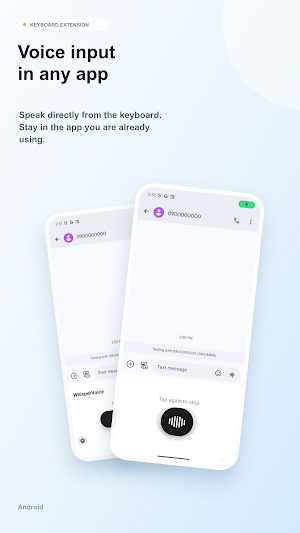
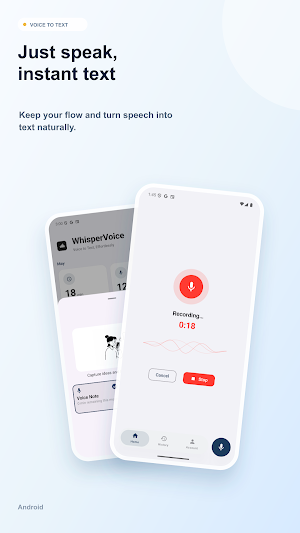
WhisperVoice is an AI voice input keyboard that works in any Android app. Just long-press the button and speak. High-accuracy speech recognition and AI text refinement make typing-free input effortless — for email, notes, social, and everywhere in between.
▼ Works everywhere
Install once, use everywhere. The dedicated keyboard works in messaging, email, notes, social — every app on your phone. No more switching apps to dictate.
▼ Industry-leading accuracy
A state-of-the-art cloud speech engine turns natural conversation into clean text. Whispers? Noisy environments? Still accurate. Supports Japanese, English, Simplified Chinese, and Korean.
▼ AI cleans up your speech
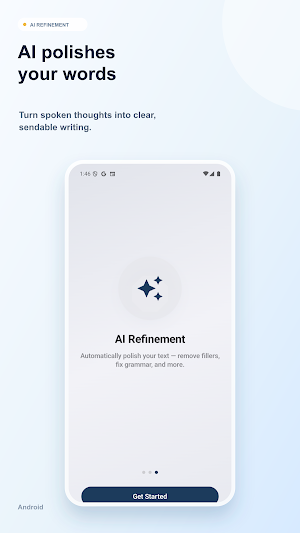
Filler words like "um" and "uh" are removed automatically. Punctuation is added, grammar is corrected — so your spoken thoughts come out as polished text, ready to send.
▼ Long-form input made easy
Reports, emails, long messages — finish them just by speaking. Writing no longer has to be a chore.
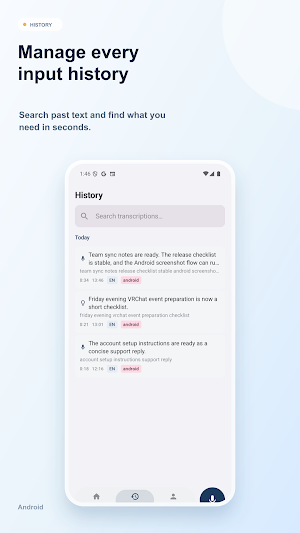
▼ Usage history
See your transcription count, input time, and time saved every day.
▼ Privacy first
No keystroke logging. Audio is processed in real time and never stored on the device.
Terms of Service: https://whispervoice.app/terms.html
Privacy Policy: https://whispervoice.app/privacy.html
▼ Works everywhere
Install once, use everywhere. The dedicated keyboard works in messaging, email, notes, social — every app on your phone. No more switching apps to dictate.
▼ Industry-leading accuracy
A state-of-the-art cloud speech engine turns natural conversation into clean text. Whispers? Noisy environments? Still accurate. Supports Japanese, English, Simplified Chinese, and Korean.
▼ AI cleans up your speech
Filler words like "um" and "uh" are removed automatically. Punctuation is added, grammar is corrected — so your spoken thoughts come out as polished text, ready to send.
▼ Long-form input made easy
Reports, emails, long messages — finish them just by speaking. Writing no longer has to be a chore.
▼ Usage history
See your transcription count, input time, and time saved every day.
▼ Privacy first
No keystroke logging. Audio is processed in real time and never stored on the device.
Terms of Service: https://whispervoice.app/terms.html
Privacy Policy: https://whispervoice.app/privacy.html
What’s new
Version 0.0.24 · Updated October 23, 2026
Filter your history by type. • History now has Ideas and Voice filters next to the device filters, so you can see just your idea notes or just your dictation. • When a filter matches nothing, or history can't load, the page now says so and offers Retry instead of looking empty.
Alternatives to WhisperVoice — Voice to Text
Looking for apps like WhisperVoice — Voice to Text? Here are 6 similar Android apps on Google Play. All of them are free to download.
-
Cove: Share Work Folders
-
WorkOS
-
OneLapuLapu Super App
-
ForsaCoop
-
MedVision: Emergency Alerts
-
Notiz – Text & Voice Notes
| App | Rating | Price | Installs | Last updated | Compare |
|---|---|---|---|---|---|
| WhisperVoice — Voice to Text | – | Free | 100+ | Oct 23, 2026 | |
| Cove: Share Work Folders | – | Free | 10+ | Oct 31, 2026 | Compare |
| WorkOS | – | Free | 500+ | – | Compare |
| OneLapuLapu Super App | – | Free | 10,000+ | Jul 28, 2026 | Compare |
| ForsaCoop | – | Free | 100+ | – | Compare |
| MedVision: Emergency Alerts | – | Free | 10+ | Sep 6, 2026 | Compare |
| Notiz – Text & Voice Notes | – | Free | 0+ | – | Compare |
Similar apps on Google Play
- Cove: Share Work Folders
- WorkOS
- OneLapuLapu Super App
- ForsaCoop
- MedVision: Emergency Alerts
- Notiz – Text & Voice Notes
- Vox: Voice to Text Anywhere
- People Counter Pro – Footfall
- Dataplace Log
- Haru: Daily Schedule Calendar
- Pledge Keeper: Promise to Self
- IDLC Ignite
- EmpowerPoints
- Revia: Field Force App
- HoofHandoff
- DoneList: Small Wins Tracker
- One Priority - Founder Focus
- Showroom9 v2 (Admin)
- Speech to Text: AI Voice
- Project Tracker - Task Manager
- Klad: Git & Markdown Notes
- SuryaPDF Reader & Editor
- ScanKit: Doc & QR Scanner
- The Muslim App
- My Notes – Fast, Simple, Smart